Quattro DC Display Data D0 Menu
85
Parameter Description Units
Hidden
Item
RX COM STATUS
(continued)
Bit Severity Name Description/Reason
4 Info RX_INVALID_MESSAGE Invalid header
character in message.
5 Info RX_FIFO_OVERRUN Overflow has occurred.
6 Info RX_INVALID_RUN_ID Set if the Cmd_Id sent in
the RUN MESSAGE is not in range.
7
Info
RX_INVALID_MONITOR_ID
(Not available in Mode 2) Set if the Monitor_Id
received in the run message is not in range.
8 Info RX_INVALID_FAULT_ID Set if the Fault_Id sent
in the setup message is not in range.
9 Info RX_FAULT_DETECTED COMM FAULT has
been detected
10 Info
Fault_Mode_1
(Not available in Mode 1) Immediate Shutdown
Mode
11 Info
Fault_Mode_2
(Not available in Mode 1)
Run Removal Shutdown Mode
12 Info
Fault_Mode_3
(Not available in Mode 1)
Rescue Shutdown Mode
13 N/a
14 N/a
15 Fatal RX_COMM_FAULT COMM FAULT has been
declared by the drive
1=true
0=false
N
RX Error Count
(Serial communication error counter) This function will monitor
invalid serial messages and increase the count per invalid
messages. This is used as a diagnostic tool.
Count N
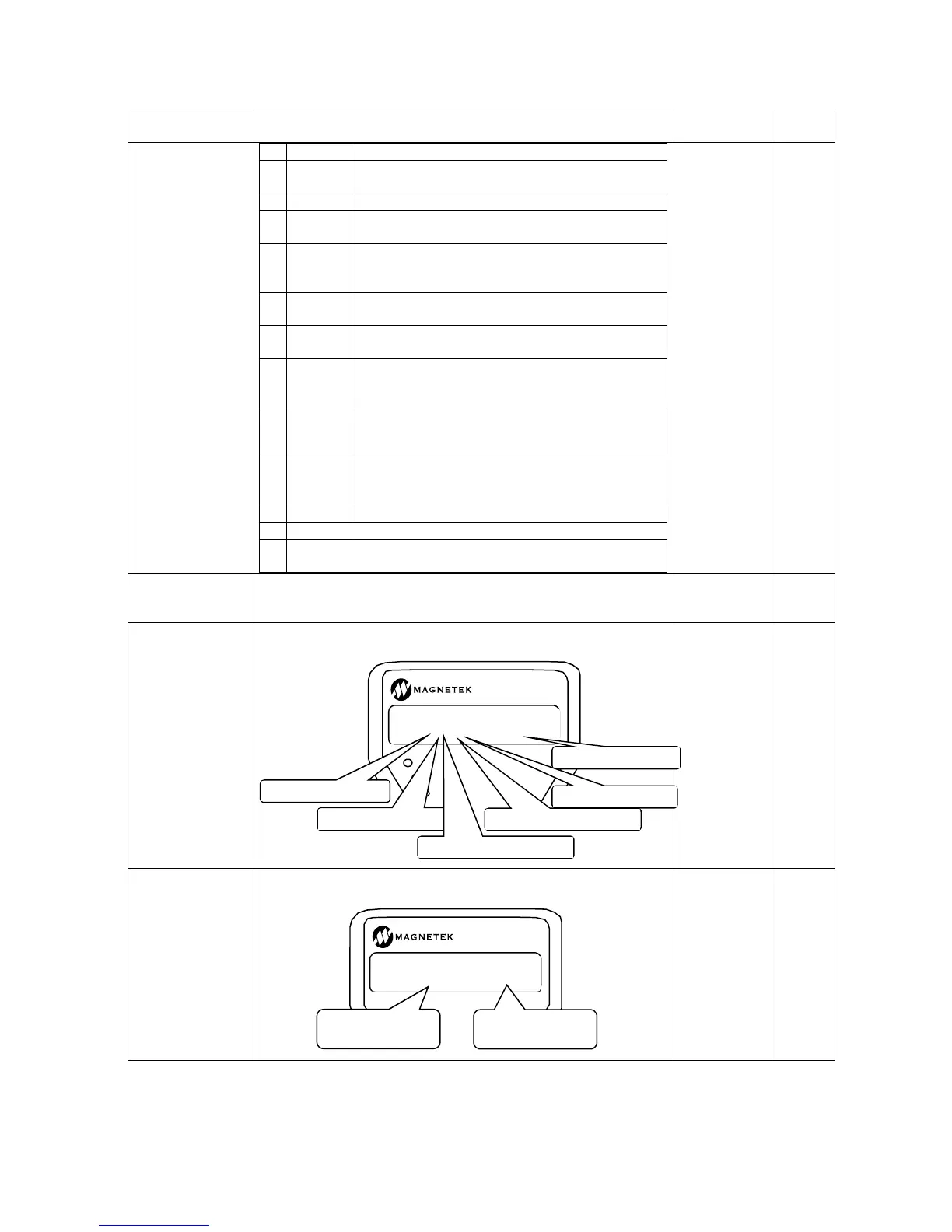
LOGIC OUTPUTS
(Logic Outputs Status) This display shows the condition of the
logic outputs. (1=true 0=false)
1=true
0=false
N
LOGIC INPUTS
(Logic Inputs Status) This display shows the condition of the logic
inputs. (1=true 0=false)
1=true
0=false
N
RUN/FAULT
SUB MENU
DATA ENT
LOGIC OUTPUTS
D1 000-0000-0000
Logic output 1
Logic output 7
Relay output 1
Relay output 2
Solid State Relay 1
Solid State Relay 2
RUN/FAULT
SUB MENU
DATA ENT
LOGIC INPUTS
D1 0-0000-0000
Lo
ic In
ut 1
Lo
ic Input 9



 To Next Page