front and back. Always make sure that the forward arrow is
pointing toward the front of the aircraft. If your GPS component
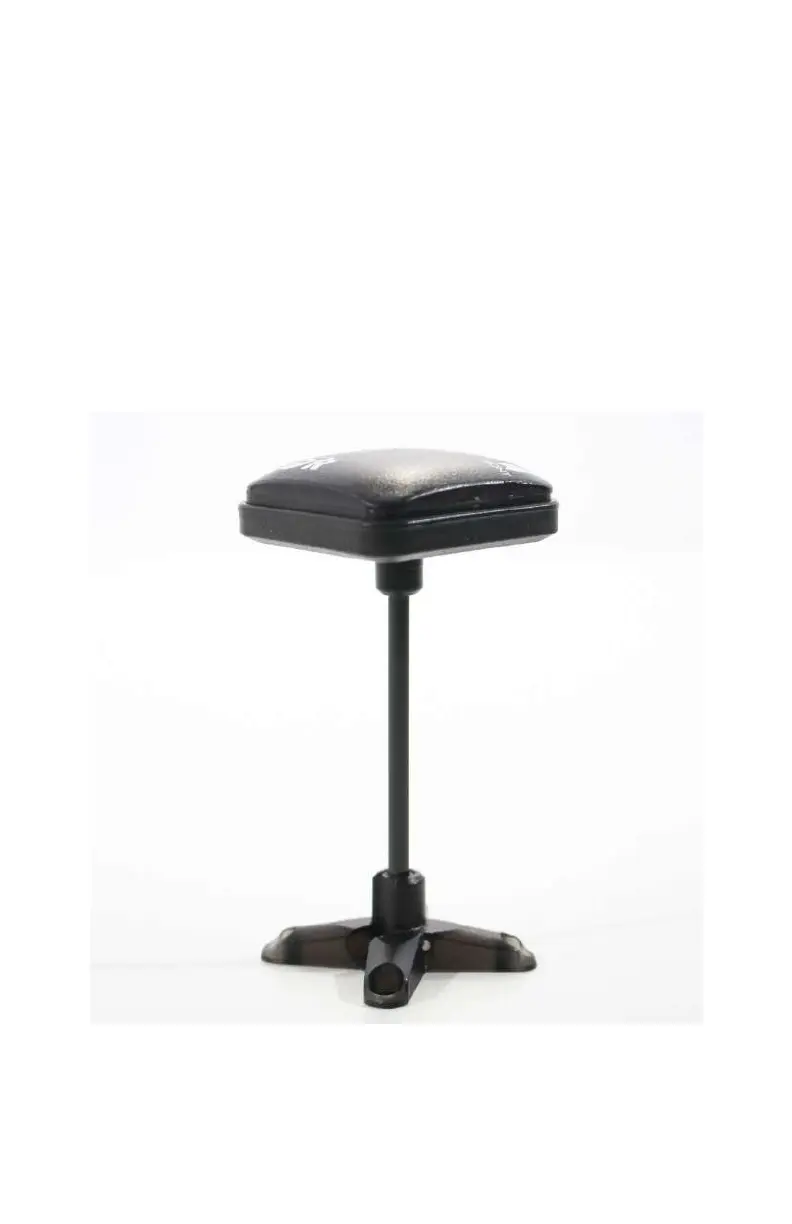
came with a raised mounting bracket, use it (see Figure 5-3). If it
didn’t—and you don’t have any way of making one—you can
order one from 3D Robotics or the Maker Shed. It is generally
considered a best practice to place the GPS puck (with internal
compass) high above the rest of the electronics to avoid any
magnetic interference. Follow any assembly instructions that
came with your mounting bracket, then attach the bracket to
the top of the drone frame as close to the center of gravity as
you can. Apply a generous amount of double-sided tape to the
bracket—or
find a way to screw it in place—in order to hold it in
place.
Figure 5-3. 3DR makes a nice mast for the uBlox GPS.
GPS, Compass, and Battery Monitor 97



 To Next Page