EasyManua.ls Logo

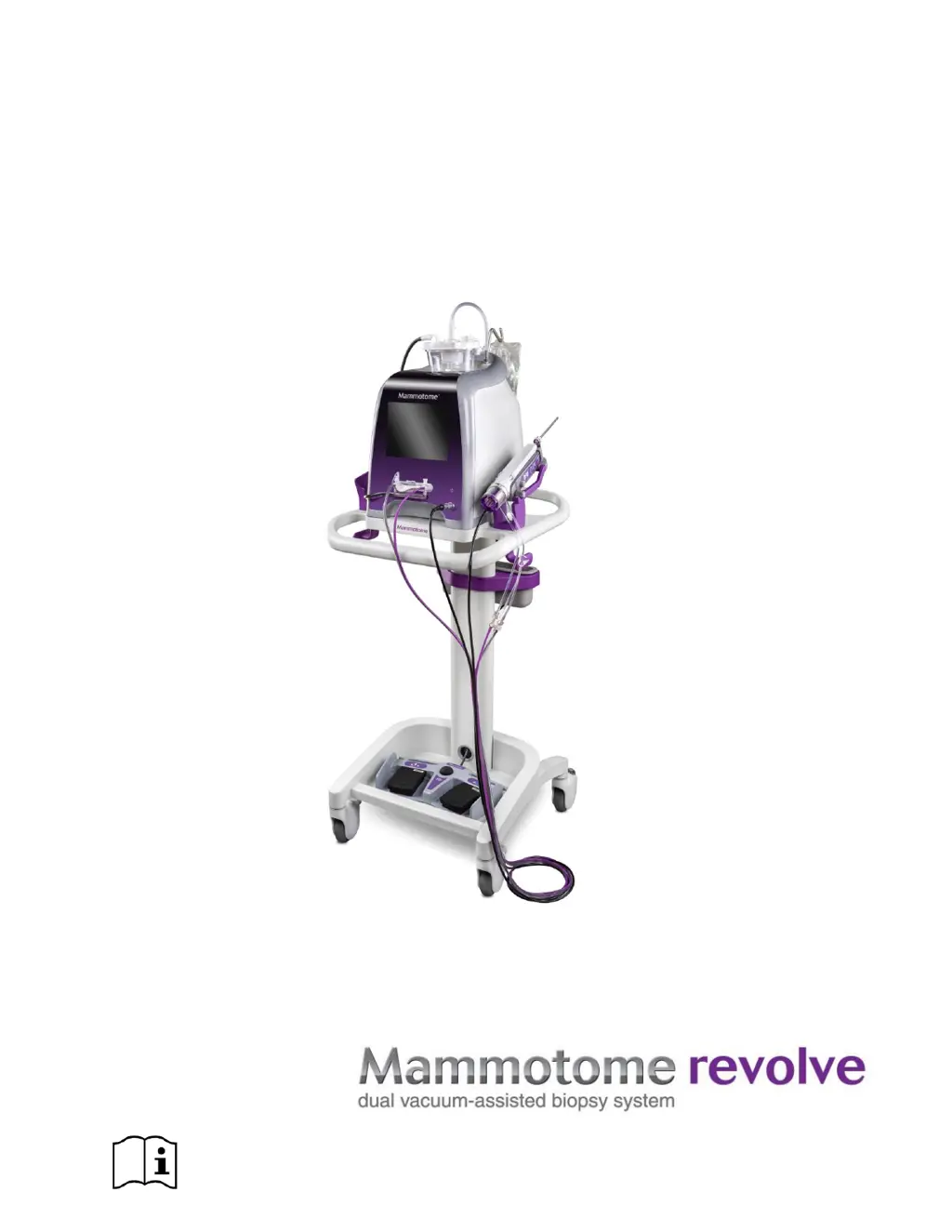
mammotome REVOLVE - User Manual

mammotome REVOLVE
119 pages
Print Icon
To Next Page IconTo Next Page
Loading...
USER INSTRUCTIONS AND
OPERATIONS GUIDE
www.mammotome.com/ifu eIFU number: 001413

Table of Contents

Questions and Answers

  • K
    Kim HoustonSep 15, 2025
    What to do if the mammotome REVOLVE Medical Equipment system reports “Check Holster and Probe Attachment” during function execution with Error Codes 805 – 819?
    • R
      Rachel SmithSep 15, 2025
      If the mammotome Medical Equipment system reports “Check Holster and Probe Attachment” during function execution with Error Codes 805 – 819, it means the system is unable to move the cutter due to an obstruction or probe issue. Remove the probe from the patient (collect any samples obtained), disconnect the probe from the system, and replace the probe.
  • C
    Catherine StricklandSep 14, 2025
    What to do if the mammotome Medical Equipment system fails to initialize the probe and reports error message: “Check or Replace Cup” Error Code 703 or 704?
    • S
      Sean TurnerSep 14, 2025
      If the mammotome Medical Equipment system fails to initialize the probe and reports error message: “Check or Replace Cup” Error Code 703 or 704, it indicates that the specimen management system is obstructed and cannot move. Check for obstructions that block the specimen management system from rotating. Ensure the SMS assembly is fully locked onto the probe. Remove the probe from the holster, reattach, and try initialization again.
  • P
    Phillip BakerSep 13, 2025
    What to do if the mammotome Medical Equipment system returns to Standby and reports error message: “Vacuum Error, Check Tubing Connections” Error Code 400 or 402?
    • K
      Kevin HaynesSep 13, 2025
      If the mammotome Medical Equipment system returns to Standby and reports error message: “Vacuum Error, Check Tubing Connections” Error Code 400 or 402, it could be due to a vacuum canister leak, or the vacuum pump is not working properly. Ensure the vacuum tubing is connected. Check that all vacuum canister lid ports are sealed and repeat system initialization.
  • D
    Deborah Wilson DVMSep 12, 2025
    What should I do if the mammotome Medical Equipment system reports holster is not compatible: Error Code 203?
    • D
      Danny PittmanSep 12, 2025
      If the mammotome Medical Equipment system reports that the holster is not compatible and shows Error Code 203, it means that the control module and the holster have incompatible software versions. Use a holster that is compatible with the control module’s current software version.
  • P
    powellpatrickSep 12, 2025
    What to do if the cutter moves while the marker is in the probe of my mammotome REVOLVE Medical Equipment?
    • D
      Doris TorresSep 12, 2025
      If the cutter moves while the marker is in the probe of your mammotome Medical Equipment, the user may have tapped the Vacuum button while rotating the needle, triggering a Clear/Dry Tap function. If vacuum is desired while a marker is inserted, the user must be careful to press and hold the Vacuum button to activate the vacuum function.
  • J
    Jeffrey SosaAug 26, 2025
    What to do if the mammotome REVOLVE system reports “Check or Replace Cup” during function execution with Error Codes 705 – 720?
    • W
      William BeanAug 27, 2025
      If the mammotome Medical Equipment system reports “Check or Replace Cup” during function execution with Error Codes 705 – 720, it indicates that the system is unable to move the specimen management system due to excessive tissue or coagulating blood. If the problem persists, replace the specimen management system. If the problem persists with a new specimen management system, replace the probe (collect any samples obtained from the original probe before disposal).
  • P
    Philip WallaceSep 9, 2025
    What to do if the mammotome REVOLVE system displays a message at bottom of the Touchscreen Interface during biopsy: “Probe leak detected.”?
    • T
      Taylor SullivanSep 9, 2025
      If the mammotome Medical Equipment system displays a message at bottom of the Touchscreen Interface during biopsy: “Probe leak detected,” it could be due to several reasons: * The biopsy button was activated outside of the breast, or excessive usage was detected by the system. This is normal operation; the biopsy function will still be available. * Vacuum tubing connections at the probe are loose. Check/tighten all vacuum connections at the probe and canister. * Tissue strips in the SMS are loose. Ensure the tissue trips are fully inserted into the SMS.
  • T
    Timothy BarrettSep 8, 2025
    What to do if marker insertion is difficult in mammotome REVOLVE Medical Equipment?
    • R
      Robert DiazSep 8, 2025
      If you're experiencing difficulty with marker insertion in your mammotome Medical Equipment, consider the following: * If inserting the marker through the cup, ensure the cup is aligned. Gently nudge the SMS manifold until the 13th chamber is aligned with the sample port. * Check that the marker is inserted into the chamber aligned with the sample port. * Make sure the marker is inserted straight into the probe. Pushing the marker in at an angle may cause it to catch on the cutter.
  • E
    Emily DeckerSep 7, 2025
    What to do if the mammotome REVOLVE Medical Equipment system reports “Vacuum Error”?
    • H
      Hayden MaddoxSep 7, 2025
      If the mammotome Medical Equipment system reports “Vacuum Error”, it could be caused by several issues: * Vacuum tubing is not connected: Ensure the vacuum tubing is connected to the probe and the vacuum canister, and that the valve cartridge is fully seated into the control module’s connection slot. * Vacuum canister is cracked: Replace the canister and check canisters for cracks prior to system startup. * Sample trays in the SMS are not fully seated in the cup: Gently push the sample trays into the SMS manifold.
  • S
    Stephanie ChenSep 6, 2025
    What to do if I cannot insert the valve cartridge into the control module’s vacuum connection slot in mammotome REVOLVE Medical Equipment?
    • T
      tammyorrSep 6, 2025
      If you cannot insert the valve cartridge into the control module’s vacuum connection slot in your mammotome Medical Equipment, it is likely due to misalignment of the valve slots. Manually align the valve cartridge T-slots with the orientation of the control module valve actuators. Alternatively, proceed through initialization without the valve cartridge attached to reset the valve alignment, and then reattach the valve cartridge to the control module.

Summary

Chapter 1 INTRODUCTION

Warnings and Safety Precautions

Highlights critical safety information, potential hazards, and warnings for safe operation.

General and System Safety Guidelines

Provides general usage precautions and specific safety guidelines related to the system's electrical and operational aspects.

Chapter 2 SYSTEM DESCRIPTION

Probe and Holster Types

Describes the different types of probes (ST, U/S, EX) and their corresponding holsters.

Chapter 3 INITIAL INSTALLATION AND GETTING STARTED

Unpacking and Component Assembly Procedures

Step-by-step instructions for unpacking system components and assembling them for initial use.

System Setup and Configuration

Guides through powering on the system, connecting components, and initial setup processes.

Chapter 4 STEREOTACTIC (ST) INSTRUCTIONS FOR USE

Chapter 5 ULTRASOUND (U;S) INSTRUCTIONS FOR USE

Chapter 6 EX INSTRUCTIONS FOR USE

Preparation and Steps for Tissue Sampling

Detailed instructions on how to prepare the system and perform tissue sampling using EX mode.

Biopsy Function and Operation Details

Explains the biopsy cycle, sample acquisition, and handling of collected tissue specimens.

Chapter 7 CLEANING AND DISINFECTION

Cleaning Control Module, Cart, and Footswitch

Detailed instructions for cleaning the main system components using specified detergents.

Cleaning and Disinfection for Holsters

Procedures for cleaning and disinfecting ST, U/S, and EX holsters using different options.

Chapter 8 SOFTWARE DESCRIPTION

Touchscreen Interface and Button Functions

Overview of the graphic user interface, touchscreens, and button functionalities on the control module.

Chapter 9 SERVICE AND TROUBLESHOOTING

Troubleshooting System Component Issues

Provides solutions for common problems related to system components like holsters and probes.

Troubleshooting Software and Error Codes

Addresses issues related to system software, error messages, and incompatible components.

mammotome REVOLVE Specifications

General IconGeneral
Brandmammotome
ModelREVOLVE
CategoryMedical Equipment
LanguageEnglish