2-28
6 - INTERFACE SCREEN
- This screen enables you to view all the platform’s start-up, parametering, maintenance and
fault stages.
- NB: The current system time is displayed at the top of each page.
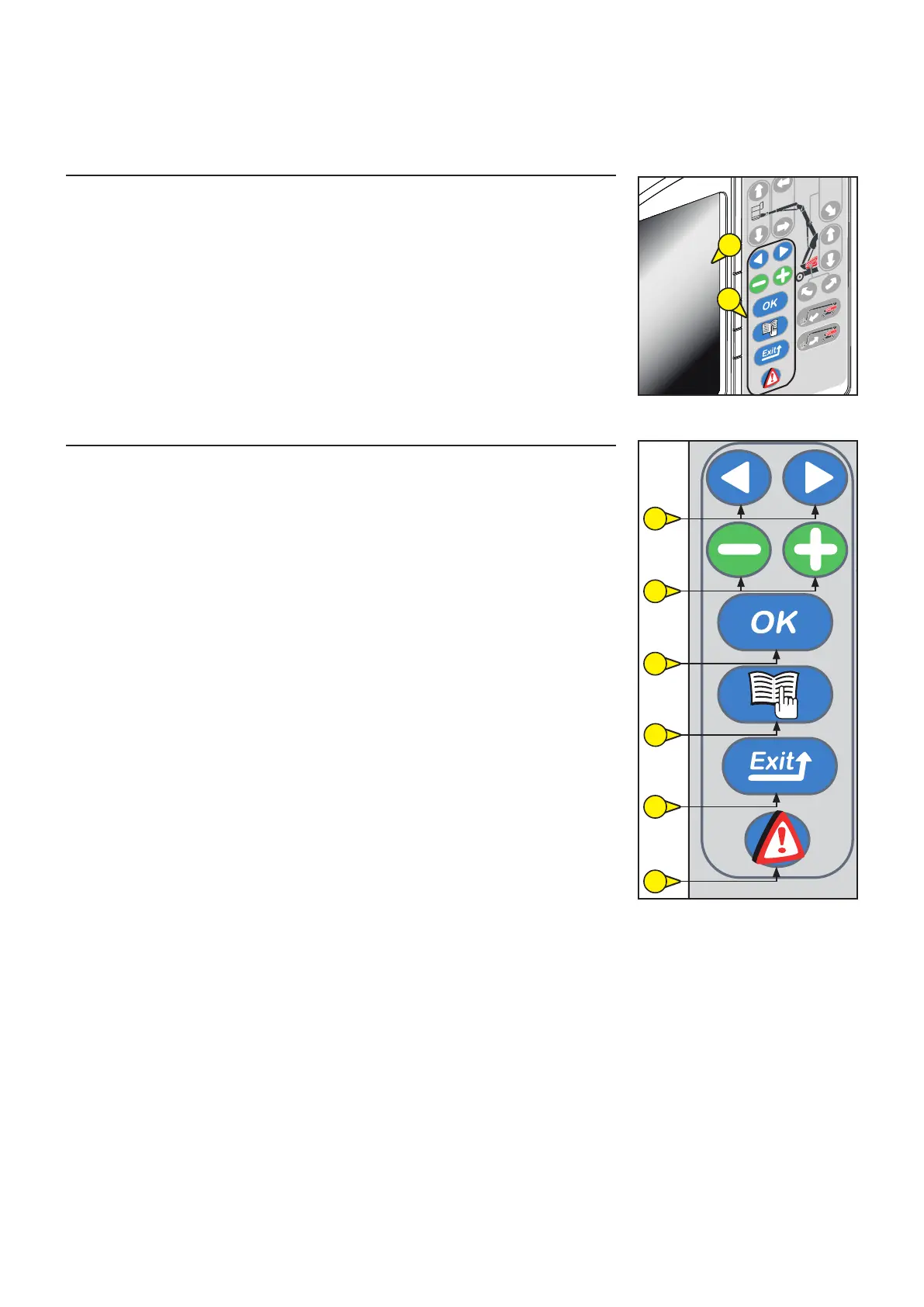
7 - INFORMATION VALIDATION SCREEN KEYS
- These keys enable you to validate the different information on the screens.
FUNCTIONS OF THE KEYBOARD KEYS:
7A : Selection keys for the proposals on the menu pages.
7B : Selection keys for the proposals on the sub-menu pages.
7C : This “OK” key has two functions:
“Confirmation” key for the selections made by the plus and minus keys,
Fault acknowledgement key (the fault has been viewed; this key enables you to make the
fault disappear from the screen without necessarily clearing it).
7D : This “Menu” key has two functions:
This enables you to open the “Menu Access” page
Enter the code to get the menu you are looking for (this code is retained in the memory as
long as the platform remains switched on).
This enables you to leave and return to the screen Work page.
7E : This “Exit” key has 2 functions:
Cancellation of a confirmation in progress.
This enables you to return to the previous level in a menu.
7F : The “Fault” key enables you to display the faults present in the platform when the Fault
triangle appears.
7A
7B
7C
7D
7E
7F
6
7











 To Next Page