2-43
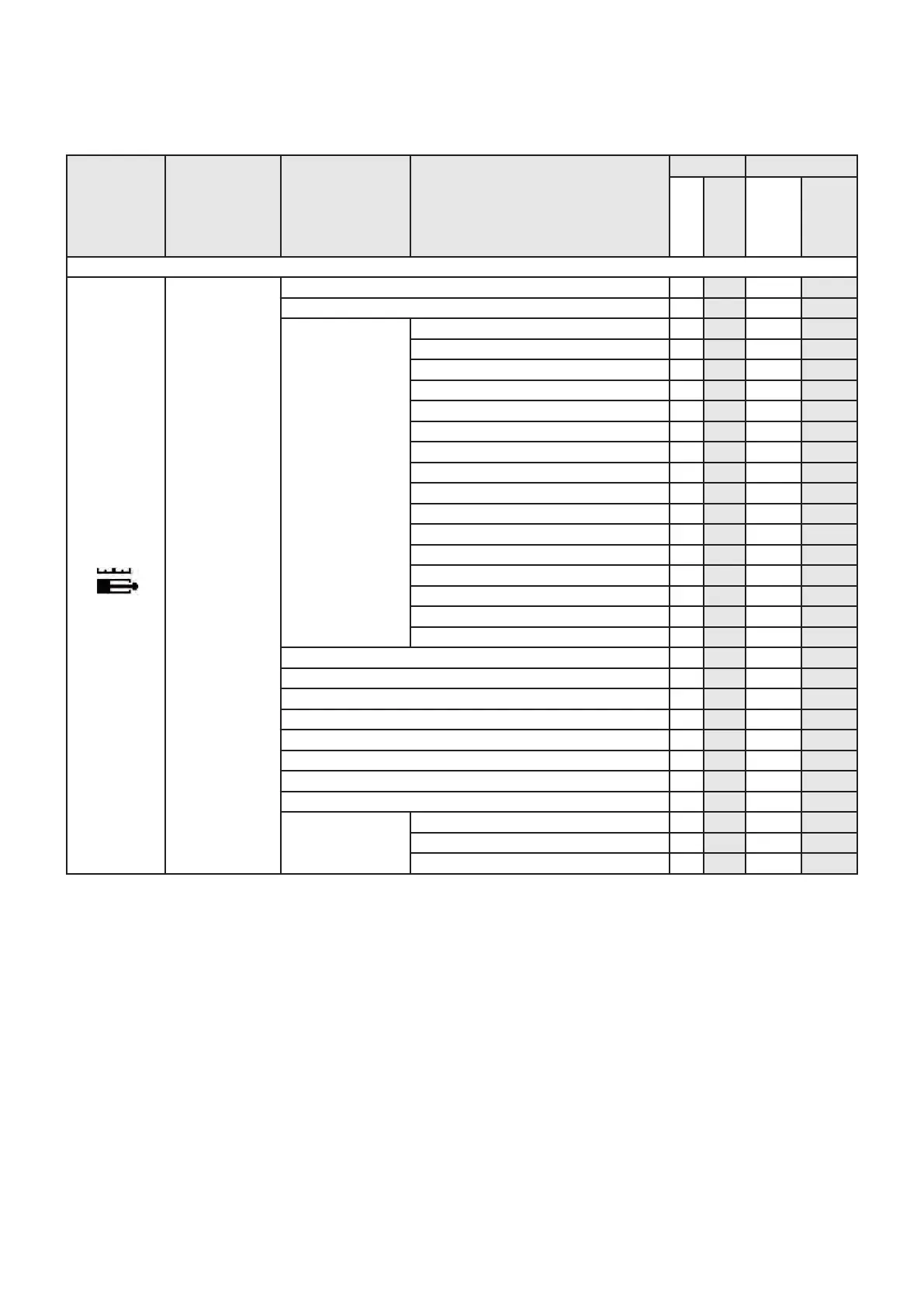
Icons Menu Sub-menu Parameters
User Dealer/lessor
View
Maintenance
View
Maintenance
Display of the “CALIBRATION” icon after entry of a code.
Calibrations
1 - Engine revs calibration X
2 - Joystick calibration X
3 - Speed calibration
Raising lower arms, max speed X
Lowering lower arms, max speed X
Raising upper arm, max speed X
Lowering upper arm, max speed X
Telescope extension, max speed X
Telescope retraction, max speed X
Pendular unit raising, max speed X
Pendular unit lowering, max speed X
Basket tilt extension, max speed X
Basket tilt retraction, max speed X
Turret rotation RIGHT, maximum speed X
Turret rotation LEFT, maximum speed X
Basket rotation RIGHT, maximum speed X
Basket rotation LEFT, maximum speed X
FORWARD work translation, max speed X
REVERSE work translation, max speed X
4 - Telescope calibration X
5 - 240 Kg overload calibration (280TJ) X
6 - 350 Kg overload calibration (280TJ) X
7 - 400 Kg overload calibration (260TJ) X
8 - Arm angle calibration X
9 - Pendular arm tilt calibration X
10 - Generator calibration X
11 - Hydraulic adjustment X
12 - Parameter
management
Save machine parameters X
Call up machine parameters X
Return to factory settings X





 To Next Page