InstallationandOperationManual
39
Tosilencethevisibleandaudibledevicesaftertheevacuation(wherepermittedbythecodesandcontrolpanel
programming),presstheSIGNALSILENCEbutton,thentheSILENCEHORN&STROBEbutton.Thealarmvisible
andaudiblesignalingdeviceswillbesilencedandthealarmsilenceLEDwillchangefromofftoon.
Pressing
theACKNOWLEDGEbuttonwillsilencethelocalbuzzerandchangetheLEDalarmindicatorfrom
flashingtosteady.
Donotattempttoresetthesystemuntilthealarmconditionhasbeencleared.TheLCDwillindicate
thezoneinwhichthealarmwasdetected.TheLEDsonactivateddetectorsormodules(ifapplicable)
willilluminate.
Whenthealarmconditionhasbeencorr ected,returnthesystemtonormalstandbyoperationbypressingthe
RESETbutton .
TroubleConditions
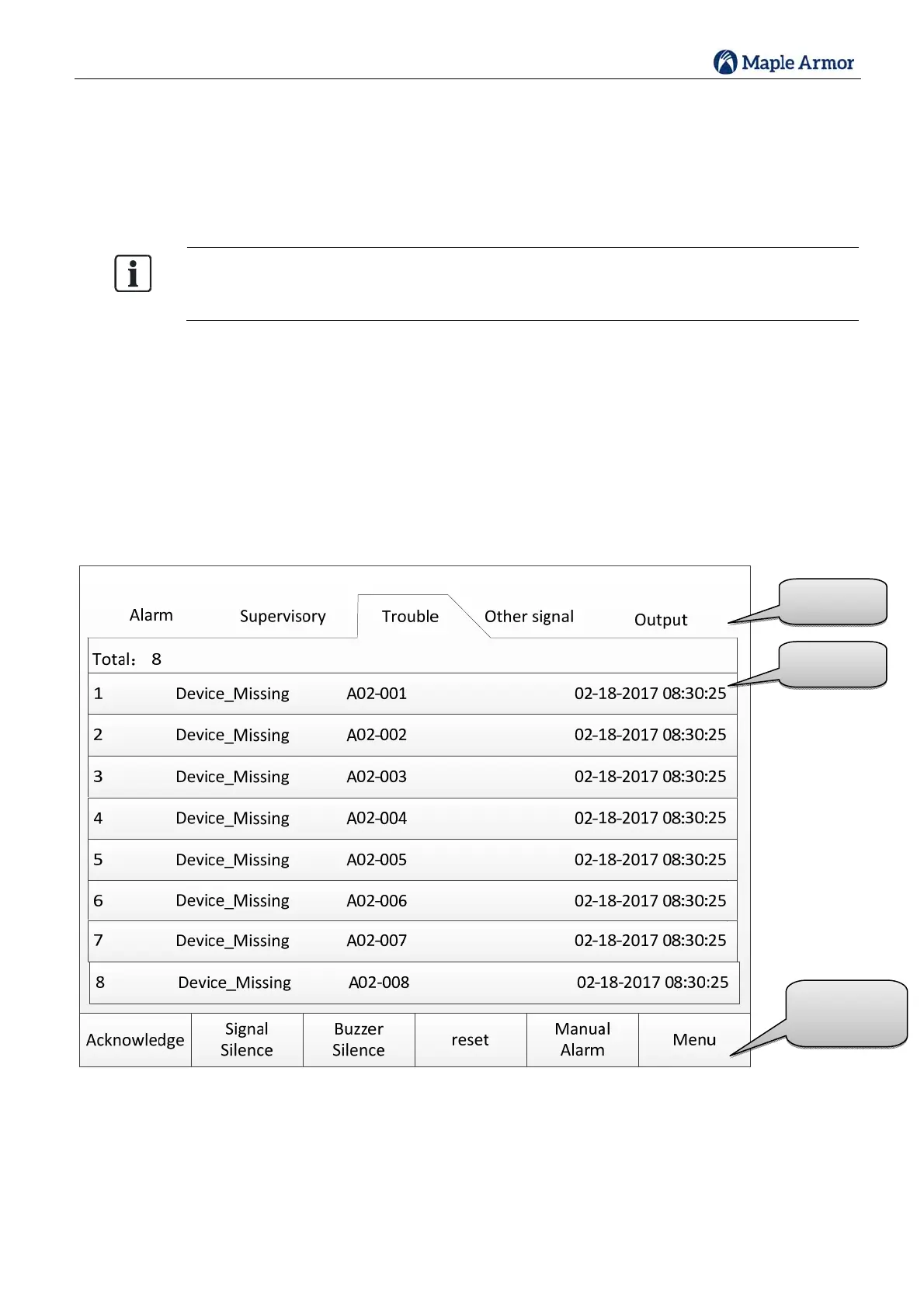
Incaseofatroublecondition,thesystemtroubleLEDandanyprogrammedtroubleLEDsactivate(ON–
flashing),theLCDidentifiestheproblem,andthebuzzersounds introublepattern.
Figure31LCD(Trouble)
Functionality
Buttons
EventList
EventType



 To Next Page