TSC 900 TRANSFER SWITCH CONTROLLER
PM 151 REV 1 15/10/08 Thomson Power Systems
4.2. ON LOAD TEST INSTRUCTIONS (UTILITY POWER FAIL SIMULATION)
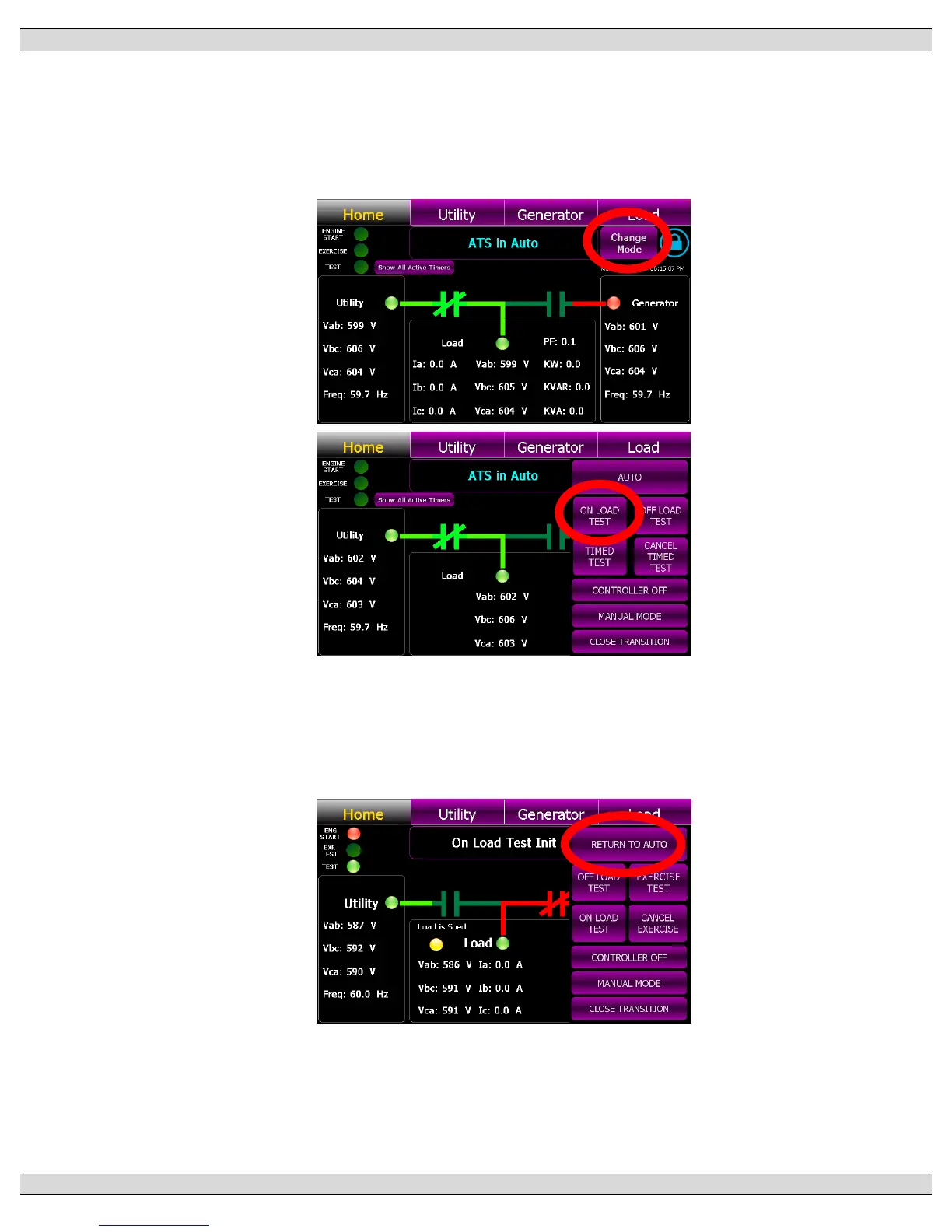
To perform a load Test and simulate a utility power fail condition, press the “Change Mode”
control button on the GHC Home Page and select “ON LOAD TEST” mode from the available
list of modes as shown below. The Yellow “Test” light on the upper left-hand corner of the
screen will come on. The generator will start and transfer on load per Automatic Sequence.
To cancel Load Test, press the “Change Mode” control button on the GHC Home Page and
select “Return to Auto” mode from the available list of modes as shown below. The “Test” light
on the upper left-hand corner of the screen will go off and the load will re-transfer back to the
utility power per Automatic Sequence.


 To Next Page