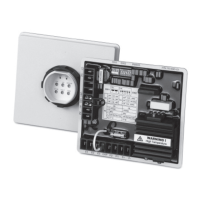
TSC 900 TRANSFER SWITCH CONTROLLER
PM 151 REV 1 15/10/08 Thomson Power Systems
5. PROGRAMMING INSTRUCTIONS
5.1. PASSWORD SECURITY DESCRIPTION (USERS ADMIN)
To prevent un-authorized access, users are required to “Login” in order to:
- Acknowledge and reset alarms
- Change operating modes
- Change Configuration settings
- Manage Users
- Map Inputs/Outputs
The device security is organized in groups. Using the Users Management screen a device
Administrator can create new users, enable and disable access for existing users. There is
one default user created for every group: admin, power and user. Is the responsibility of the
installer to make sure the default passwords are changed during ATS commissioning.
Allowed to change ATS mode, send
commands in the system and modify
settings
Acknowledge and reset alarms,
Manual Return and Un-halt the switch after
a failure
Once a user logs in they are not automatically logged out. Action attempts to functions that
require elevated rights will trigger a pop-up message box
Note on Privacy: The GHC is not storing user passwords. Using an encryption mechanism a
hash of the UserID + Password+ encryption key is created and stored. During the login process
the UserID + the provided password + key is used to rebuild the hash and compare with the
stored one.



 To Next Page