TSC 900 TRANSFER SWITCH CONTROLLER
PM 151 REV 1 15/10/08 Thomson Power Systems
5.9.5. RATED GENERATOR POWER
Set to match the 100% power rating of the connected Generator set in kilowatts. This
setting is utilized for the kW Load shed set point calculations.
5.9.6. CT RATIO (CURRENT TRANSFORMER)
When load bus current transformers (CTs) are utilized in the ATS, set to value of the
specific ratio of the CT size being used (e.g. If using 400:5 rated CT’s, enter a value of
80).
5.9.7. PT RATIO (POTENTIAL TRANSFORMER)
For direct voltage sensing wiring connections from 208 to 600 volts, enter a value of
“1.0”. When potential transformers are utilized for voltage sensing, enter the
transformer ratio. (E.g. When using a 600:120 transformer, enter a value of “5.0”). The
ratio is programmable in tenths to allow minor correction factors to be used for non-
standard potential transformer ratios.
5.9.8. LOAD NAME
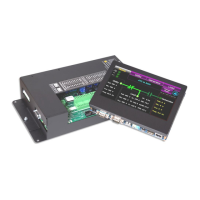
The GHC Display can be configured to display a unique name in place of the text
“Load” as desired. When a new text name is entered, it will be utilized throughout the
GHC display in place of where the text “Load” was previously utilized.
5.9.9. SOURCE 1 (UTILITY) NAME
The GHC Display can be configured to display a unique name in place of the text
“Source 1” (i.e. Utility) as desired. When a new text name is entered, it will be utilized
throughout the GHC display in place of where the text “Source 1” was previously
utilized.
5.9.10. SOURCE 2 (GEN) NAME
The GHC Display can be configured to display a unique name in place of the text
“Source 2” (i.e. Gen) as desired. When a new text name is entered, it will be utilized
throughout the GHC display in place of where the text “Source 2” was previously
utilized.
5.9.11. APPLICATION MODEL
The GHC Display will display the ATS application model type it is configured to (i.e.
STD, SE, DS etc). This is a “read-only” parameter and cannot be changed.
5.9.12. SWITCH OPERATION
The GHC Display will display the Switch Operation type it is configured to (i.e. Open
Transition, Closed Transition, Manually Operated, etc.). This is a “read-only” parameter
and cannot be changed.


 To Next Page