TSC 900 TRANSFER SWITCH CONTROLLER
PM 151 REV 1 15/10/08 Thomson Power Systems
5.3. ADMINISTRATOR PASSWORD MANAGEMENT PROCEDURE
With the transfer switch energized, follow the procedure below to add or edit a list of ATS
users.
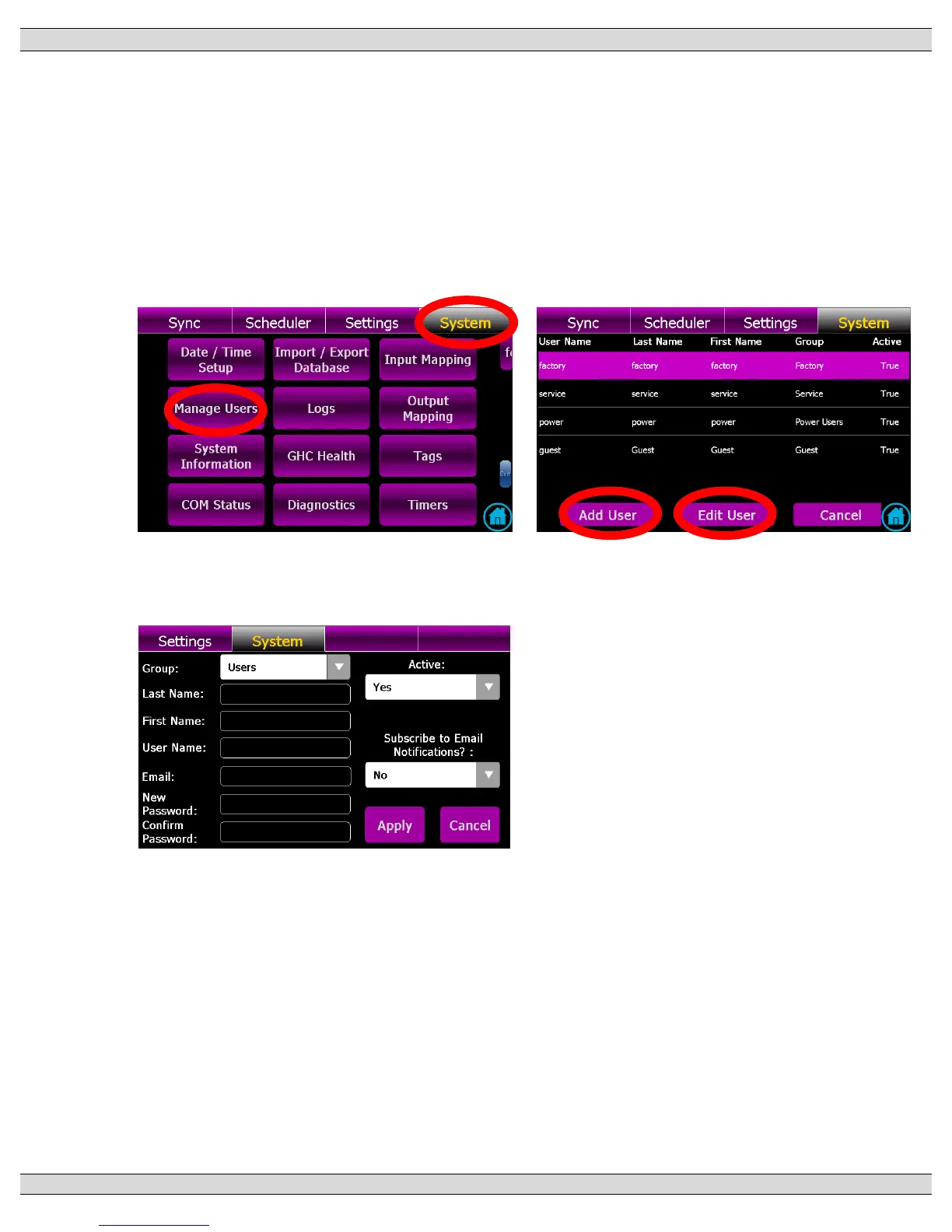
Navigate to the “System” Page and select “Manage Users” as shown below
When the “Manager Users” button is pressed, the following pop-up screen will appear.
This page will indicate which existing users have been entered already and new users
to be added or existing users to be edited. Select desired action button (i.e. Add User or
Edit User)
To Add a user, press “Add User” button and the following pop-up screen will appear. Complete
the information as listed, then press Apply to accept the change.


 To Next Page