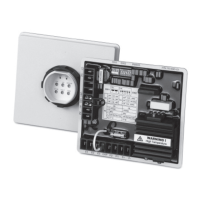
TSC 900 TRANSFER SWITCH CONTROLLER
PM 151 REV 1 15/10/08 Thomson Power Systems
5.11. DELAY SETTINGS
The TSC 900 provides the following programmable time delay features:
5.11.1. UTILITY RETURN DELAY
The utility return delay period will be initiated once the utility supply has returned within
limits following a utility power failure condition. Select desired utility return delay time
in minutes. If no delay is required, set this time delay to zero. NOTE: The utility return
delay will be bypassed should the generator fail during the time delay period.
5.11.2. GEN COOL DOWN DELAY
The generator (i.e. engine) cool down period will be initiated once the load has
transferred from the generator supply. The engine start signal will be maintained until
expiry of the cool down delay timer. Select desired generator cool down delay time in
minutes. If no delay is required, set this time delay to zero. Cool down time is posted
in 1-second decrements when active.
5.11.3. GEN START DELAY
The generator (i.e. engine) start signal will be initiated following expiry of the start delay
timer. Select desired generator start delay time in seconds. If no delay is required, set
this time delay to zero. NOTE: The output relay is normally energized when the utility
power is within limits and de-energizes to start the generator.
5.11.4. GEN WARM UP DELAY
A transfer to the generator supply will be initiated when the voltage and frequency are
within limits and upon expiry of the warm-up delay timer. Select desired generator
warm-up delay time in seconds. If no delay is required, set this time delay to zero.
5.11.5. GEN COMMIT TO TRANSFER DELAY
Should the generator fail to transfer on load with the “commit to transfer” feature
enabled, the ATS will automatically re-transfer back to the utility supply if within
nominal limits following expirary of the “Commit to Transfer” timer.
5.11.6. DEPART DELAY
The Depart Delay time feature is applicable only to Dual Utility or Generator source
applications. The feature is utilized to introduce the desired delay before “departing”
from the current source to the alternate source. The time period will be the same for
either transfer direction. Select desired depart delay time in seconds. If no delay is
required, set this time delay to zero.


 To Next Page