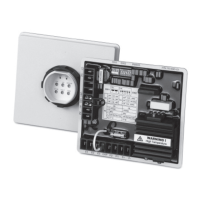
TSC 900 TRANSFER SWITCH CONTROLLER
PM 151 REV 1 15/10/08 Thomson Power Systems
(Gen) power switching devices. These timers will be factory set for the specific ATS
mechanism type.
5.12. UTILITY/GEN SET POINTS (VOLTAGE/FREQUENCY)
The TSC 900 controller provides 3-phase over voltage and under voltage sensing on both
utility and generator supplies. Each sensor is individually programmable for pickup and
dropout voltage set points (i.e. adjustable hysteresis) in addition to transient time delay
settings. The TSC 900 controller also provides under and over frequency sensing on both
utility and generator supplies. Each sensor is individually programmable for pickup and
dropout frequency set points (i.e. adjustable hysteresis) in addition to transient time delay
settings. To program the voltage and frequency sensing features, refer to the following
descriptions: Note: each of the following set points are programmable for each source (e.g.
Utility -Source 1 and Generator - Source 2).
5.12.1. UNDER VOLTAGE DELAY (DROPOUT)
Select the desired source under voltage time delay setting. The setting is entered in
seconds. If no delay is required, set this time delay to zero.
5.12.2. UNDER VOLTAGE DROPOUT
Set to the desired source under voltage drop out set point as expressed in percentage
of nominal system voltage. The drop-out set point is the value which the internal sensor
de-energizes to an abnormal state when any one phase of the source falls below the
set point. An under voltage condition will be triggered following expiry of the under
voltage time delay setting.
5.12.3. UNDER VOLTAGE PICKUP
Set to the desired source under voltage pick-up set point as expressed in percentage
of nominal system voltage. The pick-up set point is the value which the internal sensor
energizes to a normal state when all phases of the source rise above the set point.
5.12.4. OVER VOLTAGE DELAY (PICKUP)
Select the desired source over voltage time delay setting. The setting is entered in
seconds. If no delay is required, set this time delay to zero.
5.12.5. OVER VOLTAGE DROPOUT
Set to the desired source over voltage drop out set point as expressed in percentage of
nominal system voltage. The drop-out set point is the value which the internal sensor
de-energizes to a normal state when all phases of the source falls a below the set
point.


 To Next Page