TSC 900 TRANSFER SWITCH CONTROLLER
PM 151 REV 1 15/10/08 Thomson Power Systems
5.2. USER LOGIN PROCEDURE
With the transfer switch energized, follow the procedure below to Login to the TSC 900
controller:
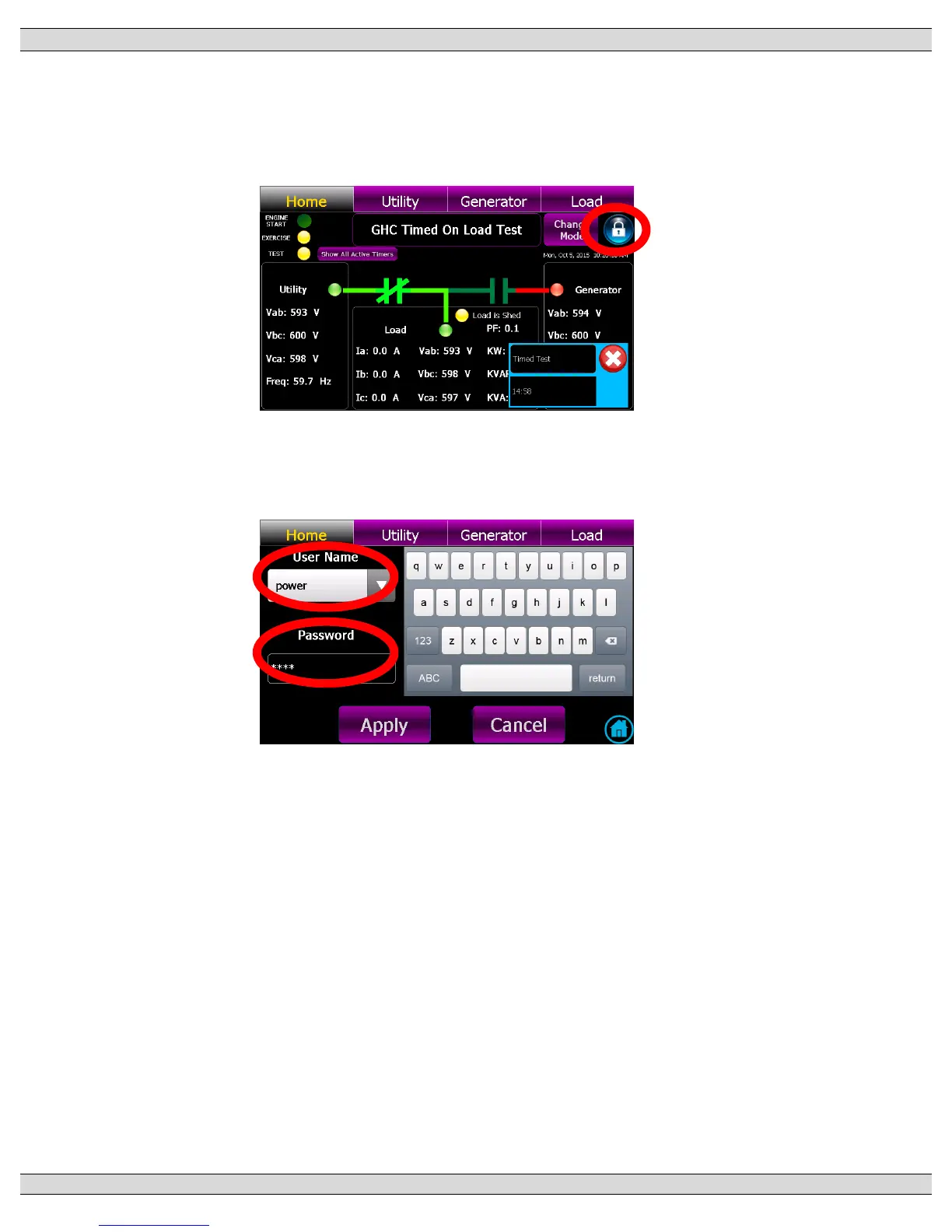
Navigate to the “Home” Page below and select the Locked Icon as shown below
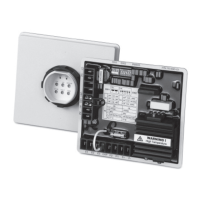
The Login entry screen automatically pops-up as shown below. Select User Name drop
down box and choose desired group, then type in password, then select “Apply” button.
Note: Initial Factory Default Password is “pass”
A Login confirmation screen will pop-up if attempt was successful. Select Return to go
back to the Home page.


 To Next Page