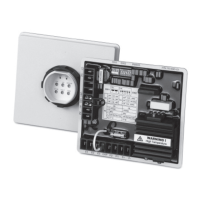
TSC 900 TRANSFER SWITCH CONTROLLER
PM 151 REV 1 15/10/08 Thomson Power Systems
Enable = Fast (Momentary) Closed Transition. The ATS will operate in a
Closed Transition transfer sequence if both sources are available. The ATS will
automatically revert to open transition transfer mode should only 1 source of
power be available at time of transfer. Note: Closed Transfer operation is only
possible if the optional feature is enabled in Settings. Refer to Section 5.10.11
for further details.
Disable = Open Transition. All Closed Transition Transfers are disabled in this
mode.
Three different Closed Transition Control Modes are selectable as follows:
Fast (Momentary) Transfer: The ATS will operate in a Fast Closed Transition
transfer sequence if both sources are available. The two sources will be
permitted to stay in parallel for a maximum of 100 milliseconds only.
Soft-load Transfer: The ATS will operate in a Soft-Load Closed Transition
transfer sequence if both sources are available. The two sources will be
permitted to stay in parallel for a maximum of 10 seconds only to allow loads to
be ramped between the sources by an external controller. Note: Soft-Load
Closed Transition operation is only possible if the optional feature is enabled in
Settings. Refer to Section 5.10.11 for further details.
Extended Parallel: The ATS will operate both sources closed to the ATS load
bus for an extended period of time as controlled by an external device. Note:
Extended Parallel Closed Transition operation is only possible if the optional
feature is enabled in Settings. Refer to Section 5.10.11 for further details.
4.6. TRANSFER FAIL ALARM RESET
Should a Transfer fail alarm occur, the flashing ALARM ICON will appear on the GHC Home
page as shown below. If the transfer switch is pre-programmed as Force Transfer, the ATS will
automatically transfer to the alternate source (if available) and will still stay locked onto the
alternate source unit the Transfer Fail alarm is manually reset by the ATS operator.
To determine which transfer alarm condition has been triggered, press the ALARM ICON to
navigate to the ALARMS Page as shown below. Once the specific alarm condition has been
be determined and necessary corrective action has been implemented the alarm can be reset
by pressing the “RESET ALARMS button.


 To Next Page