TSC 900 TRANSFER SWITCH CONTROLLER
PM 151 REV 1 15/10/08 Thomson Power Systems
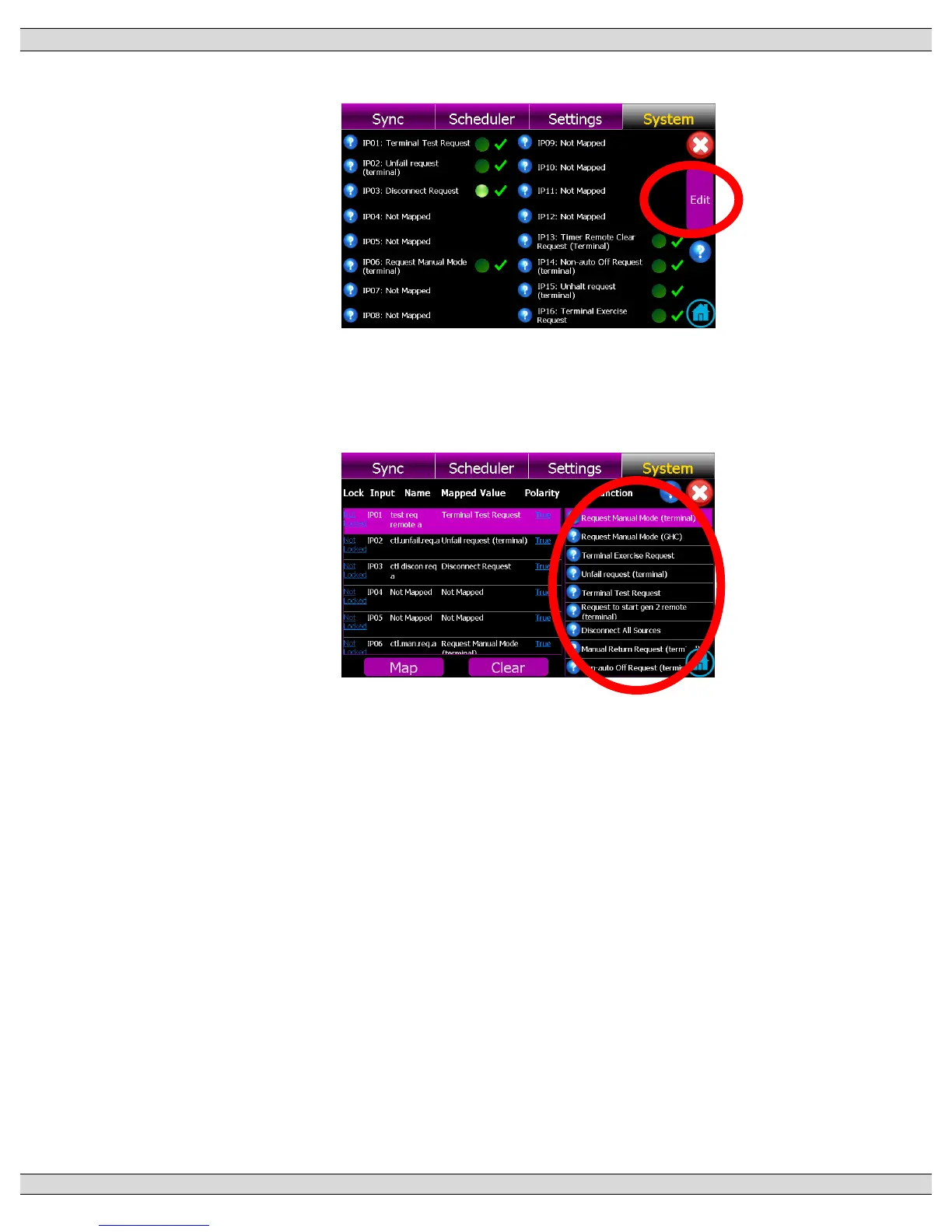
b) With the Input Mapping page displayed, press the EDIT button as shown below:
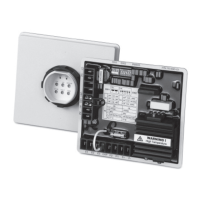
c) With the Input Mapping page displayed, select the desired programmable input #
(row) to be edited, then select the desired function for mapping (scroll up or down to
navigate to desired function):
d) Once desired function is selected, press Map button to accept the change.
e) To return to the input mapping page once the change is accepted, press red X icon
on the screen.


 To Next Page