18 P3-100 user manual
9. See Figure 12. If necessary, use the Magnification tools to adjust
the magnification of the canvas on the right of your monitor screen
until you have a comfortable size to work with.
10. When you have added the correct number and type of panels to
your on-screen installation, click on the currently selected panel
type in the Fixture Library to deselect it and stop adding panels.
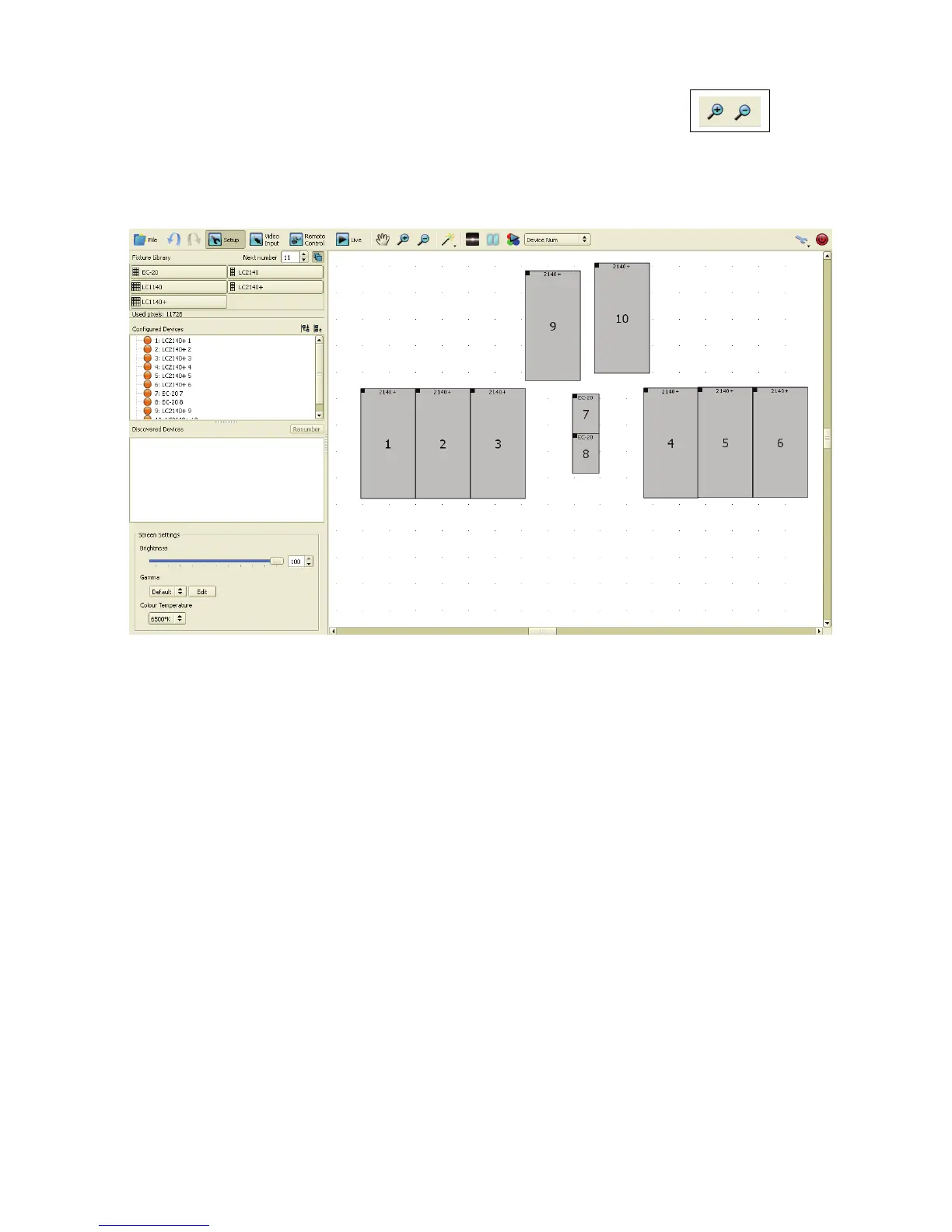
Your on-screen installation could now look something like the example in
Figure 13.
11. See Figure 14. You can now fine-adjust the position of the panels on the canvas until the panel layout in
your on-screen installation exactly matches the layout in the physical installation:
- If you drag panels with the mouse, they will ‘glue’ together if you move them within a few pixels of each
other.
- If you click on a panel on the canvas to select it, it turns red and the Fixture Properties pane opens at
the bottom of the window.
- You can select multiple panels using Shift + click or Ctrl + click.
- You can adjust the position on the canvas of selected panels pixel by pixel using either the arrow keys
on the keyboard or the x and y coordinates under Positioning. Panels moved in this way do not ‘glue’
together.
- Also under Positioning, you can rotate a panel by entering a value in the Rotation box (arrowed).
Enter a negative value to rotate counterclockwise. Panels 9 and 10 in Figure 14 have been rotated.
- A black square in the corner of each panel indicates its top-left corner. This can be a useful reminder
that you have rotated a panel.
- You can lock panels in their current position by selecting them, then right-clicking and choosing Toggle
fixture lock in the pop-up menu.
Figure 12: Magnification tools
Figure 13: On-screen installation in Setup view













 To Next Page