24 Wizard user manual
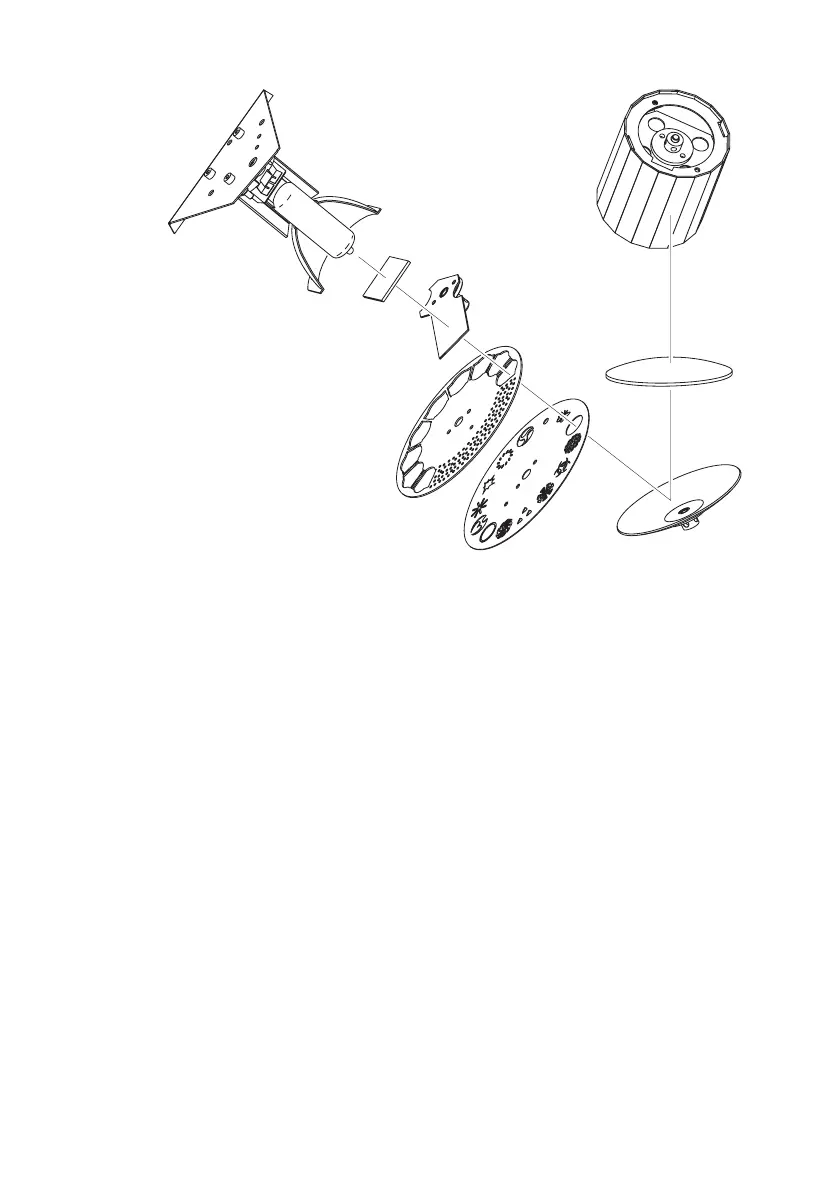
The following illustration shows the elements that need to be kept clean:
Use care when cleaning optical components and work in a clean, well lit area. The
coated surfaces are fragile and easily scratched. Do not use solvents that can
damage plastic or painted surfaces.
1 Disconnect the fixture from power and allow the components to cool completely.
2 Remove the fixture cover. You may want to remove the lamp for cleaning (see the
related steps in “Installing a lamp in the Wizard.” on page 25).
3 Vacuum or gently blow away dust and loose particles with compressed air.
4 Remove stuck particles with an unscented tissue or cotton swab moistened with
glass cleaner or distilled water. Do not rub the surface: lift the particles off with a
soft repeated press.
5 Remove smoke and other residues with cotton swabs or unscented tissues
moistened with isopropyl alcohol. A commercial glass cleaner may be used, but
residues must be removed with distilled water. Clean with a slow circular motion
from center to edge. Dry with a clean, soft and lint-free cloth or compressed air.
6 Replace the fixture cover (and lamp-access cover) before applying power.
Lamp reflector
Lamp
Heat filter
Shutter
Color wheel
Parabolic
reflector
Lens
Mirror drum
Gobo
wheel















 To Next Page