Basic service 27
3 Replace the fuse with one of the same type. The fuse rating is listed on the serial
number label that can be found on the back of the fixture.
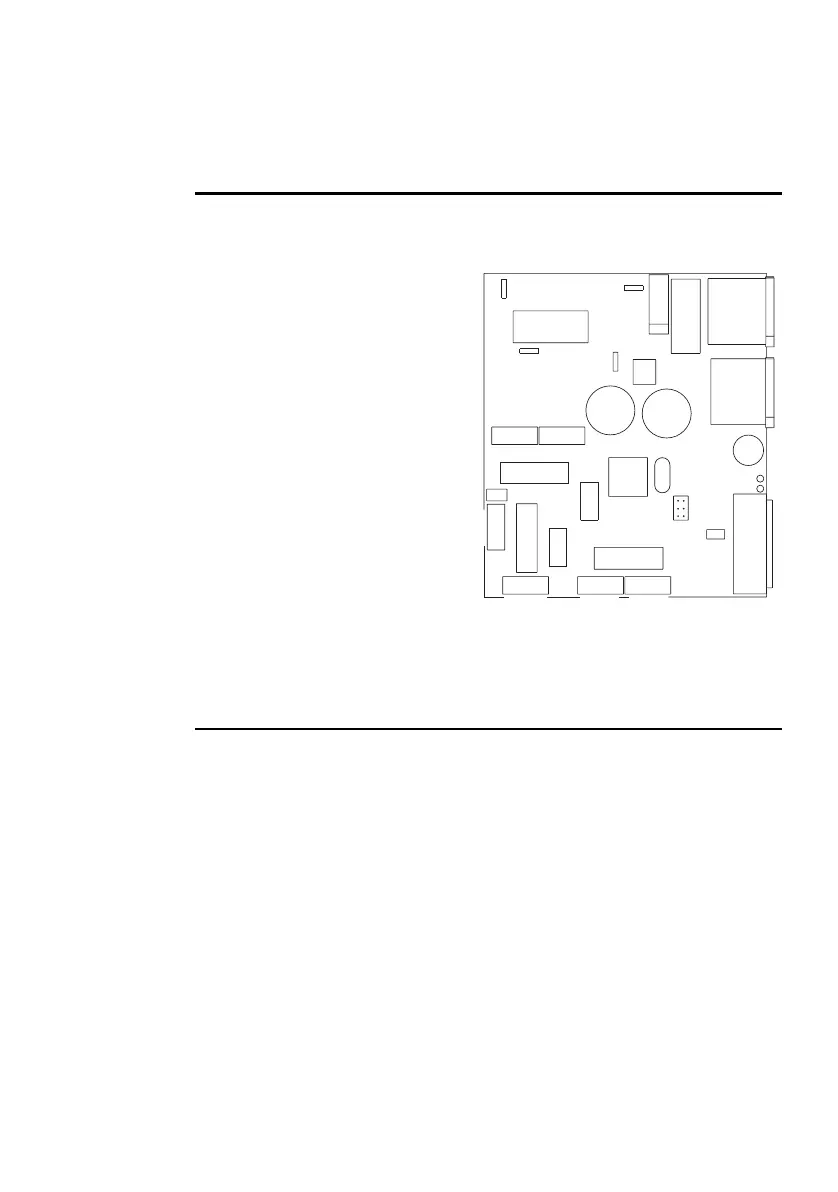
SETTING 6- OR 8-CHANNEL DMX MODE
The fixture arrives from the factory preset in 6-channel mode. To operate in 8-
channel mode some adjustments are required:
1 Disconnect the fixture from power.
2 Remove the fixture cover.
3 Locate PL118 on the printed circuit
board. It can be found close to the
DIP-switch.
4 Using a pair of tweezers or similar
tool, place the jumper on both of
the pins to enable 8-channel
operation. When operating in 6-
channel mode, the jumper is
placed on only one of the pins, or is
removed completely.
5 Replace the cover before applying
power.
FIRMWARE UPDATES
Firmware updates are released when features are added, or bugs are fixed. The
latest version is available from your Martin dealer, or the Support Area of the
Martin Professional web site at http://www.martin.dk.
The installed firmware version is displayed by the Power and Data LEDs, located
next to the DIP switches, when power is applied to the fixture and all DIP switch
pins are set to OFF. The red LED (Power) indicates the number to the left of the
decimal point and the green LED (Data) indicates the number to the right. For
example, if firmware version 1.4 is installed, the red LED flashes once and the
green LED flashes four times.
Firmware is installed using a Martin uploader or a DMX interface for the Martin
LightJockey controller. The procedure is found in the MP-2 user manual and the
Martin Software Uploader online help file.
Fuse T2A
P/N 33120027-A
12V
PL 109 PL 114 PL 113
PL 111
IN
OUT
LED green
LED red
PL 110
FAN
DISH SHUTTER
Color Swivel Rotation
Gobo
PL 106
PL 105
PL 104
PL 103
Black / White
Brown
Orange
Orange
PL 112
Upload
PL 123
DIP switch
PL 118
Ext. Mode















 To Next Page