MARV User Manual
19
4.
Close the front cover.
Push in the front cover until you hear a click.
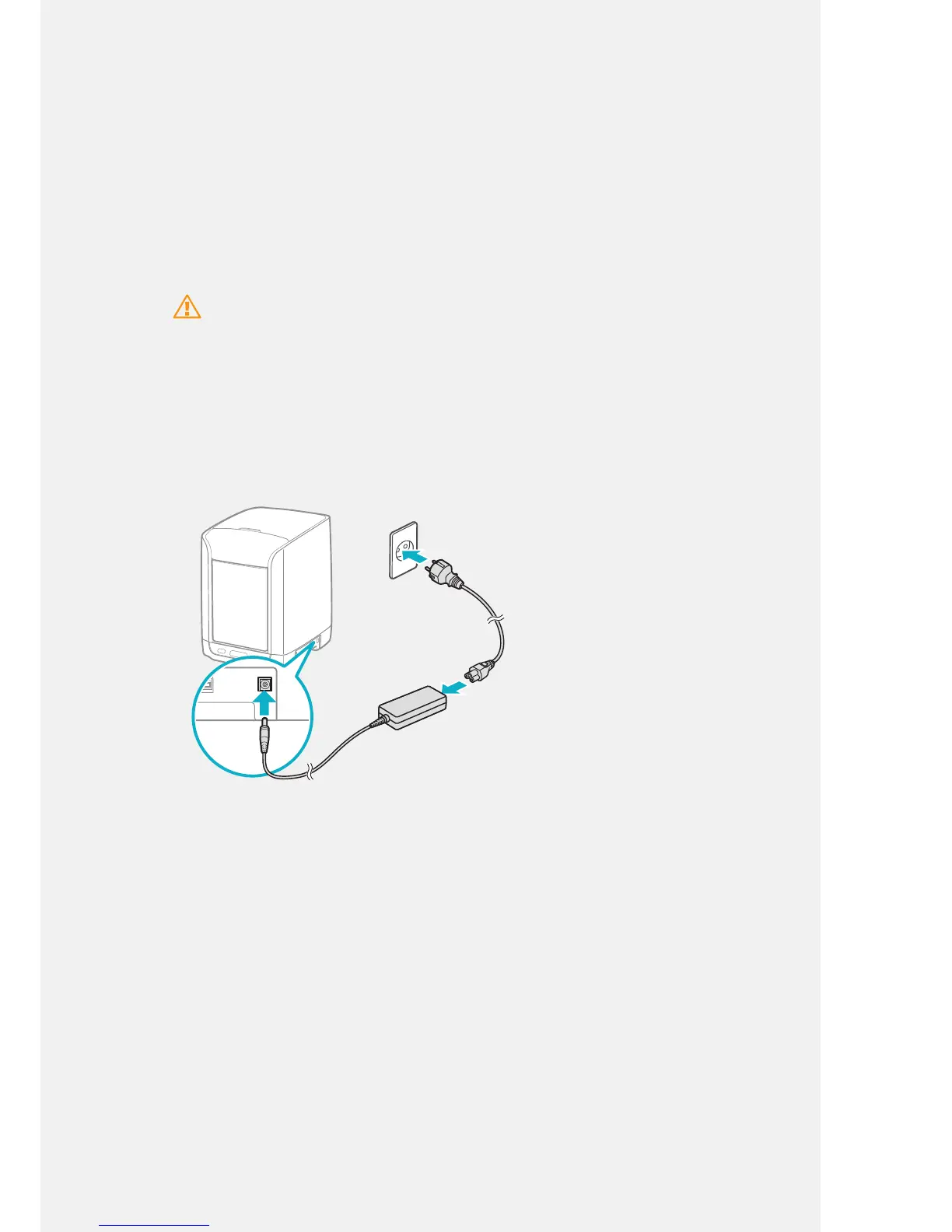
Connecting Power
After installing the print bed, refer to the instructions below and connect the adapter
and power cable. Then, turn on the power.
Caution
• Do not damage the power cord or any cables.
• Be sure to use the designated voltage only.
• Use manufacturer-supplied components and accessories only. We are not liable for performance
degradation, breakdowns, or accidents caused by third-party products.
1.
Assemble power cable.
2.
Connect MARV to an electric outlet.
ON
SD CARD
OFF
3.
And then turn on the power.
After the power is on, the LCD screen turns on and the machine starts to
initialize. After the initialization is complete, [MARV is Ready] appears on the
screen.



 To Next Page