MARV User Manual
27
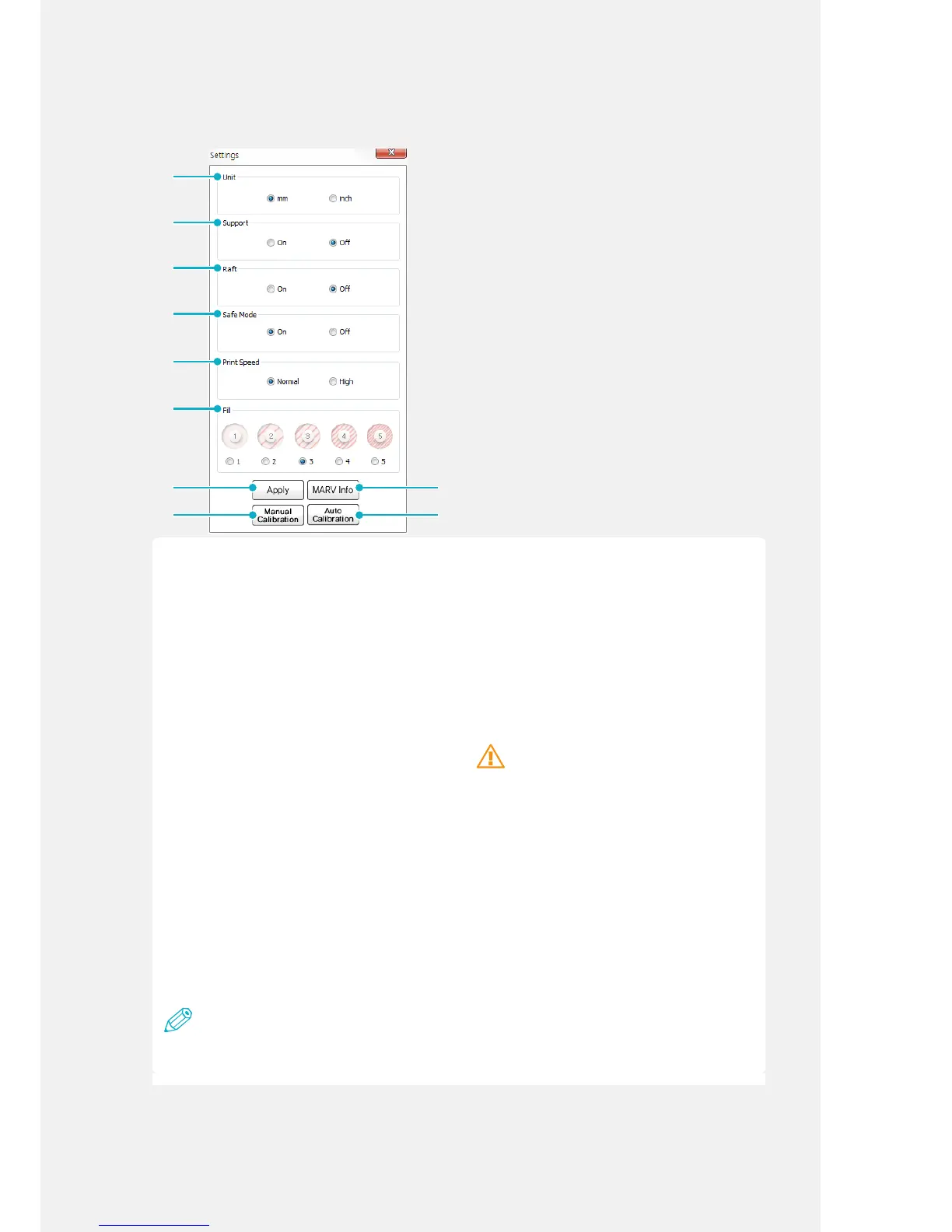
Settings
➐
[Unit]
Set the dimensions displayed in the output
information as millimeters (mm) or inches. The
default setting is mm.
[Support]
Use this option to add a support structure
to your 3D object. If any part of the object is
suspended and needs support while you are
building it, add a support. The default setting is
OFF.
[Raft]
Use this option to add a raft to your 3D object.
If the bottom surface of the object is very small
or uneven, it may fall over during printing or not
adhere to the print bed. If the object is not stable
on the print bed, add a raft. The default setting
is OFF.
[Safe Mode]
Safe Mode is a function that stops printing
when the front cover opens. Select to activate
or deactivate Safe Mode. The default setting is
ON.
Caution
To avoid burns, do not touch the product,
nozzle, or the print bed during printing. For your
safety, it is recommended that you use Safe
Mode while printing.
To turn [Safe Mode] on or off, refer to 'Using
Safe Mode' on P.22.
[Print Speed]
Set the printing speed. The default setting is
[Standard].
Set the print speed to [Standard] to achieve a
good print quality.
If you set the print speed to [Fast], the machine
prints 2 or 3 times faster than the [Standard]
setting depending on the model.
Note
Printing at Fast speed may reduce the print
quality. The slower the printing speed, the better
the quality of the parts.
[Fill]
Set the density of the lling used in the object.
A low value setting reduces the amount
of lament used and a high value setting
increases the amount of lament used. The
default setting is 2.



 To Next Page