MARV User Manual
24
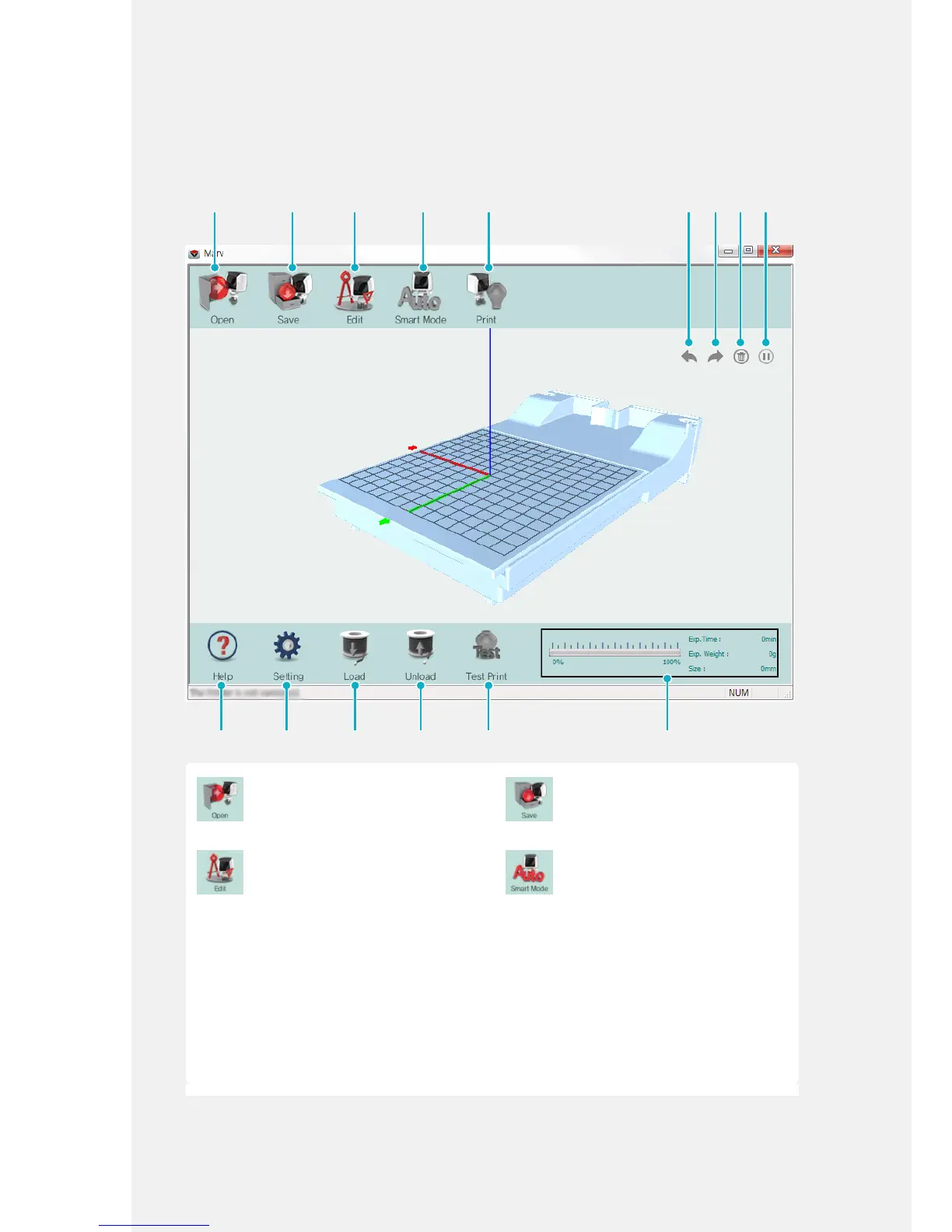
Using the MARV Software
Main screen
[Open]
Opens the .stl le to be edited and
printed.
You can import up to ve les.
[Save]
Saves the edited les.
[Edit]
Edits the imported le.
For more information about the [Edit]
menu, refer to 'Editing functions' on
P.26.
[Smart Mode]
In this mode, the software
automatically analyzes and adjusts
the location and direction of the le
for stable printing. For a large model
with a complex shape, use [Smart
Mode] and check the results on the
screen. This function does not apply
to multiple models.
Click [Smart Mode] to move the print
target to the center of the print bed
after opening a design le. This mode
is also used to center the object to
the center if it is in a corner or leaning
towards one side.



 To Next Page