MARV User Manual
26
Editing functions
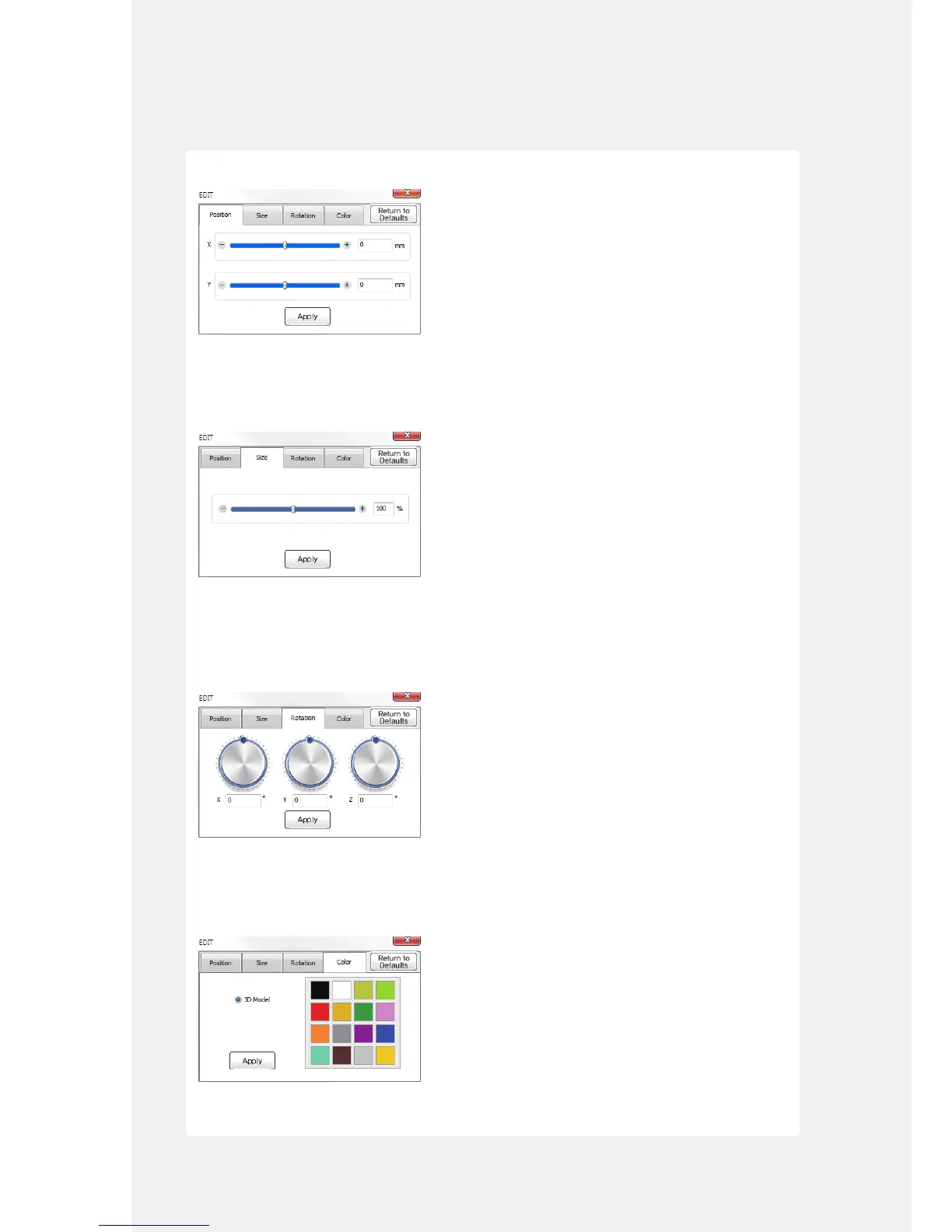
[Position] tab
Use this tab to calibrate the position of the object. You can move the slide bar or enter the X and Y
axis values to specify the position. Click [Apply] to conrm the settings or click [Return to Details] to
cancel them.
[Size] tab
Use this tab to calibrate the size of the object. You can move the slide bar or enter the X and Y axis
values to calibrate the size of the nished object. The object becomes smaller if you move the bar
towards "-" or larger if you move the bar towards "+". Click [Apply] to conrm the settings or click
[Return to Details] to cancel them.
[Rotate] tab
Use this tab to rotate the 3D model. You can rotate the position of the bar or enter the X, Y, and Z
axis values to specify the axis of rotation. Click [Apply] to conrm the settings or click [Return to
Details] to cancel them.
[Color] tab
Use this tab to change the color of the 3D object. Click [Apply] to conrm the settings or click [Return
to Details] to cancel them.



 To Next Page