Rad-57 Signal Extraction Pulse CO-Oximeter Operator’s Manual 4-9
4
operation
Normal Patient Monitoring
During normal operation, the Rad-57 Display shows oxygen saturation (as % SpO
2
) on the
upper number and Pulse Rate (in beats per minute) on the lower number.
On each model, a 10-LED bar displays the following parameters:
■ Carboxyhemoglobin saturation (%SpCO) and Perfusion Index (PI) on the Rad-57c.
■ Methemoglobin saturation (%SpMet) and Perfusion Index (PI) on the Rad-57m.
■ Carboxyhemoglobin saturation (%SpCO) and Methemoglobin saturation (%SpMet)
on the Rad-57cm. Low Perfusion Index (PI) is displayed with a single LED on this
model or the numeric value may be viewed by pressing the Display button.
The following sections describe the function of the Rad-57 front panel controls during
normal patient monitoring.
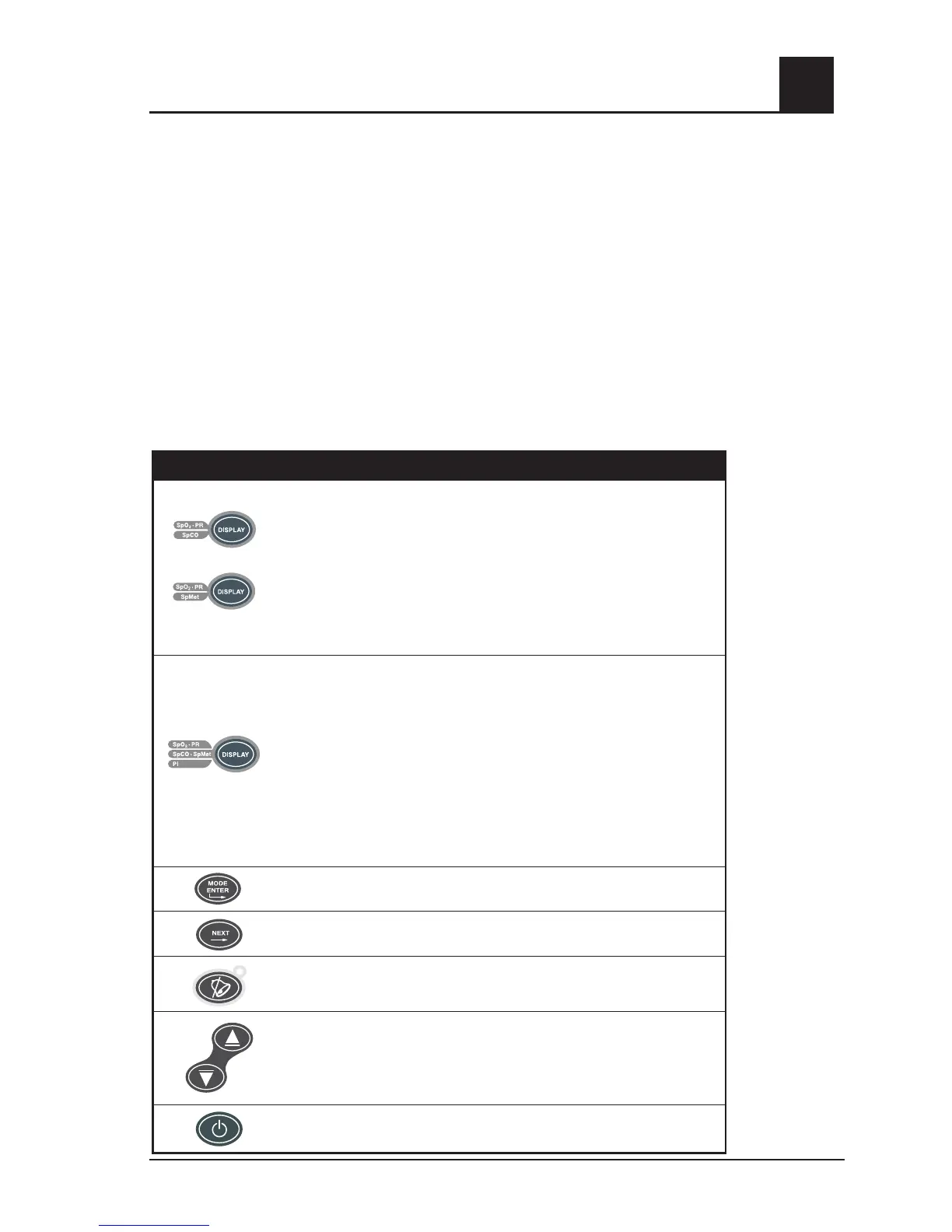
RAD-57 FRONT PANEL CONTROL OPERATION
BUTTON FUNCTION
Rad-57c
Rad-57m
Rad-57c and Rad-57m:
Pressing this button will display the numeric SpCO/SpMet value in place of
the SpO
2
/pulse rate numeric value. Pressing this button again will return to
the SpO
2
/pulse rate numeric value.
NOTE: If any parameter breaches its pre-set alarm limit, the Rad-57 will
automatically display the alarming parameter. Pressing Display during an
alarm condition will enable the display of other parameters for 10 seconds. In
the event of a multi-parameter alarm condition, the SpO
2
/ Pulse Rate display
will take priority.
Rad-57cm
Rad-57cm:
Pressing this button will display the numeric SpCO value in place of
the SpO
2
numeric value and the SpMet value in place of the pulse rate.
Pressing this button again will display the PI numeric value in place of the
SpMet value. Pressing this button again will return to the SpO
2
and pulse
rate numeric value.
NOTE: If any parameter breaches its pre-set alarm limit, the Rad-57 will
automatically display the alarming parameter. Pressing Display during an
alarm condition will enable the display of other parameters for 10 seconds. In
the event of a multi-parameter alarm condition, the SpO
2
/ Pulse Rate display
will take priority.
Enters the Rad-57 setup/menu system. See Section 4, Operation.
No function during normal patient monitoring.
Push once to temporarily silence the alarm for 120 seconds. Push a second
time to return the device to standard alarm monitoring.
During normal patient monitoring, the "Up" and "Down" Arrow keys control
the Pulse Tone volume. At the lowest setting, the pulse tone is muted. A
low-pitch tone indicates the highest or lowest setting has been reached.
In the setup/menu system, the "Up" and "Down" Arrow keys select among
the options for each setting.
Power "on/off" button. Press this button to turn the device on.
Press-and-hold for 2 seconds to turn the device off.



 To Next Page