5-4 Rad-57 Signal Extraction Pulse CO-Oximeter Operator’s Manual
5
alarms / messages
MESSAGES
The Rad-57 will indicate other data or system errors.
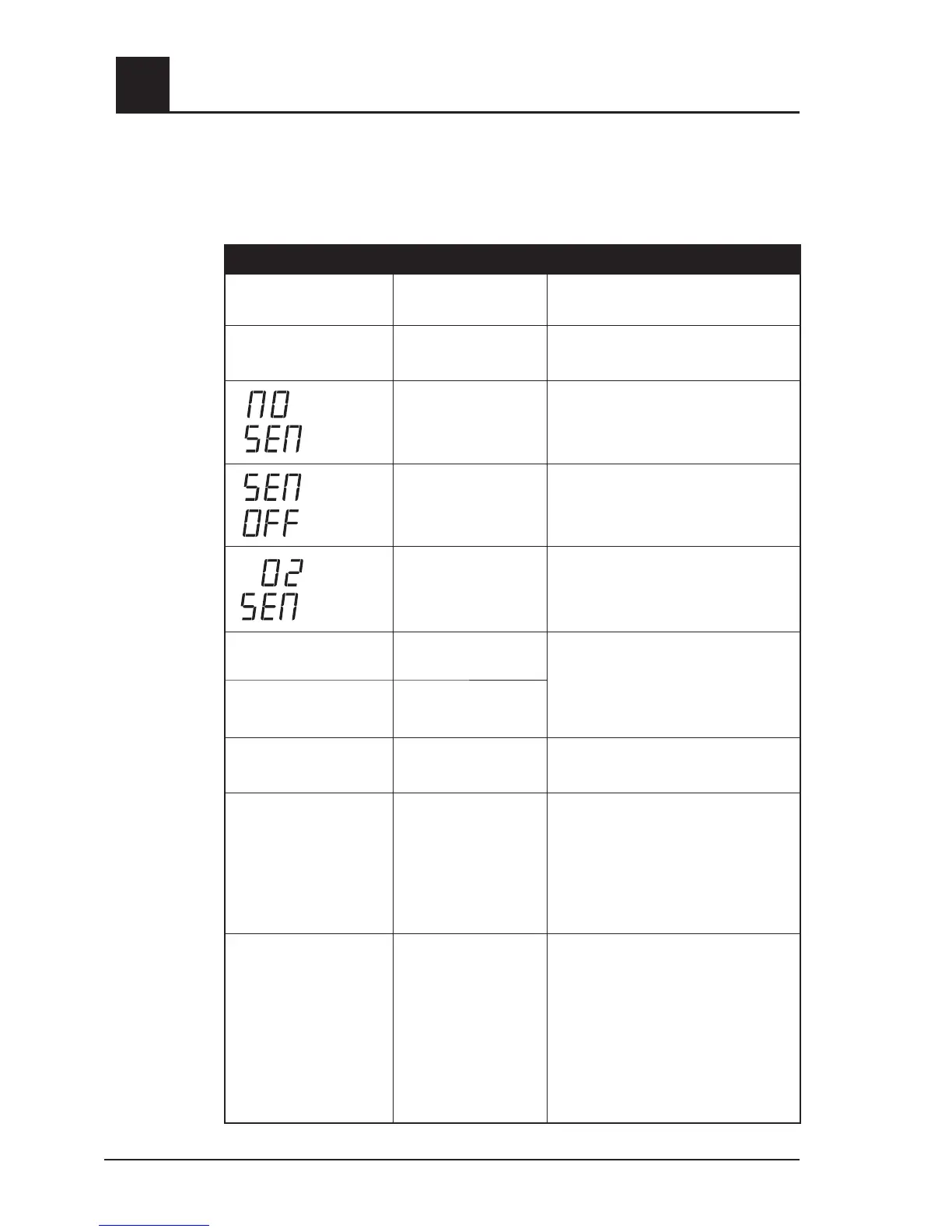
Message conditions for the Rad-57 follow:
DISPLAY TYPE SOLUTION
SpO
2
NUMBER
FLASHES
Saturation limit alarm
Assess /address patient condition.
Re-set alarm limits if indicated.
PULSE RATE
NUMBER FLASHES
Pulse Rate limit alarm
Assess /address patient condition.
Re-set alarm limits if indicated.
No Sensor Connected Connect sensor to cable.
Sensor off patient
1. Reattach sensor to patient.
2. Verify proper sensor placement.
SpO
2
sensor attached
If SpCO and/or SpMet parameters are
desired, attach a Rainbow sensor to
the device.
LEDS FLASH
HORIZONTAL BARS
Pulse Search
Wait for pulse detection. (This search
should occur whenever a sensor is
first applied to a patient). If necessary,
shield the sensor from excessive
ambient or strobing light.
CIRCULATING LEDS
Sensor is calibrating
LOW SIQ INDICATOR
FLASHES
Low SpO
2
Signal IQ
1. Rule out occlusion of blood flow.
2. Verify placement of sensor.
PERFUSION INDEX
(PI) BAR* TURNS RED
(Bottom two LEDs only.)
OR LOW PI LED IS
FLASHING
Low Signal Strength
1. Rule out occlusion of blood flow.
2. Attempt to warm patient.
3. Move sensor to better perfused site.
NOTE: Masimo recommends using
an adhesive sensor whenever low
perfusion is expected or evident.
% SpCO* BAR GRAPH
Alarm Condition
Continuously indicates the
concentration of Carboxyhemoglobin
in the following increments: 3, 6, 9, 12,
15, 20, 25, 30, 35 and >40. When an
SpCO alarm is violated, the bargraph will
flash the color of the SpCO level being
violated along with an audible alarm.
NOTE: For a more accurate reading
press the SpCO button.
*See Model Summary for applicable device.



 To Next Page