13
Calder Brothers Corp
V 1.0
Serial Number Range:
874-S-86TCX5Y2*03874 to _____________
Model: 1860 Paver
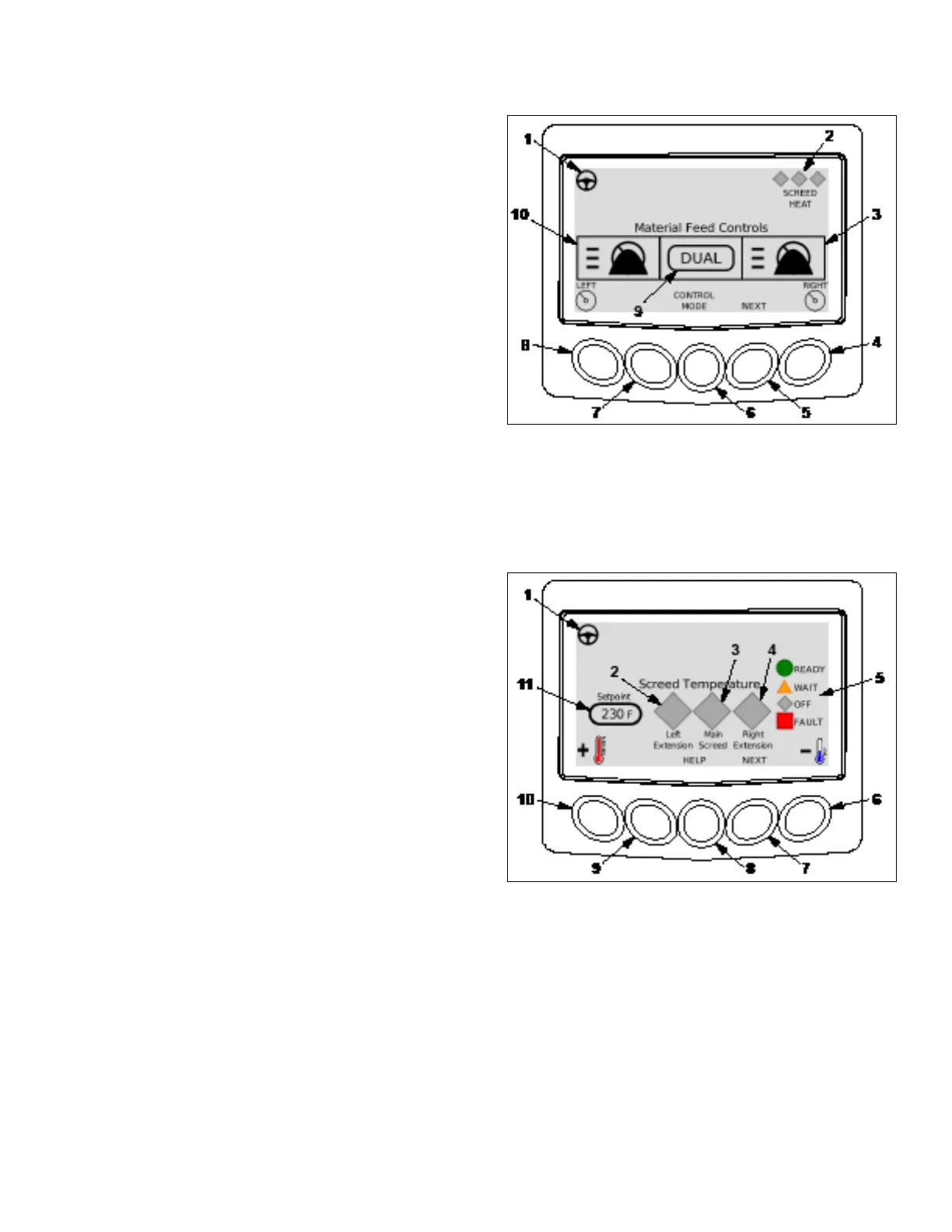
3.2.3 Material Feed Screen
Note: Material feed screen can be viewed at the right hand
station, but that the material height change and the dual/
single can only be changed from the left hand station.
1. Selected station indicator. This symbol will be displayed
on operators station screen with active travel controls.
2. Screed heat status. Indicates status of screed heat
zones.
3. Right material height indicator (sonic).
4. Right side material height adjustment. Select low,
medium or high.
5. Press to move to next screen.
6. Press to change feed mode. Select dual or single.
7. Press to display engine code(s) if present.
8. Left side material height adjustment. Select low, medium or high.
9. Feed control mode indicator.
10. Left material height indicator (sonic).
3.2.4 Screed Temperature Screen
Note: Screed temperature can only be changed from the
left hand station.
1. Selected station indicator. This symbol will be displayed
on operators station screen with active travel controls.
2. Left screed extension status. Display will show ready to
pave, wait to pave, off, or fault icon.
3. Main screed status. Display will show ready to pave,
wait to pave, off, or fault icon.
4. Right screed extension status. Display will show ready
to pave, wait to pave, off, or fault icon.
5. Screed heat status icons. Press and hold help button
(8) to show icons.
6. Press to lower screed temperature set point.
7. Press to move to next screen.
8. Press to show icon legend.
9. Press to display engine code(s) if present.
10. Press to raise screed temperature set point.
11. Selected screed heat setpoint. Default temperature is 230°F.



 To Next Page