26
Calder Brothers Corp
V 1.0
Model: 1860 Paver
SN:
Serial Number Range:
874-S-86TCX5Y2*03874 to _____________
4.4 Screed Heating System
The screed has heating elements in the main screed and on each extension. Heating system is thermostatically
controlled. Generator will cycle on/off as needed to keep screed at selected temperature. The factory recommended
setting is 230°F (110°C). There is only one temperature setpoint for all heating elements. If the mat streaks when
paving starts, raise the set point 10 degrees at a time until streaking is eliminated. Use the following procedure
to set the screed heat set point.
1. Start paver engine. See Section 3.3 Start Engine.
2. Verify extensions are in the closed position. Lower
the screed onto hot asphalt or 1 in. (25 mm) from the
ground. Heating screed on a cold surface will increase
pre-heat time.
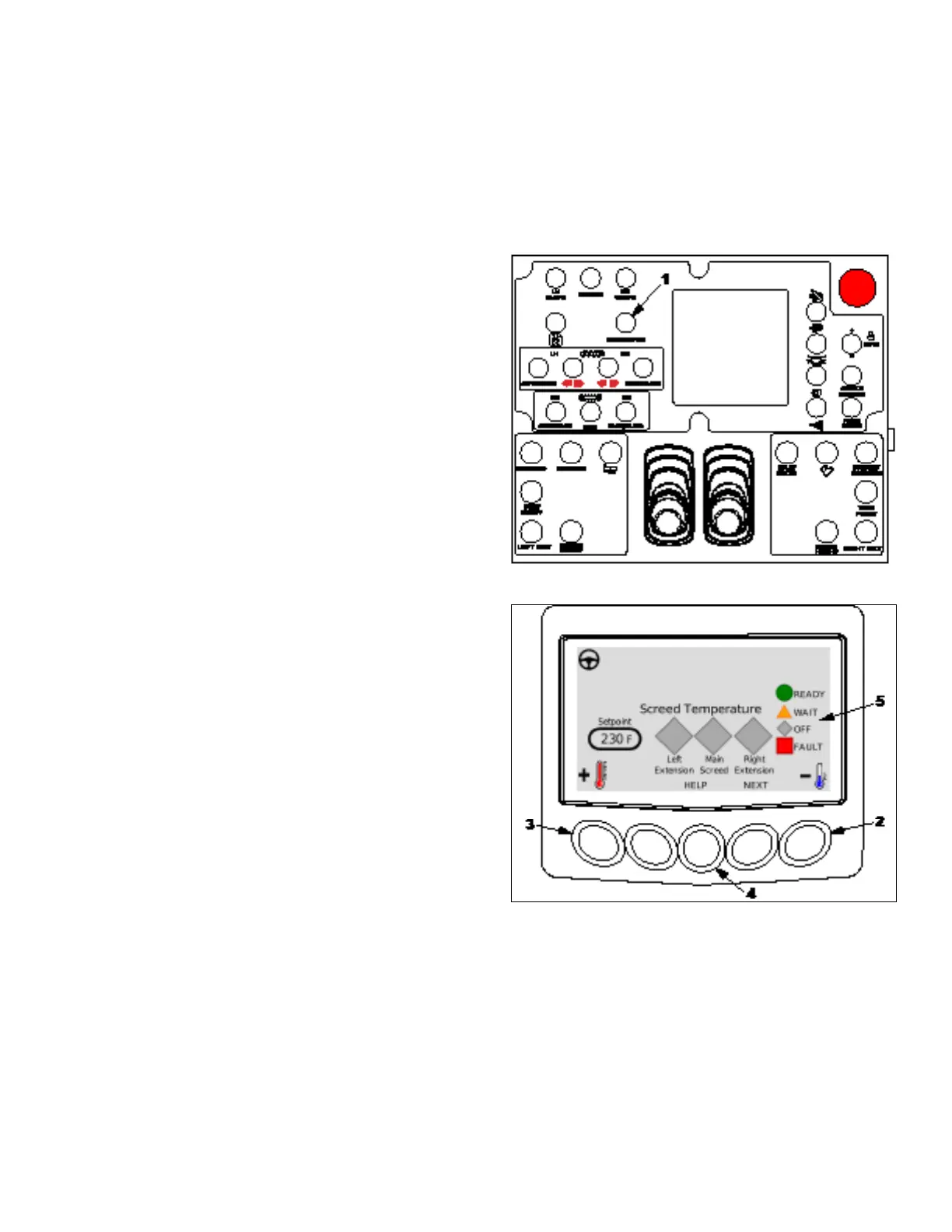
3. Toggle generator switch (1) to on position to activate the
heating system. The default temperature is 230°F.
4. Press button (2) to decrease set point, or button (3) to increase setpoint. Each press of the button will change
setpoint by 10°F.
Press and hold button (4) to display icon legend (5). The
left, main and right screed indicators will display one of
the following icons:
• Green Circle - Temperature within 10°F of set
point
• Orange Triangle - Setpoint temperature has not
been reached.
• Grey Diamond - Heating system is off.
• Red Square - Heating system fault.
5. Paver will continually monitor the four heat zone
temperatures and supply heat to any zone that falls
below the pre-set temperature.
6. To turn the heat off, toggle generator switch (1) to off position.



 To Next Page