15
Calder Brothers Corp
V 1.0
Serial Number Range:
874-S-86TCX5Y2*03874 to _____________
Model: 1860 Paver
^ WARNING
Explosion, fire, or personal injury.
This engine is equipped with an air intake heater.
Do not use starting fluid.
Use of starting fluid can cause an explosion, fire, personal injury or damage to the engine and
other property.
1. Turn key switch to on position, pause light indicator should be on.
2. Turn key switch to start and release. During cooler temperatures, there may be slight delay before starter
engages while engine preheat is engaged.
3. Run engine at low idle to warm up.
4. Press active station control to enable the driving/steering control on that operators station. Left hand station
is the default active station. When engine is started, it will be in pause. The engine will start with a track
control lever out of neutral, but you must recenter the levers and toggle pause/resume switch to begin driving.
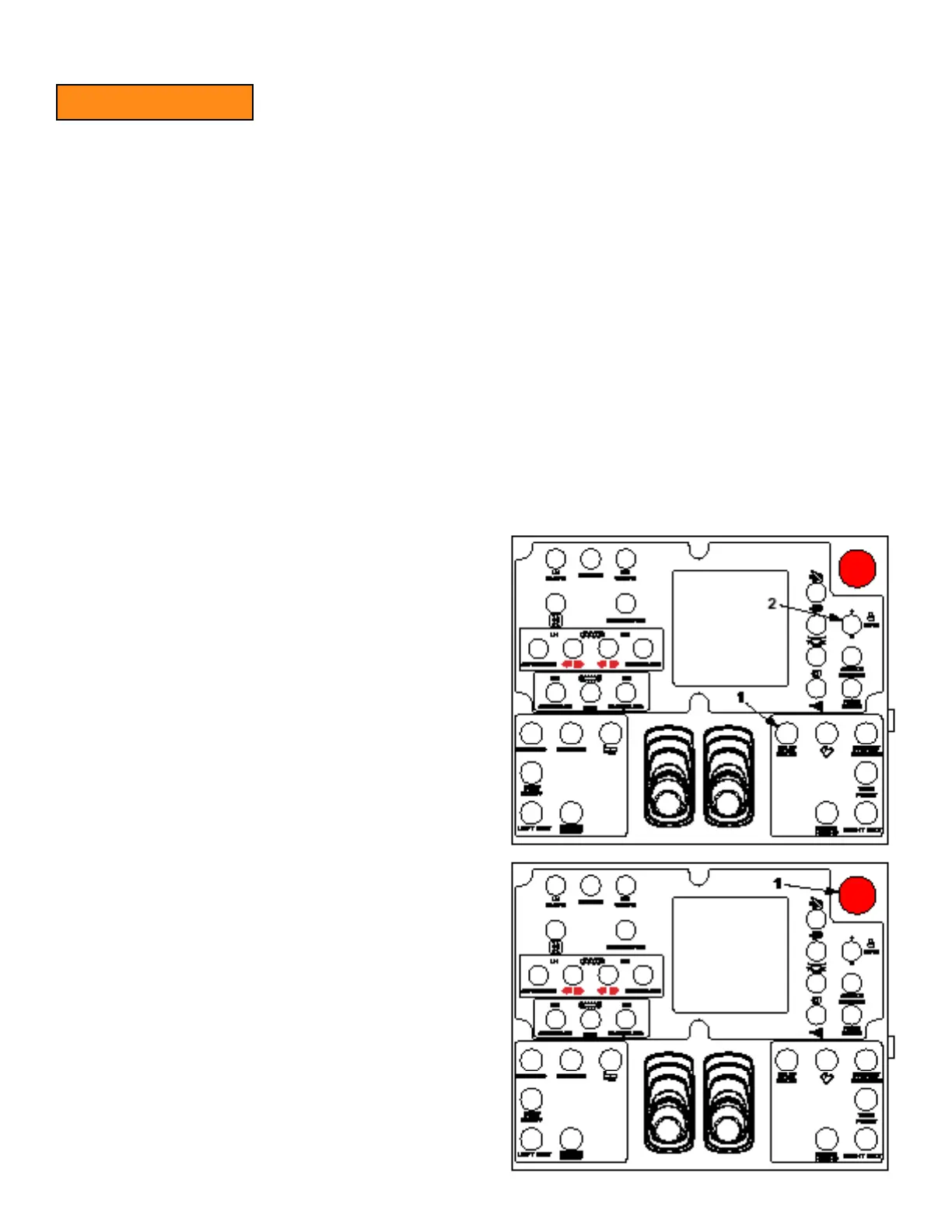
3.5 Idle/Pave And Engine Speed
Engine will startup at the preset 900 rpm idle speed.
Toggle idle/pave switch (1) to up to increase engine speed
to 1800 rpm.
While at paving speed, toggle idle/pave switch (1) down to
decrease engine speed to 900 rpm.
Toggle rpm switch (2) up to increase engine rpm or down to
decrease rpm. Each toggle of the switch will change engine
speed by 100 rpm. Maximum engine speed is 2200 rpm.
Paver will retain engine speed setting when ignition switch
is turned off and then on again.
3.6 Emergency Stop
Press emergency stop button (1) to stop all paver functions.
Pull button out to reset. All functions must be restarted.



 To Next Page