4.14 HARDLOCK Hard lock modifies actuator reaction while in
manual mode. Normal manual posture removes all motor drive signals. In
some applications, forces due to gravity or web tension can cause
unwanted actuator movement when the motor is not driven. The hard lock
option changes manual operation so actuator position is actively
maintained to prevent movement from outside forces while in manual
mode. Hard lock, if enabled is applied in all cases where manual posture is
active such as when external lock from the digital inputs is active.
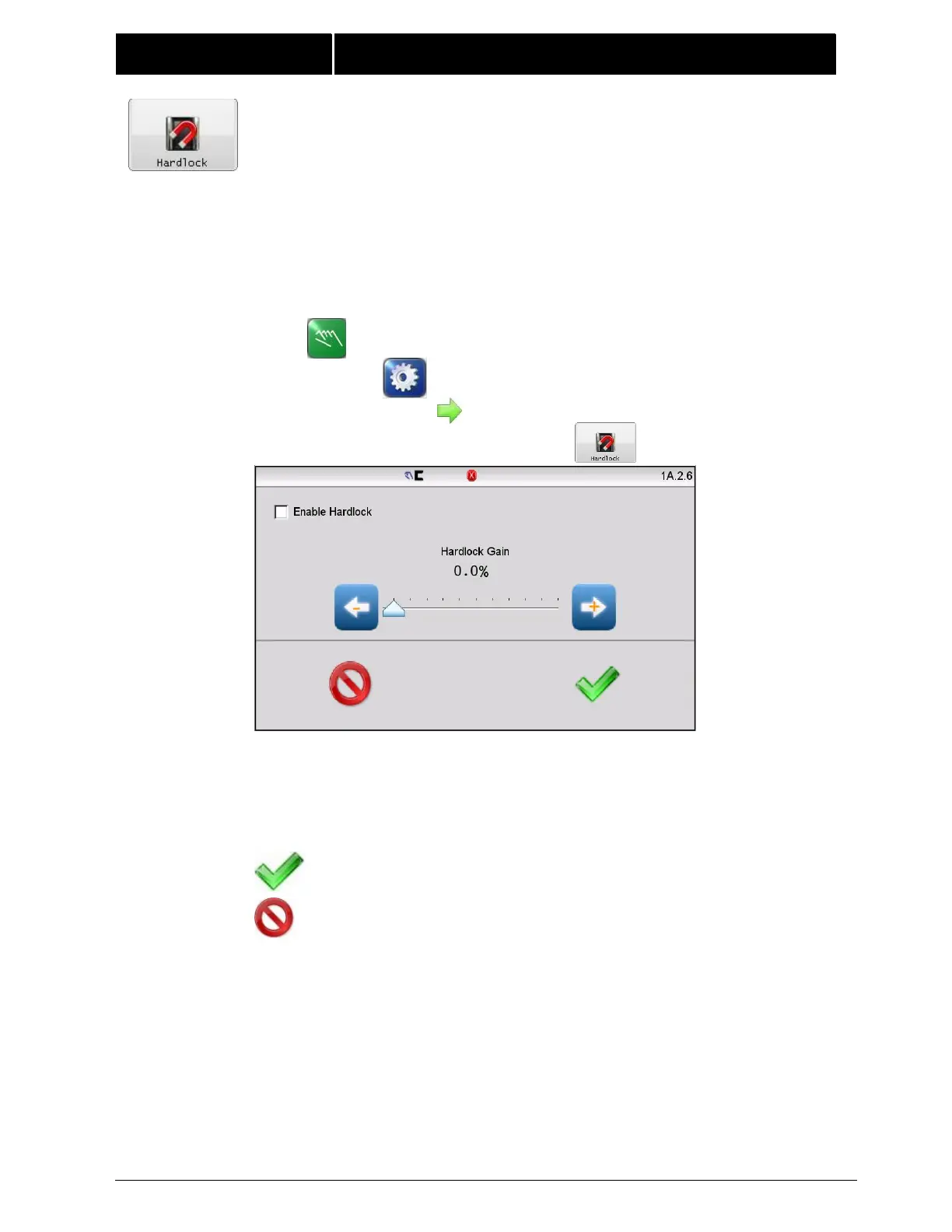
Enable Hardlock – Check this box to turn the hardlock feature on.
Hardlock Gain – Sets the hardlock control loop gain. This can be
changed with the slider control or with the arrow buttons for finer
control.
Press ACCEPT to save changes made to this screen.
Press CANCEL to exit without saving any changes.



 To Next Page