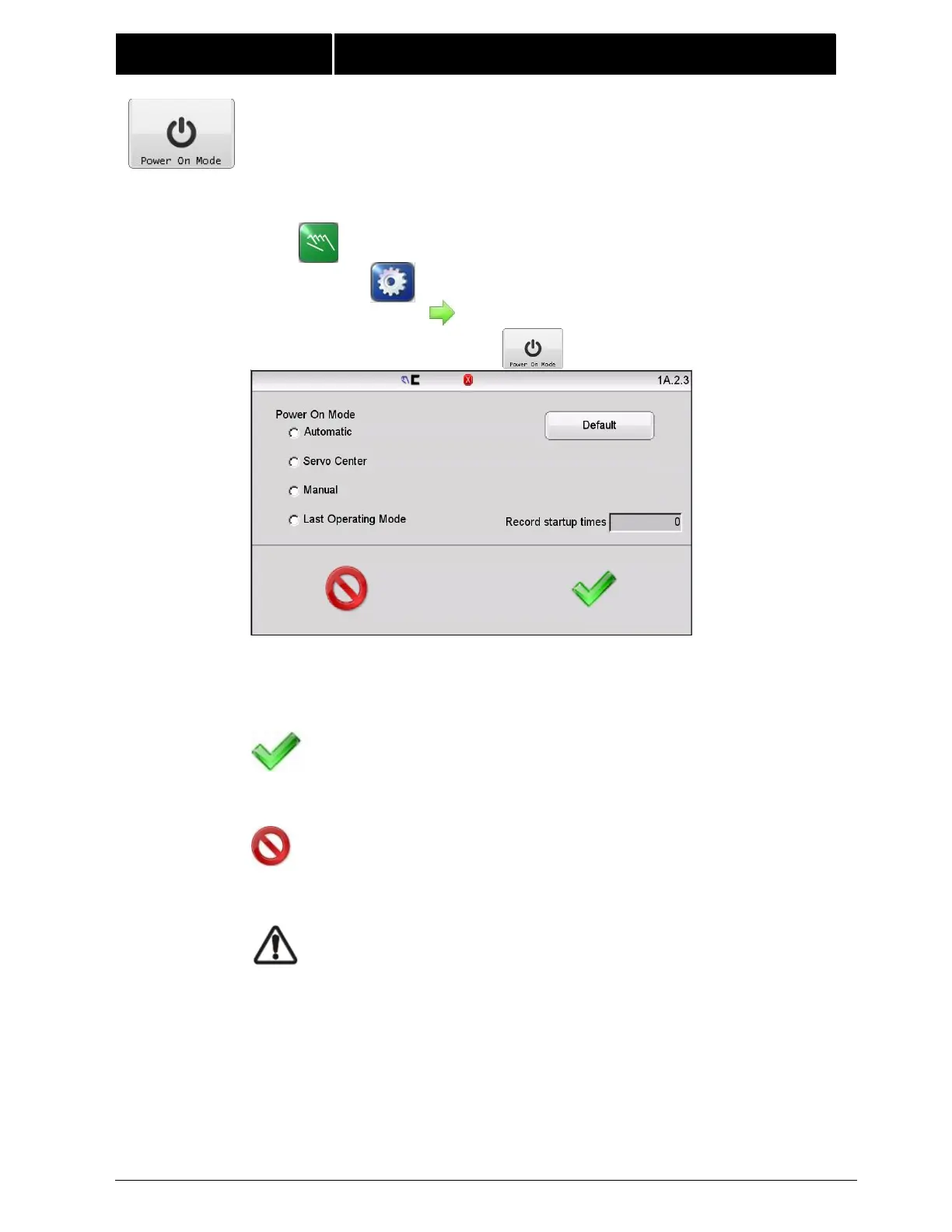
4.11 POWER ON MODE This menu controls the Power On mode for the
FIFE- 500 MAX Web Guiding System. Default operation returns to the mode
that was active when power was removed, however, configuration choices in
this screen allow any mode to be selected as the Power On mode.
Default – The default button selects the factory setting which is
“Last mode used”.
Record startup times – Shows the number of power cycles the
system has recorded.
Press ACCEPT to save changes and return to the previous
screen.
Press CANCEL to close this screen and return to the
previous screen without saving any changes.
WARNING – Death or injury can result from unexpected
movement. Selecting Automatic or Servo-Center modes
for power up options can cause guide movement when
power is applied. Take appropriate precautions to ensure
no one is in the vicinity of the guide path of travel when
power is applied to the web guiding system.



 To Next Page