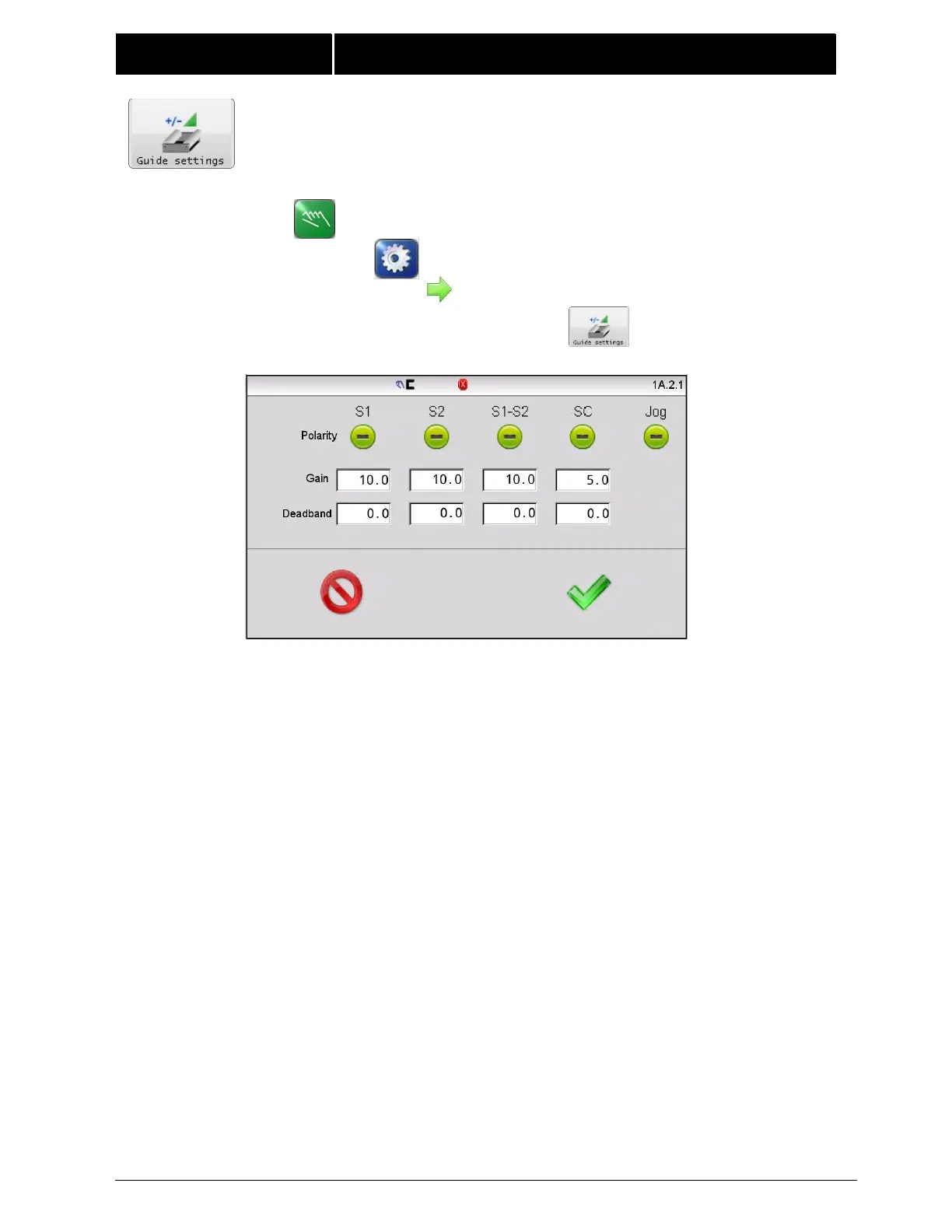
4.9 GUIDE SETTINGS The guide settings screen provides controls to
set the gain, polarity and dead band for all modes of operation. The jog
polarity is also located on this screen.
Polarity – The polarity buttons display the current polarity settings
active for servo-center, guiding (each sensor mode), and jog
operations. Using these controls polarity can be set manually. To
change polarity, touch the desired polarity button to toggle
between positive and negative settings. The auto setup procedure
for each sensor mode configures polarity automatically so changes
to the sensor mode polarities are typically not needed.
Polarity changes are used to correct the situation if guide correction
moves in the wrong direction. Jog polarity controls the direction of
guide movement when the Jog buttons are pressed.
Gain – The gain controls display the gain settings for each mode of
operation. The gain values are set automatically if the auto setup
procedure is used. This screen provides controls to support manual
gain tuning. To edit a gain setting, touch the desired gain value to
open an edit window.



 To Next Page