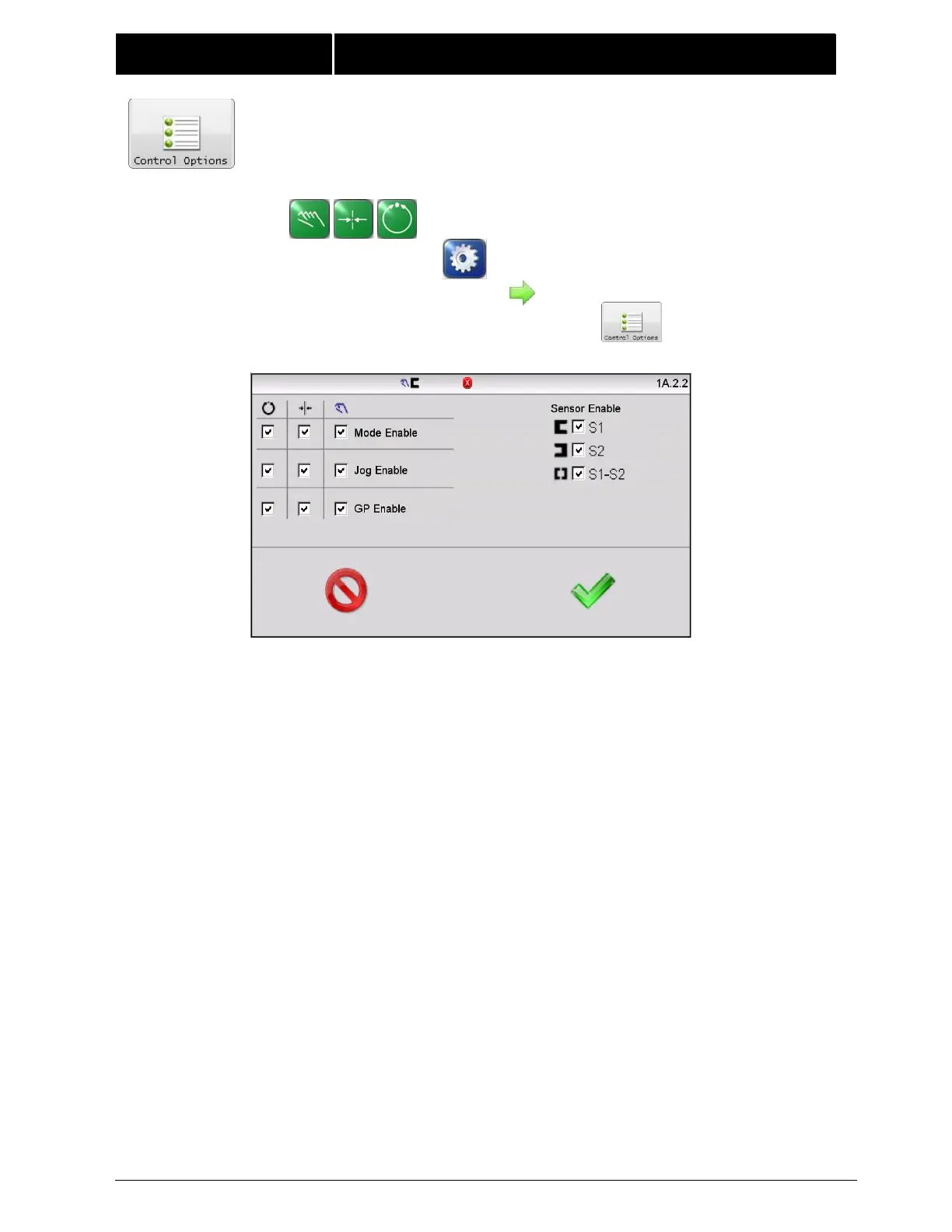
4.10 CONTROL OPTIONS This menu provides the controls used to limit
operation modes, sensor modes, and system guide point shift controls on
the Operator Level screen.
Mode Enable – These checkboxes enable or disable use of
automatic, servo- center, and manual operation modes. A
“checked” box indicates the mode is available. At least one mode
must remain enabled at all times. The menu will not permit saving
a configuration with all checkboxes cleared.
Jog Enable – These three checkboxes enable or disable jog
operations in automatic, servo-center, and manual operation
modes. A “checked” box indicates jogs are permitted. When jogs
are disabled, the jog buttons on the Operator Level screen are
disabled.
GP Enable – These checkboxes enable or disable the system guide
point controls on the Operator Level screen in automatic, servo-
center, and manual operation modes. A “checked” box indicates
guide point controls are enabled. When disabled, the guide point
controls on the Operator Level screen are disabled. This control
does not affect guide point control from the digital inputs.



 To Next Page