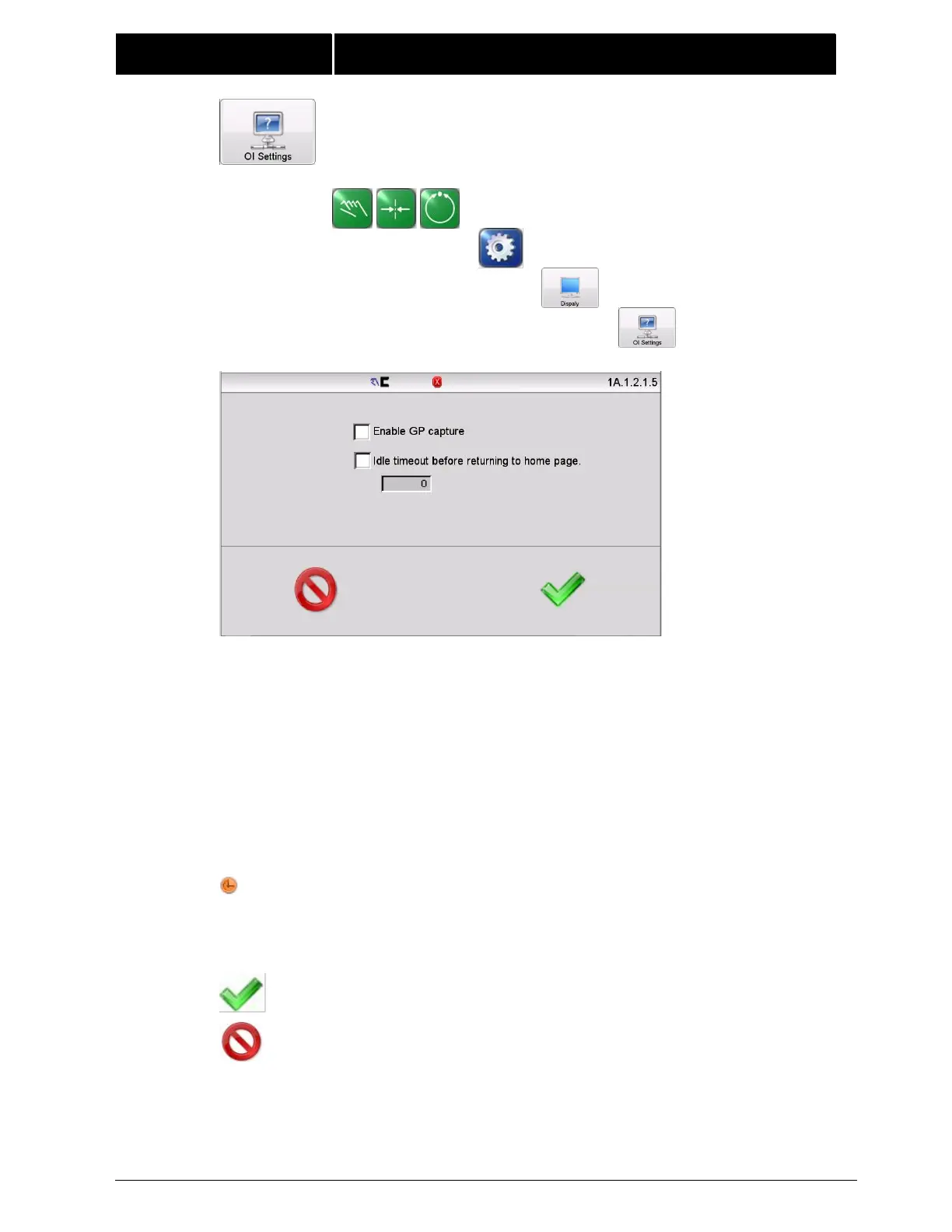
Enable GP capture – Enables the appearance of an additional button in the
guide point control area of the Operator Level screen. The GP capture button
sets the guide point of the active sensor mode to match the current location
of the web. This allows guiding to begin at the current web location when the
Automatic mode is initiated.
Idle timeout before returning to home page – Check this box to force menus
to close after a specified number of seconds. To adjust the timeout value,
press the button below to control and enter the desired value. Some menus
are immune from the timeout option.
Menus that are immune from timeout will show this icon in the status bar
(only when timeouts are enabled).



 To Next Page