FIFE-500 MAX Narrow Web Guide
DLS-8 EXPERT SETTING MODE
4.19.2 Expert setting mode
Click this button to enter Expert setting mode.
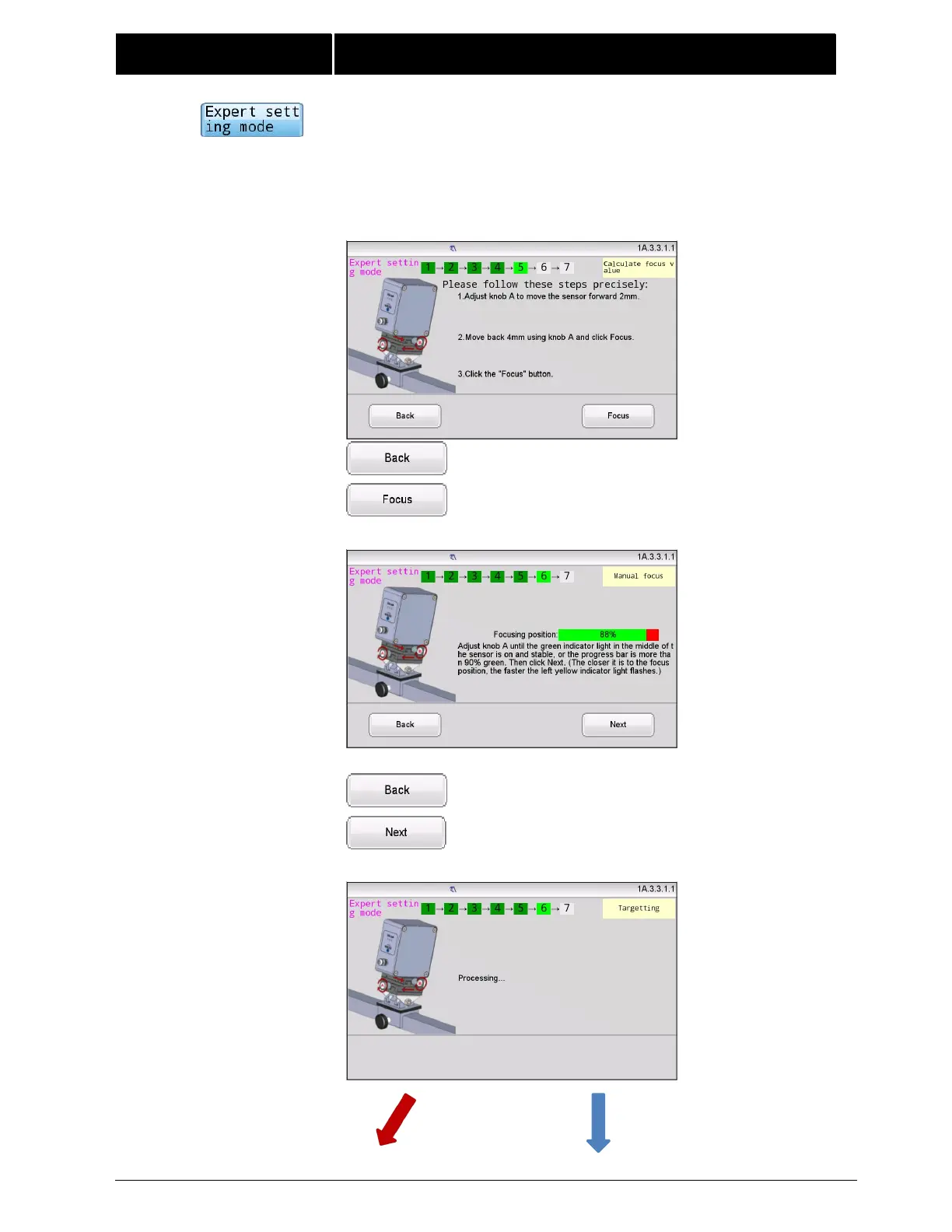
7 operating steps in expert mode, it adds 2 steps compared to the normal
operating mode for manual focusing.
Refer to the steps of Normal mode above until Step 4.
After Step 4,Step 5 prompts operations for calculating focus value:
Click to return to Step3.
Click to focus manually.
Follow the prompts to complete focusing.
Click to return to Step5.
Click to go to the next step.



 To Next Page