EasyManua.ls Logo

Maxcess FIFE-500 MAX - CHAPTER 4 LANGUAGE; 4.2 DISPLAY; 4.2.1 LANGUAGE

Maxcess FIFE-500 MAX
80 pages
Print Icon
To Next Page IconTo Next Page
To Previous Page IconTo Previous Page
Loading...
www.maxcess.com
FIFE-500 MAX Narrow Web Guide
MI 2700XXXXX 18
CHAPTER 4
LANGUAGE
27 / 77
4.2 DISPLAY The display submenu provides access to the operator
interface settings. The display submenu is available in all operation modes.
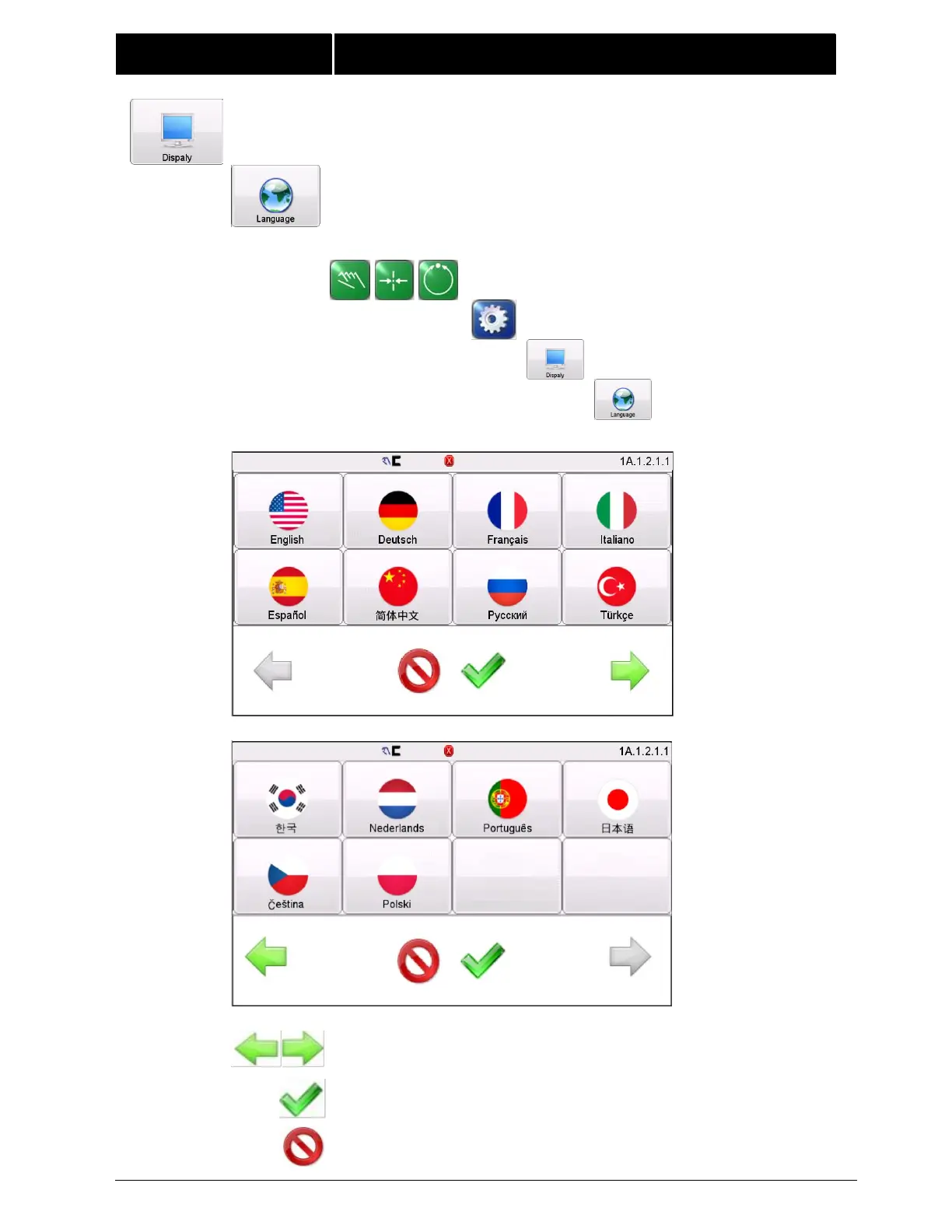
4.2.1 LANGUAGE The FIFE-500 MAX supports multiple
languages. Use this selection to choose from the supported list of
languages.
Navigation:
MANUAL / SERVO-CENTER / AUTOMATIC
SETUP
DISPLAY
LANGUAGE
Use the page arrows to move forward or backward to see more
choices.
Select the desired language and press ACCEPT to save. The
screen will return to the previous screen.
Press CANCEL to exit without saving changes and return to the
previous screen.

Related product manuals