Reciprocating Compressor M Series
5-15
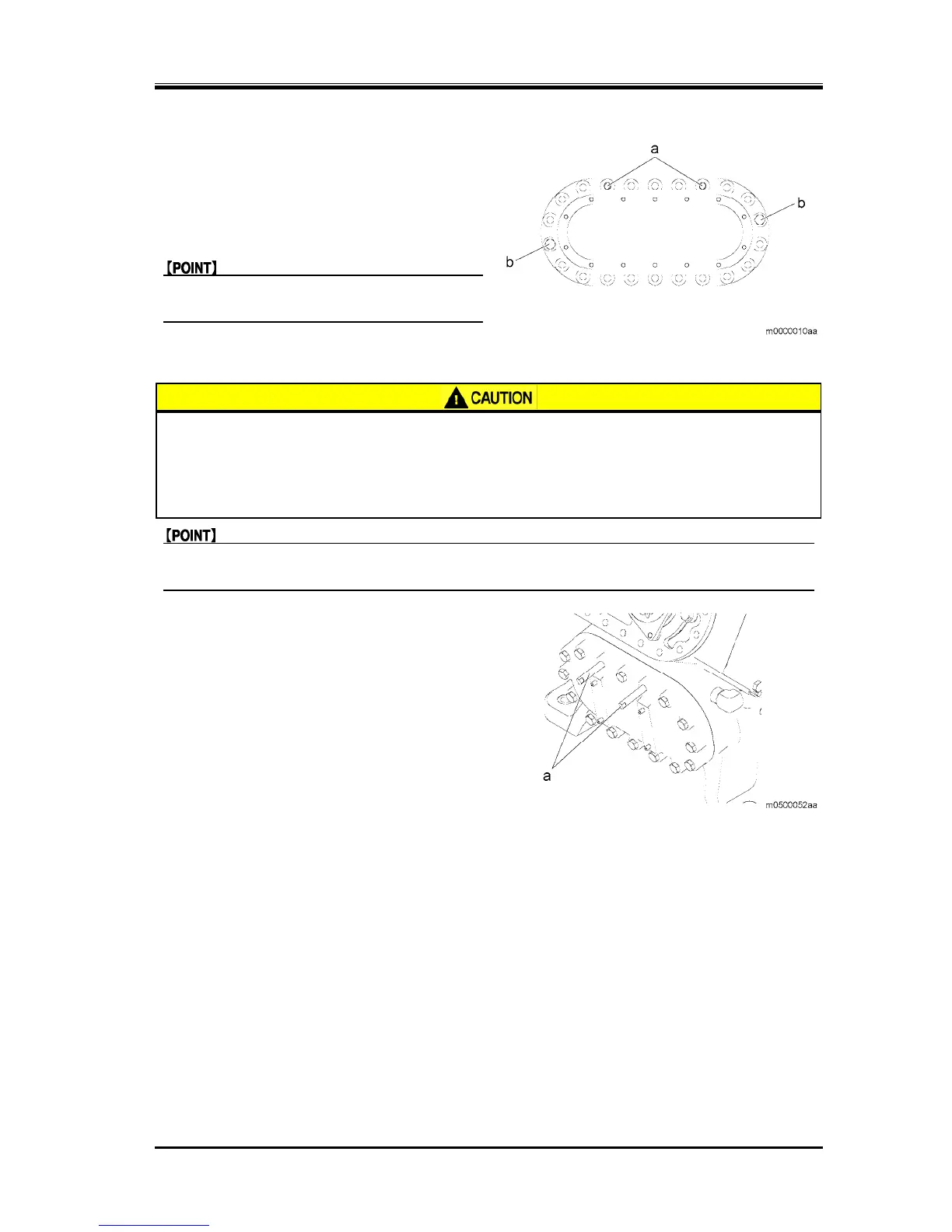
2. Remove all but two stud bolts from the head cover
(b) remove them diagonally as shown in the
figure.
3. Loosen the last two bolts (b), diagonally as shown
in the figure, evenly to remove them.
z After removing the valve plate, remove the
stud bolts (a).
5.5.3.3 Removing the Hand Hole Cover
z Dropping of the hand hole cover may cause injury or damage to the compressor.
Always attach the stud bolts before performing the work.
z Because the attachment surface of the hand hole cover is facing obliquely
downward, the cover may fall even when the stud bolts are used. Be careful so as
not to place any part of your body under the hand hole cover.
z To remove the firmly–retained hand hole cover, tap the cover using a copper hammer or plastic
hammer.
1. Remove the two hand hole cover bolts from the
top, and attach the stud bolts (a).


 To Next Page