Reciprocating Compressor M Series
5-27
5.5.6.1 Removing the Seal Cover Assembly
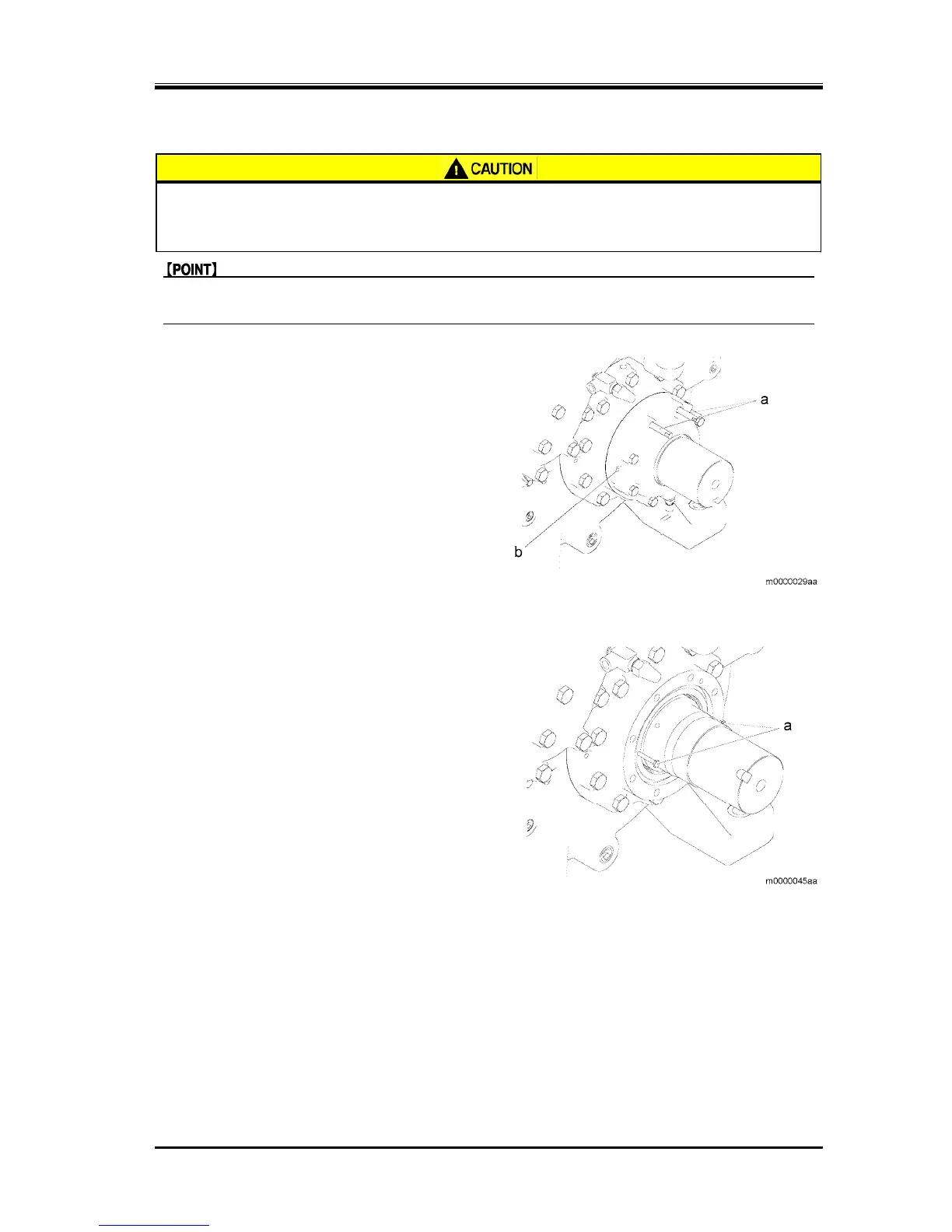
z Dropping of the seal cover assembly may cause injury or damage to the
compressor. Always attach the stud bolts before performing the work.
z Be careful not to damage the mechanical seal collar.
z To remove the seal cover assembly, insert the seal cover assembly screws into the service holes
(b) and tighten them. (There are two holes diagonally.)
1. Remove the two seal cover assembly screws from
the two sections at the top, and attach the stud
bolts (a).
2. Loosen the rest of the seal cover assembly screws.
3. Remove the seal cover while being careful not to
damage the mechanical seal collar.
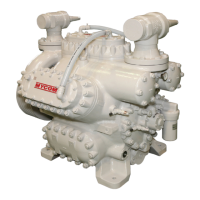
5.5.6.2 Removing the Oil Seal Retainers
1. Attach the two bolts (M6) (b) into the screw holes
on the oil seal retainers (a).
2. Pull the bolts (M6) (b) to remove the oil seal
retainers (a).
5.5.6.3 Removing the Oil Seal
1. Attach the two bolts (M6) into the screw holes on
the oil seal retainers.
2. Tighten the bolts (M6) alternately and evenly, then
separate the oil seal retainers and oil seal.
5.5.6.4 Assembly of the Oil Seal
1. Insert the oil seal parallel to the oil seal retainers.


 To Next Page