M600 Disassembly Instructions
Disassembling the M600 12
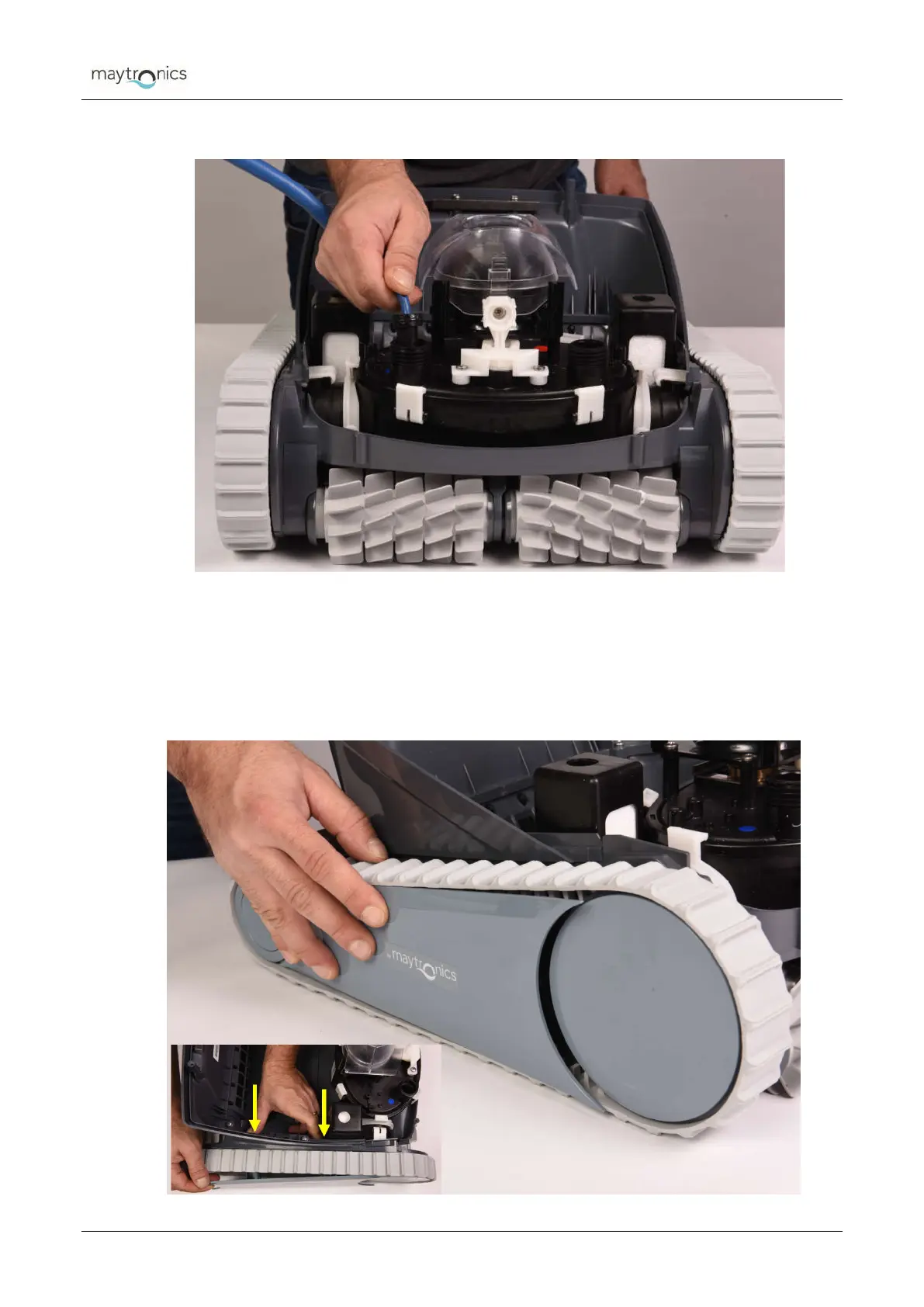
Unplug the cable.
Figure 17: Disconnecting the cables (step c)
9.
Removing the side covers -
a) Remove the screw from inside to loosen the side cover – one screw
b) Press the two inner snaps that hold the side cover in place and remove the side
cover from both sides of the robot.
Figure 18: Removing the side covers – Push the snaps out




 To Next Page