Rewinder RW500
67
Operating and display elements, operating modes
Operating and display elements
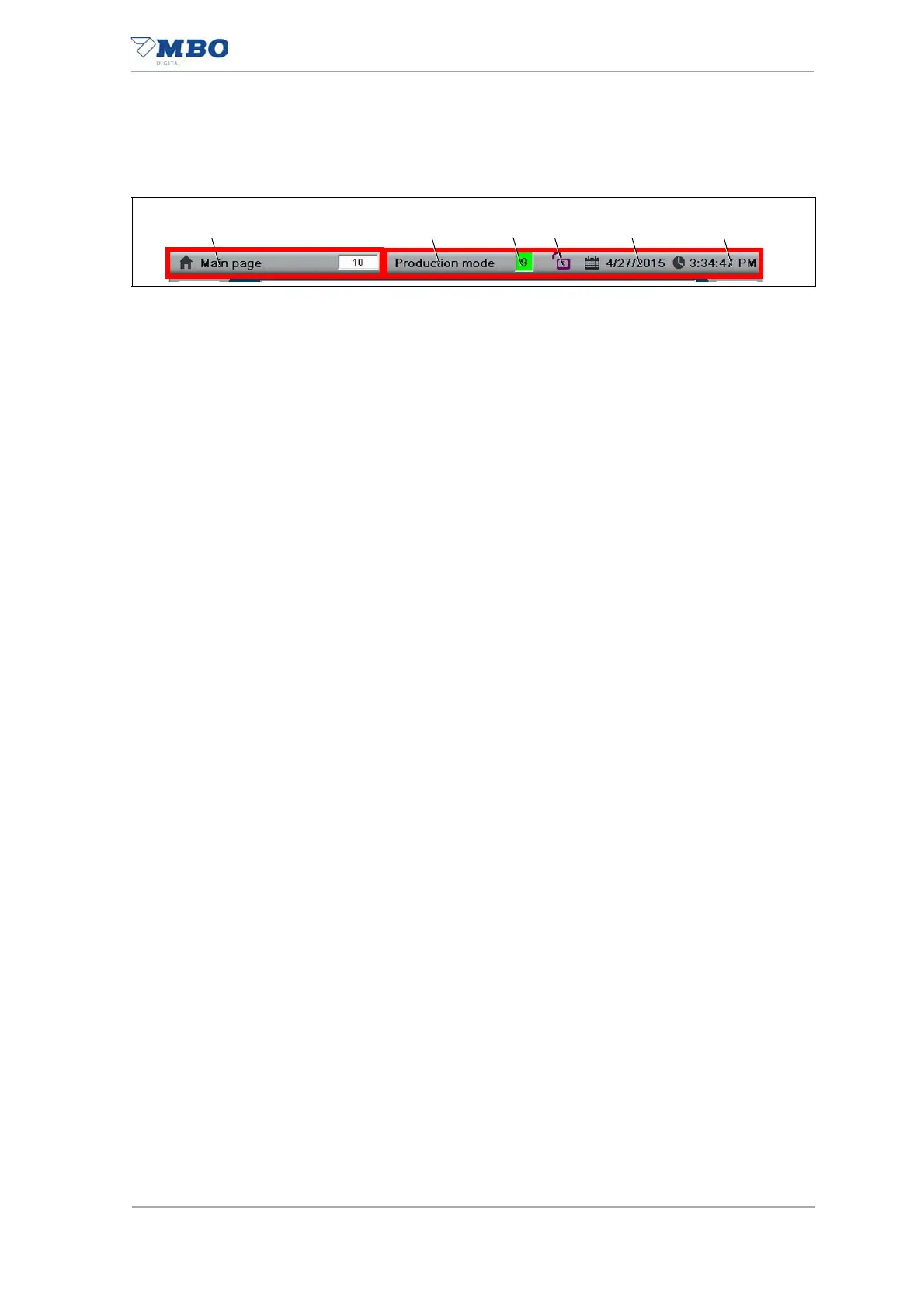
5.1.6.1 Info box
1 <Title of the current page> display.
Pressing this displays the current page number.
Pressing this again hides the current page number.
2 <Current operating mode> display.
3 <Machine status> display.
Displays the current status of the machine.
See chapter "5.1.7 Displaying machine status"
4 <Password> button.
Displays the current password level.
See Chapter "5.1.8 Entering the password".
5 <Current date> display.
6 <Current time> display.
Illustration 29: Info box


 To Next Page