5.
INTRODUCTORY BEAT:
Before the song start playing, the keyboard has the
introductory beat. It begins to play the song when
the measure goes to 1.
REW,FF and PAUSE:
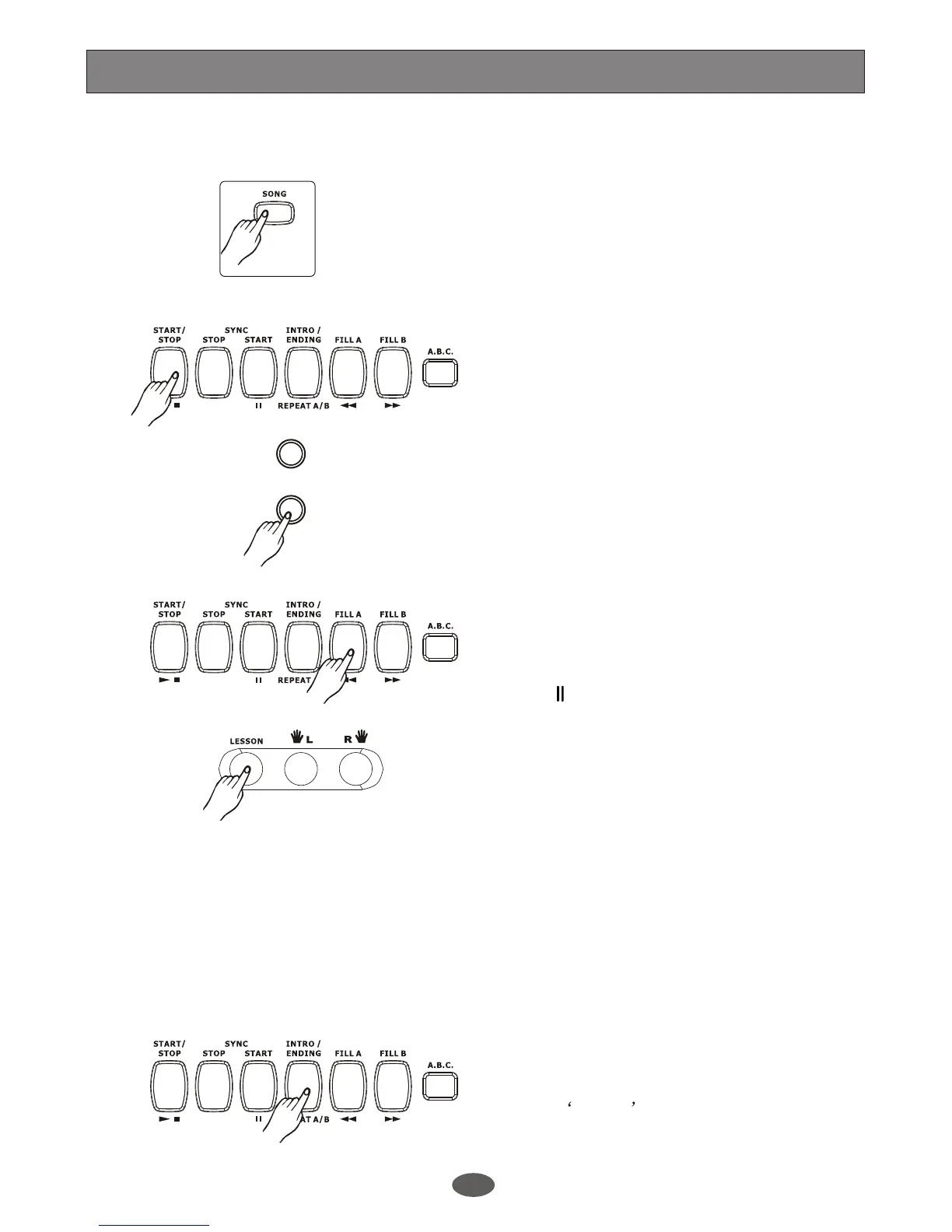
When the song is playing, press [B/>>] button to
play the song much more quickly. Press [A/<<] to
reward the song (base on the measure), press
[SYNC/ ] to pause playing the song.
Press button to enter lesson mode,
you can use button to select which
hand to practise. If neither hand be selected, the
keyboard will turn on the right hand automatically.
[LESSON]
[ R ] and [ L ]
When the song is stopped, press [STYLE],
[CHORD DICTIONARY], [VOICE], [DUAL] or
[LOWER] will exit the song mode.
The user song do not have the function of REW,
FF and PAUSE.
SONG REPEAT
This function allows you to specify a phrase of a song
for practising and learning by repeating to play it.
Press [START/STOP] button to start playing the song.
During the playback, press the [REPEAT A/B] button
to set the point of beginning to repeat. As the current
song continues playing, press the [REPEAT A/B]
button twice to set the end point of the playback. LCD
displays Rpt A-B The specified phrase playback
repeatedly. To exit the A-B repeat function, press the
[REPEAT A/B] button again, the rest of song will go
on to play.
6.
7.
8.
9.
10.
The keyboard has 50 songs at all, in which there
are 35 classical songs, and 15 piano songs. Each
song can be practised in LESSON mode.
1.
START/STOP the song:
Press [SONG] button to enter the song mode. The
song flag on LCD is lightened. It will play all songs
circularly.
Press [START/STOP] button to stop playing the
song, but it will not quit the song mode.
2.
3.
LOOP:
The 2nd time you start playing the song by pressing
[START/STOP] button, it will play current song
circularly.
4.
SELECT THE SONG:
Use [+/YES]/[-/NO] button or DIAL to select the
song you want.
Song
- /NO
+ / YES
28


 To Next Page