Chord Dictionary
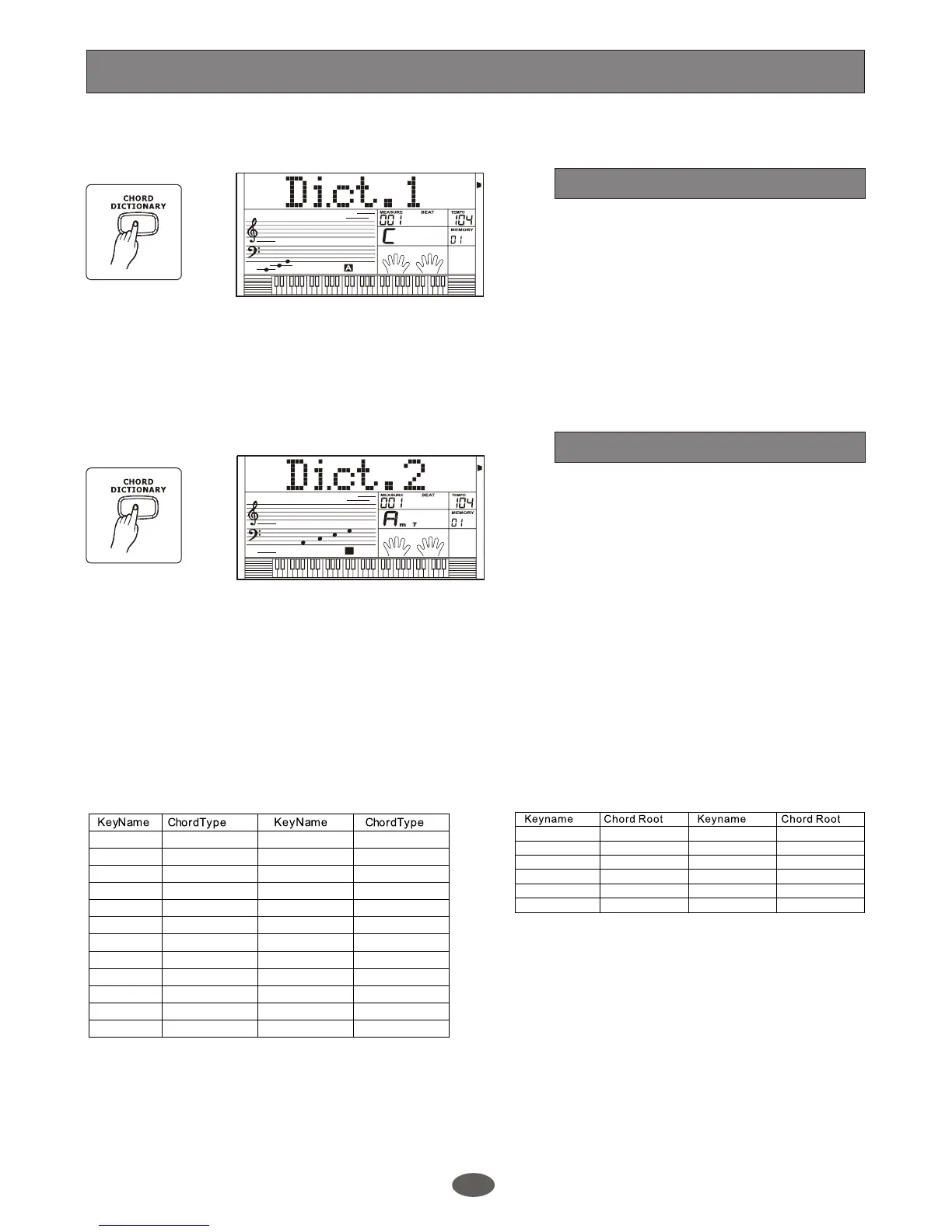
Press [CHORD DICTIONARY] button to
enter DICT 1 mode. The chord dictionary
flag on LCD is lightened. In this mode, the
keys above C4 are used to assign the
Chord Type. The keys above C6 are used
to assign the Chord Root.
When the Chord Type and Chord Root are
confirmed, The LCD will display the Chord
and its keyboard position.
Chord dictionary is a function to help you
to check the chord notes.
Press [CHORD DICTIONARY] button
again to enter DICT 2 mode. The chord
area on the LCD will display a random
chord. When you play the correct chord
within 3 seconds, the next chord (random)
will be displayed on LCD for you. if not,
LCD displays the corresponding keyboard
position automatically.
Press [CHORD DICTIONARY] button for
the 3rd time to turn off chord dictionary.
A.B.C.
DUAL
EDIT
LOWER
SYNC STOP
SUSTAIN
MELODY 2
MELODY 3
ACCOMP
MELODY 1
MELODY 4
MELODY 5
A.B.C.
DUAL
EDIT
LOWER
SYNC STOP
SUSTAIN
MELODY 2
MELODY 3
ACCOMP
MELODY 1
MELODY 4
MELODY 5
C4 M C5 7(b9)
C4# M(9) C5# 7(9)
D4 6 D5 7(#9)
E4b mM7 E5b 7(b13)
E4 M7 E5 7(13)
F4 m F5 7(#11)
F4# m(9) F5# dim7
G4 m6 G5 dim
Ab4 m7(9) A5b 7aug
A4 m7 A5 aug
B4b m7b5 B5b 7sus4
B4 7 B5 sus4
Chord Type
C6 C F6# F#/Gb
C6# C#/Db G6 G
D6 D A6b Ab/G#
E6b Eb/D# A6 A
E6 E B6b Bb/A#
F6 F B6 B
Chord Root
DICT 2 (CHORD TEST MODE)
DICT 1 (CHORD LEARNING MODE)
30


 To Next Page