PCF Pro User Manual
DOC01851 Page 32 of 74
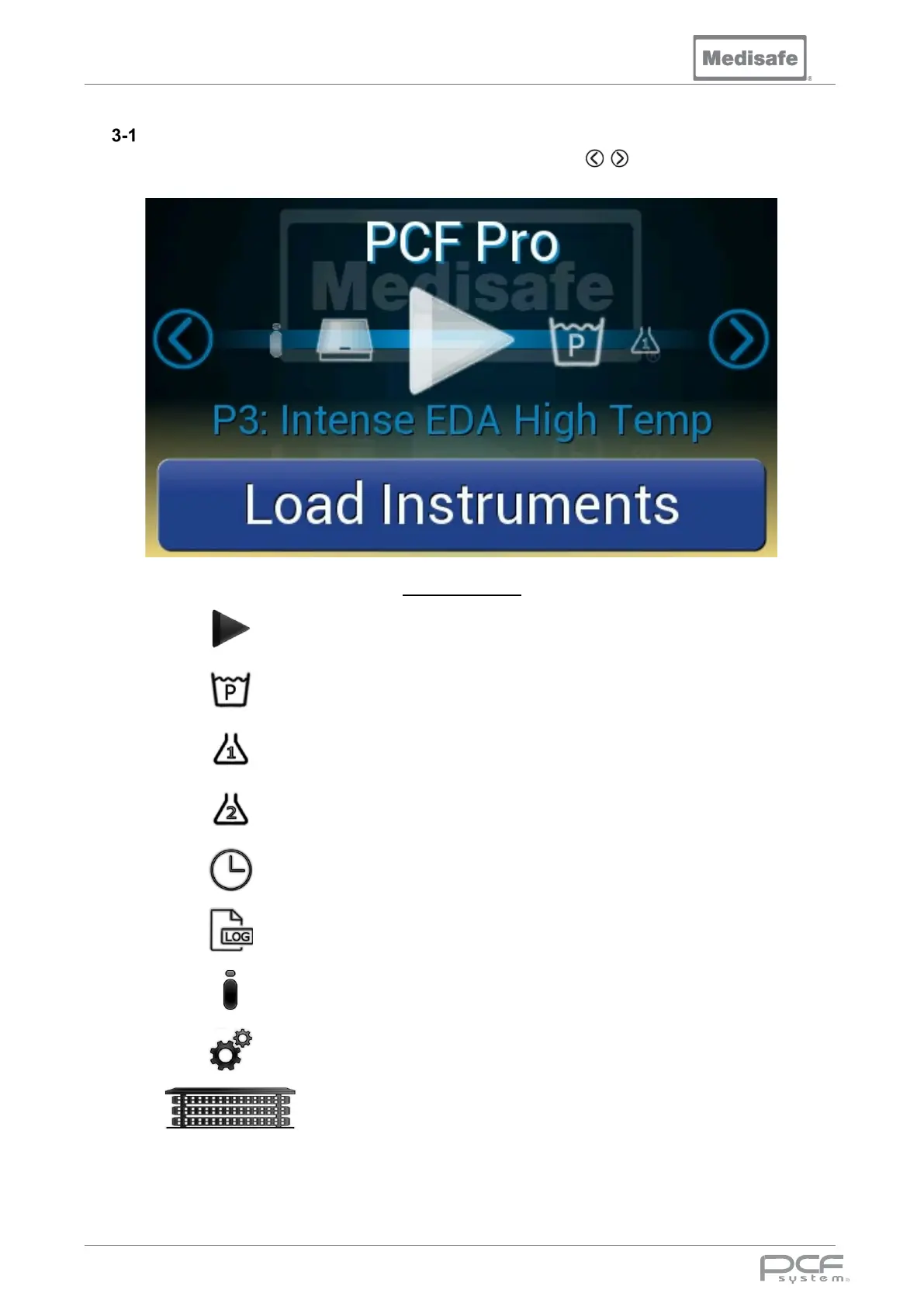
Menu
The PCF Pro is controlled using a touch screen menu. The scroll arrows are used to cycle
through the menu pages.
Menu Functions
Start
Start the automated cycle
sequence
Wash Program Set the selected wash program
Chemical 1 Prime chemical pump 1
Chemical 2 Prime chemical pump 2
Clock Set the time and date
Data Logging
Download logged cycle data
onto a USB Flash Drive
Information
Serial number, cycle count and
software version
Supervisor Menu
View and Edit Program
Parameters
Carrier
Controls to raise and lower the
Carrier Lift
Note: When the PCF Pro has been idle for 10 minutes the screensaver will start, touch the display to
exit.


 To Next Page