PCF Pro User Manual
DOC01851 Page 34 of 74
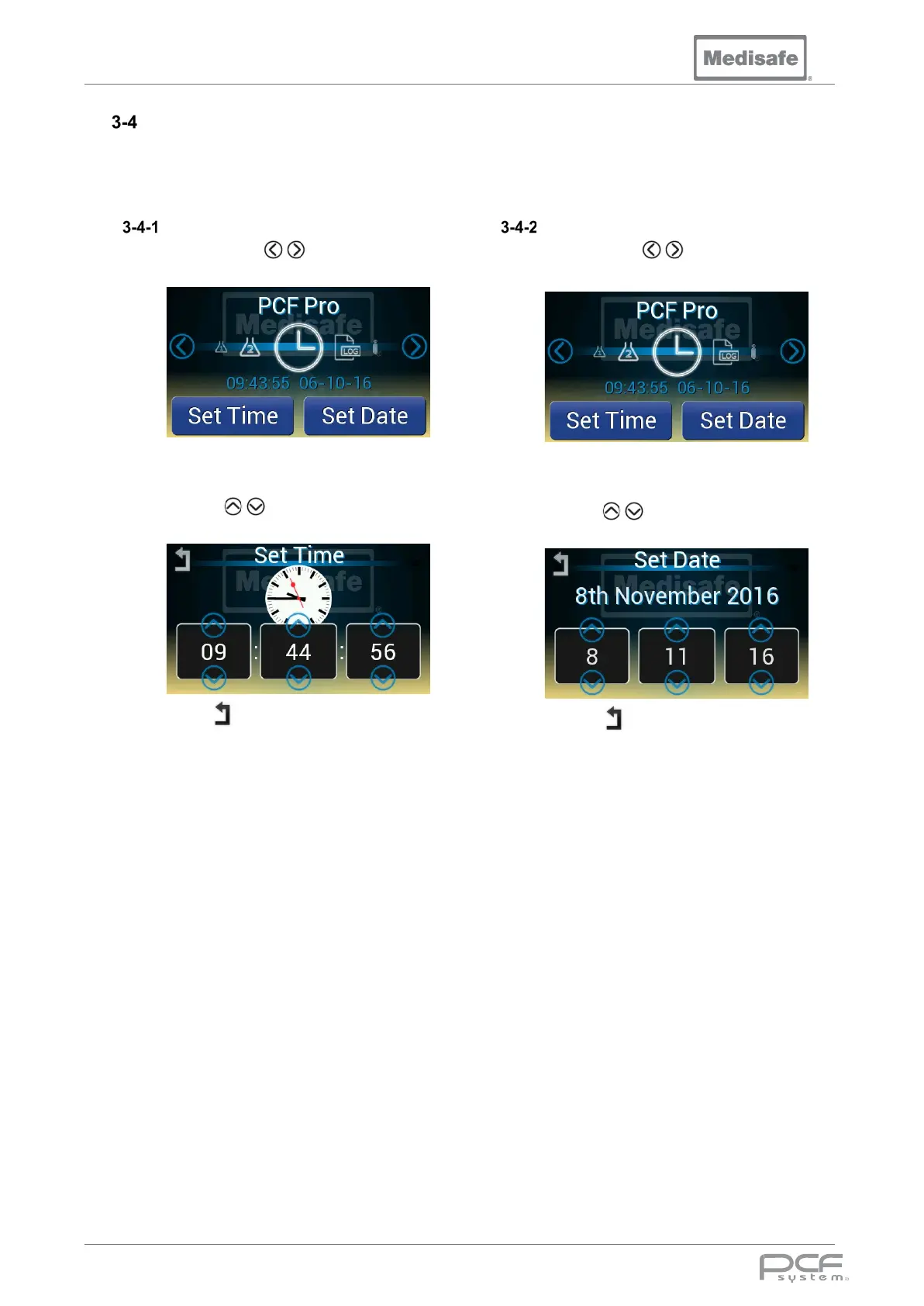
Setting Time & Date
The time and date must be set correctly to ensure the accuracy of the cycle records, and MUST be
periodically checked by the user. There is no automatic provision for daylight saving hours. While the
machine is off, a backup battery maintains the time and date.
Set Time
1. Use the scroll arrows to cycle
through to the clock icon
2. Press Set Time
3. Use the arrows to adjust the
Hours, Minutes and Seconds
4. Press to return to the main menu
Set Date
1. Use the scroll arrows to cycle
through to the clock icon
2. Press Set Date
3. Use the arrows to adjust the
Date, Month and Year
4. Press to return to the main menu


 To Next Page