TECHNOPOOL3 TECHNOPOOL3 MENU
Dosing systems for swimming pools ENGLISH
ADSP7000716 rev. 1.0 25/01/2017 11/64
3.1.1 Manual activation of pumps and solenoid valve
The priming sub-menu can be accessed from the user menu, which allows the manual operation of pumps and
solenoid valve.
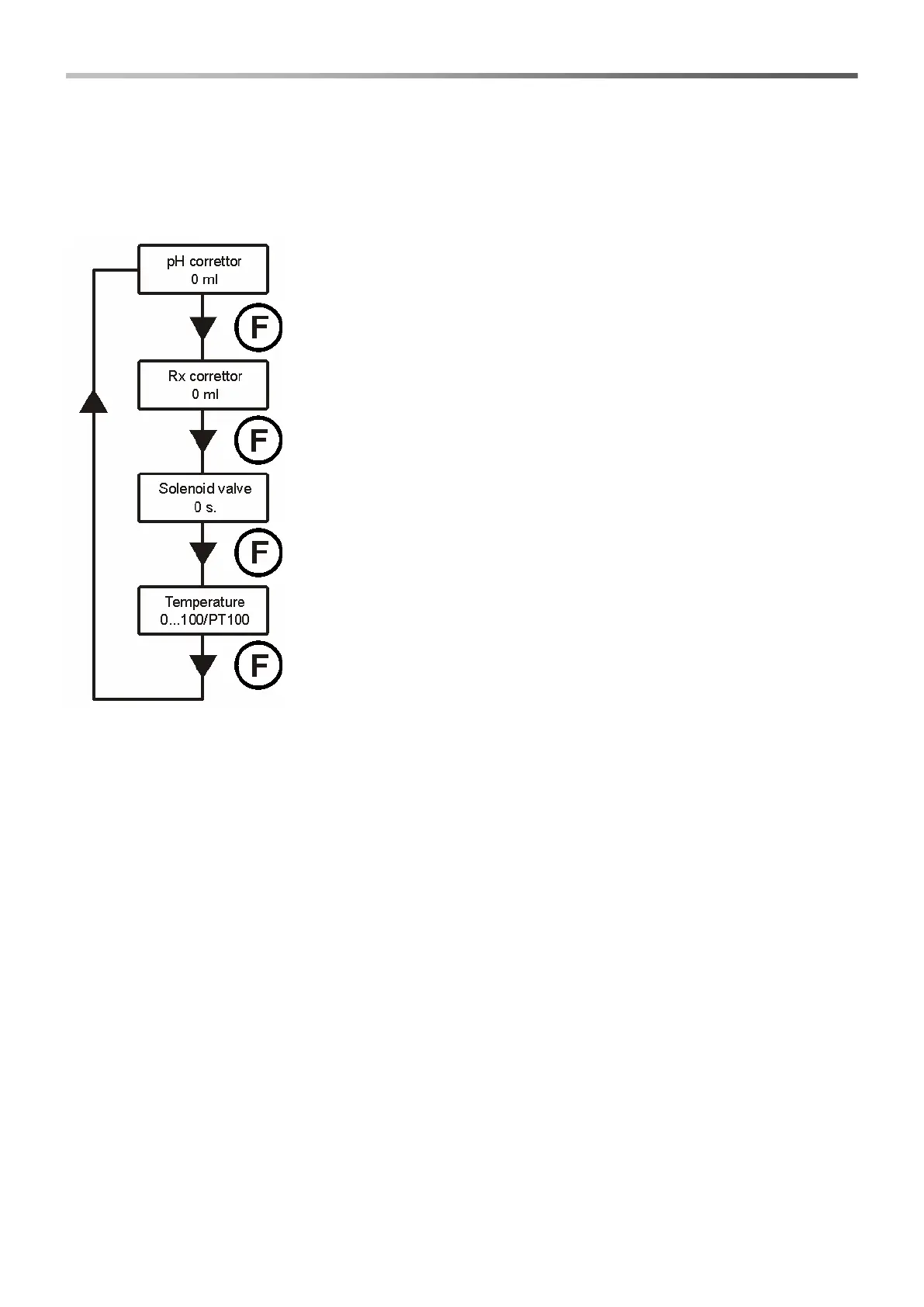
To access this menu, press key F for 3 seconds; the following options will be displayed:
pH corrector
Press keys ▼▲ to set manually the values to be dosed and Enter to confirm and
activate the dosing of the pH pump.
The dosing that can be set is 0÷999 ml or 1.0÷9.9 litres.
Rx corrector
Press keys ▼▲ to set manually the values to be dosed and Enter to confirm and
activate the dosing of the Rx pump.
The dosing that can be set is 0÷999 ml or 1.0÷9.9 litres.
Solenoid valve priming
Press keys ▼▲ to set manually the opening schedule of the solenoid valve and
Enter to confirm and activate its opening.
The schedule that can be set is 0÷50 seconds (at steps of 10 seconds) or 1÷60
minutes (at steps of 1 minute).
Temperature (is displayed only if the temperature is not set on OFF)
Press keys ▼▲ to set the required temperature, only if the temperature has been
set manually.
The temperature can be set at 0÷100° C.
Press key F for 3 seconds to exit the priming menu, or exit automatically after a
minute without pressing any key.


 To Next Page