TECHNOPOOL3 QUICK PROGRAMMING
Dosing systems for swimming pools ENGLISH
ADSP7000716 rev. 1.0 25/01/2017 13/64
4 quick programming
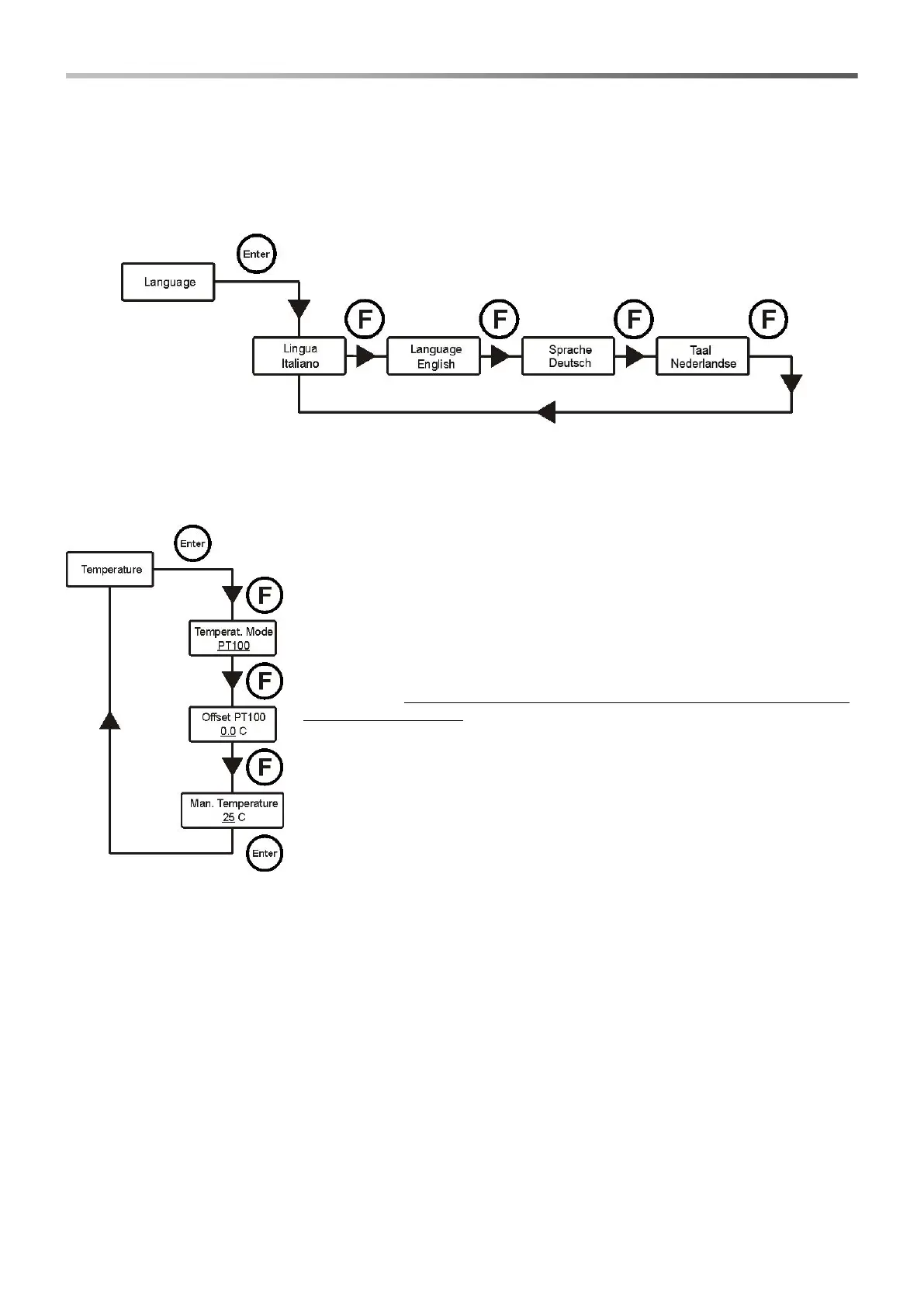
4.1 Selection of the language of the system
Select option Language from the installer menu.
To confirm and exit, press key Enter for 3 seconds.
4.2 Setting the temperature
Select option Temperature from the installer menu.
Temperat. Mode
Indicates how the temperature is managed: manually, automatically (with probe
PT100) or OFF (deactivated).
Press keys ▼▲ to select the mode and Enter to confirm.
PT100 offset (only if the Temperat. Mode is PT100)
This parameter allows to adjust the temperature display. In fact, the offset value
can be added to or removed from the measured temperature, so to display the
desired value. This parameter is not considered for the calculation of the dosing
but only for the display.
Press keys ▼▲ to set the desired value and Enter to confirm.
Values that can be set are -5.0÷10.0.
Man. Temperat. (only if the Temperat. Mode is Manual)
It represents the coefficient for calculating the compensation of conductivity; it is
recommended to leave the default value.
Press keys ▼▲ to set the desired value and Enter to confirm.
Values that can be set are 0÷100° C.
To confirm and exit, press key Enter for 3 seconds.


 To Next Page