TECHNOPOOL3 GUARANTEE CERTIFICATE
Dosing systems for swimming pools ENGLISH
ADSP7000716 rev. 1.0 25/01/2017 19/64
5 ADVANCED PROGRAMMING
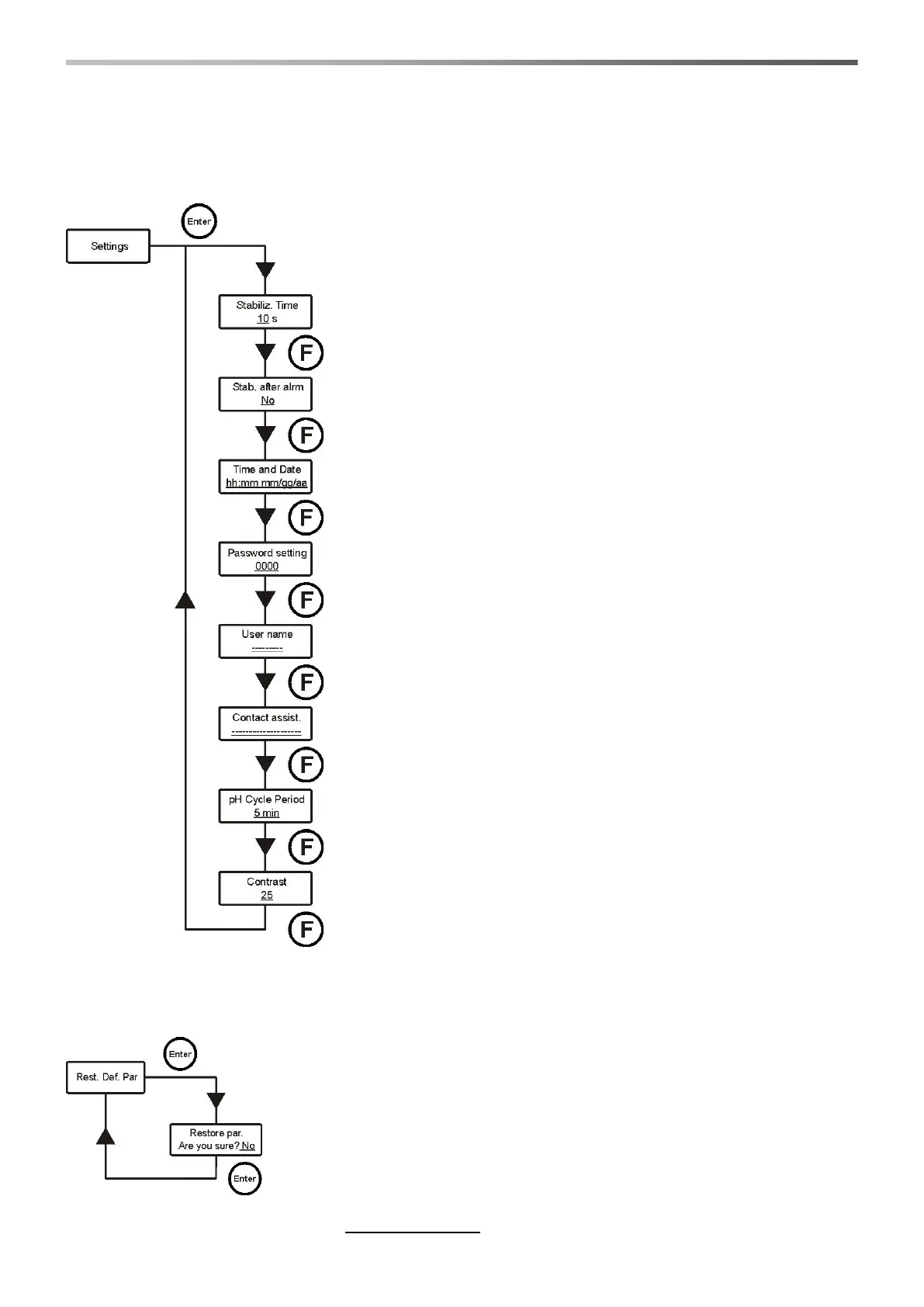
5.1 Configuration of the settings
Stabiliz. Time
When the system is powered or after an alarm occurred, it waits a
stabilisation time before it starts dosing (probes need some minutes to
stabilise the readings).
Stab. after alarm
Enables or disables the stabilisation time, after every alarm of the system.
Time and Date
Sets hour and date of the system
Press keys ▼▲ to set the value and Enter to move the slider.
Password setting
Set the password of the system.
Press keys ▼▲ to set the value and Enter to move the slider.
User name
Set the name of the client.
Press keys ▼▲ to select a character and Enter to move the slider.
Contact assist.
Set the name and telephone number of the After-Sales Assistance.
Press keys ▼▲ to select a character and Enter to move the slider.
pH Cycle period
It is the time that must pass between the two doses for the pH pump.
Press keys ▼▲ to set the desired value and Enter to confirm.
Values that can be set for the timing are 5÷120 minutes.
Contrast
This is the contrast percentage of the LCD.
Use the ▼▲ keys to set the desired value and then confirm with the Enter
key. The time values that can be set are 1÷100.
To confirm and exit, press key Enter for 3 seconds.
5.2 Restore the default parameters
The restoration of the factory parameters is enabled (refer to appendix 1). The
system asks if you are sure to proceed.
Press keys ▼▲ to select the two options and Enter to confirm.
By activating this function, all programmed data will get lost!


 To Next Page