55
3) Navigate to the desired field to adjust the test time.
4) Press ESC to save and exit.
10.5 Date / Time settings
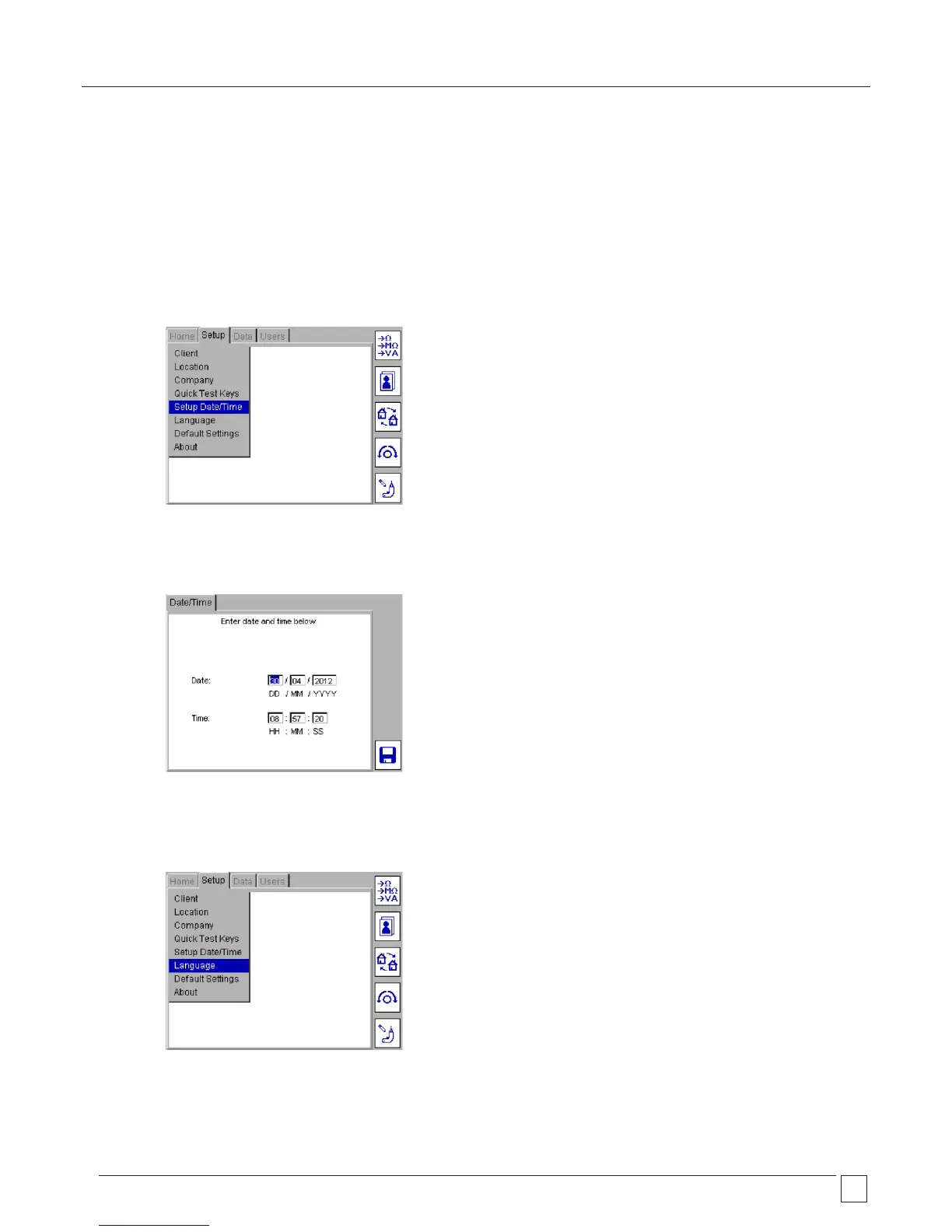
To change the Time or Date settings:
1) From the HOME screen, enter the SETUP menu option by pressing the RIGHT arrow key.
2) Use the DOWN arrow to select Date/Time as below:
3) Press OK to accept.
4) For DATE settings, use LEFT/RIGHT arrow keys to select the field to be changed. Enter the desired values using the keyboard.
For TIME settings, use the DOWN arrow key to select TIME, then the LEFT/RIGHT arrow keys to select the fields to be changed.
5) Press the save Hotkey to accept changes.
10.6 Changing Language
1) From the HOME screen, enter the SETUP menu option by pressing the RIGHT arrow key then select LANGUAGE as below:










 To Next Page