9
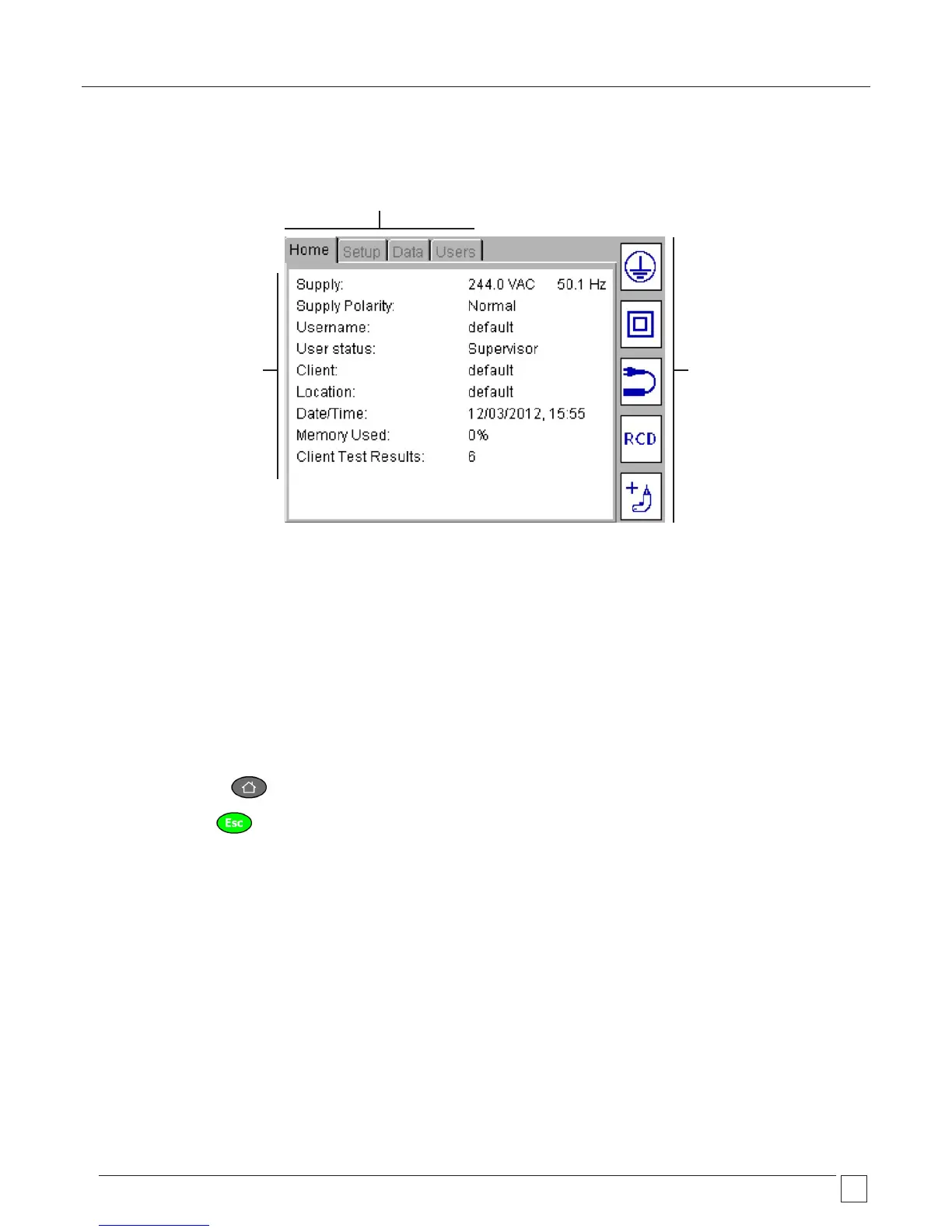
1.5 Display information
Main display area
Display and test result
information
Additional menu options
Menu bar – Provides navigation path and
menu options. See NOTE below
Hot keys
Quick access to frequently
used test groups, and other
options.
NOTE: Users tab is only available on Firmware version V2.4 and above.
1.6 Screen navigation
Use the UP/DOWN and LEFT/RIGHT arrows to navigate around the menu and asset screens.
Use the OK button or CR (enter key) on the keyboard to select or confirm an action.
Use the HOME button to return to the main menu
Use the ESC button to exit or abort a function










 To Next Page