10 Settings
49
If a device is to be integrated in a pre-existing (practice) network, observe and comply with the following:
ü
The IP addresses listed in the table have not yet been assigned in the (practice) network.
ü
The device cannot be automatically administered in a dynamic (practice) network (i.e. a DHCP
network).
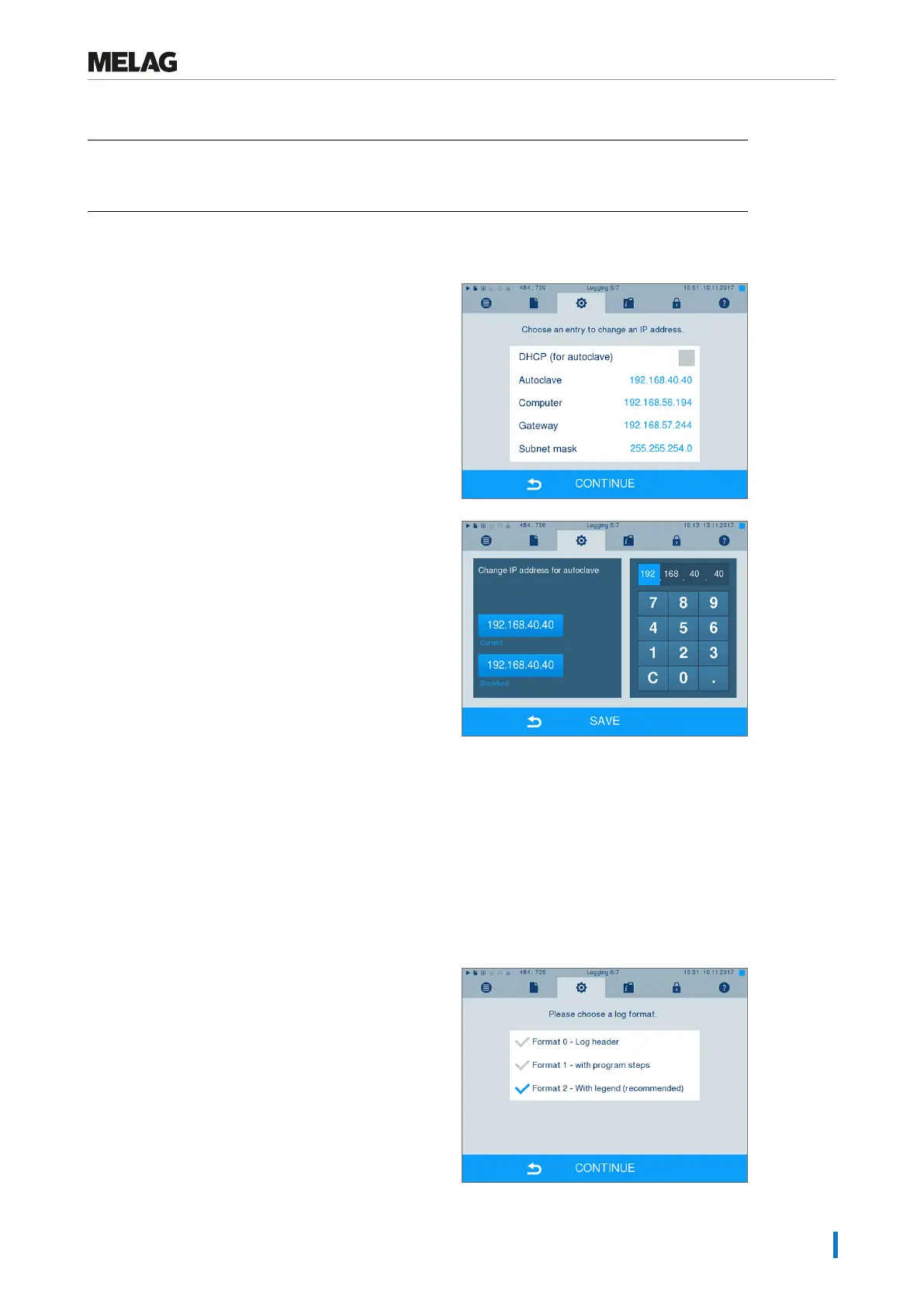
1. Select MenuSettings >Logging. The setting
wizard opens.
2. Working in the logging assistant, navigate to the
window in which the IP addresses of the individual
devices are listed.
3. Select e.g. the steam sterilizer. The settings window
opens.
4. Select the number block which you wish to change
directly.
5. Use the C button to delete the numbers. Enter a
new number block and confirm with SAVE.
6. Proceed in a similar fashion with the other devices
which are to be integrated in the network.
Log format
Different data is issued depending on the nature of the logging format.
}
The logging format is determined underSettings
>Logging.











 To Next Page