197 of 289
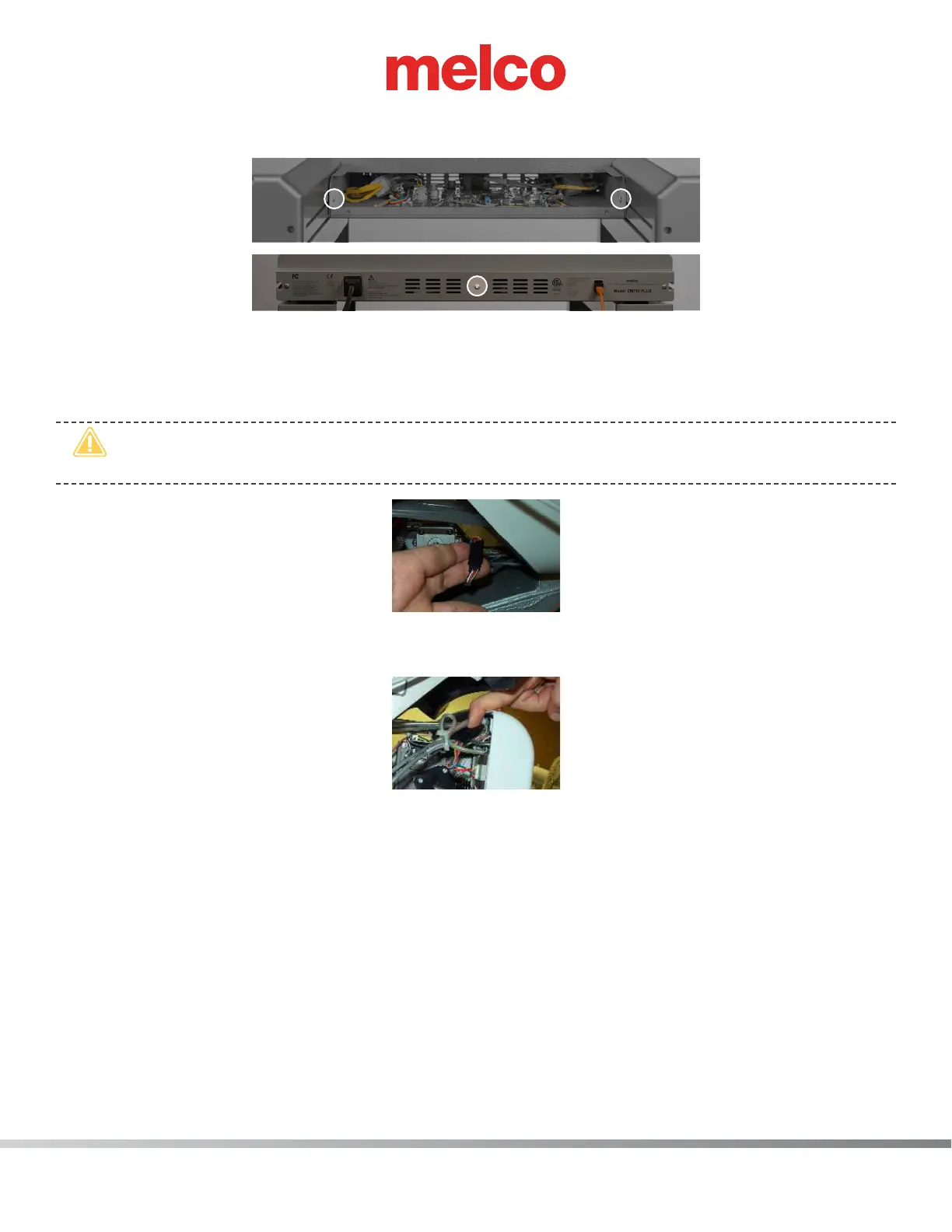
c. Once the main PCB cover is removed loosen but do not remove the 2 PCB securing tray screws
in the front and fully remove the securing plate screw in the rear.
7. Gently slide the main PCB mounting tray forward to gain full access to the main PCB.
8. Cut any cable ties bundling the grabber motor lead behind the left side of the needlecase
assembly.
•
CAUTION!! When disconnecting the harness leads, grab the connectors. Do not pull on the
wires. You will damage the harness if you do.
Figure 1 - Grabber Motor Lead
9. Disconnect the grabber lead from the grabber motor interface cable.
Figure 2 - Thread Feed Motor Lead
10. On the left side of the needlecase, remove any twist-lock cable ties bundling the thread feed mo-
tor lead to adjacent harnesses.
11. Disconnect the thread feed lead from the thread feed stepper motor interface cable.
12. Remove the twist-lock cable tie behind the thread tree that bundles the harness running under it.
13. From the backside, pull the grabber and thread feed motor leads through to the back.
14. Remove any twist-lock cable ties that bundle the grabber/thread feed motor harness to the adja-
cent harnesses and pull the harness from the wiring channel down to where it enters the access
cover towards the main PCB.


 To Next Page
 Loading...

