181 of 289
Power Input Assembly Component Replacement:
Power Supply Replacement
•
WARNING!! This procedure is intended to be performed only by specially trained Melco service
technicians and personnel. Disassembly by untrained individuals will void any warranty protec-
tion and can result in personal injury or damage to the machine.
•
WARNING!! Do not attempt to disassemble the power supply unit for any reason. There are no
user serviceable components inside. Internal components in the power supply unit might still
have residual voltage (even if power is disconnected) that can cause painful electrical shock.
1. Power down the machine and disconnect the A/C power input cord and the external Ethernet
cable from the back of the machine.
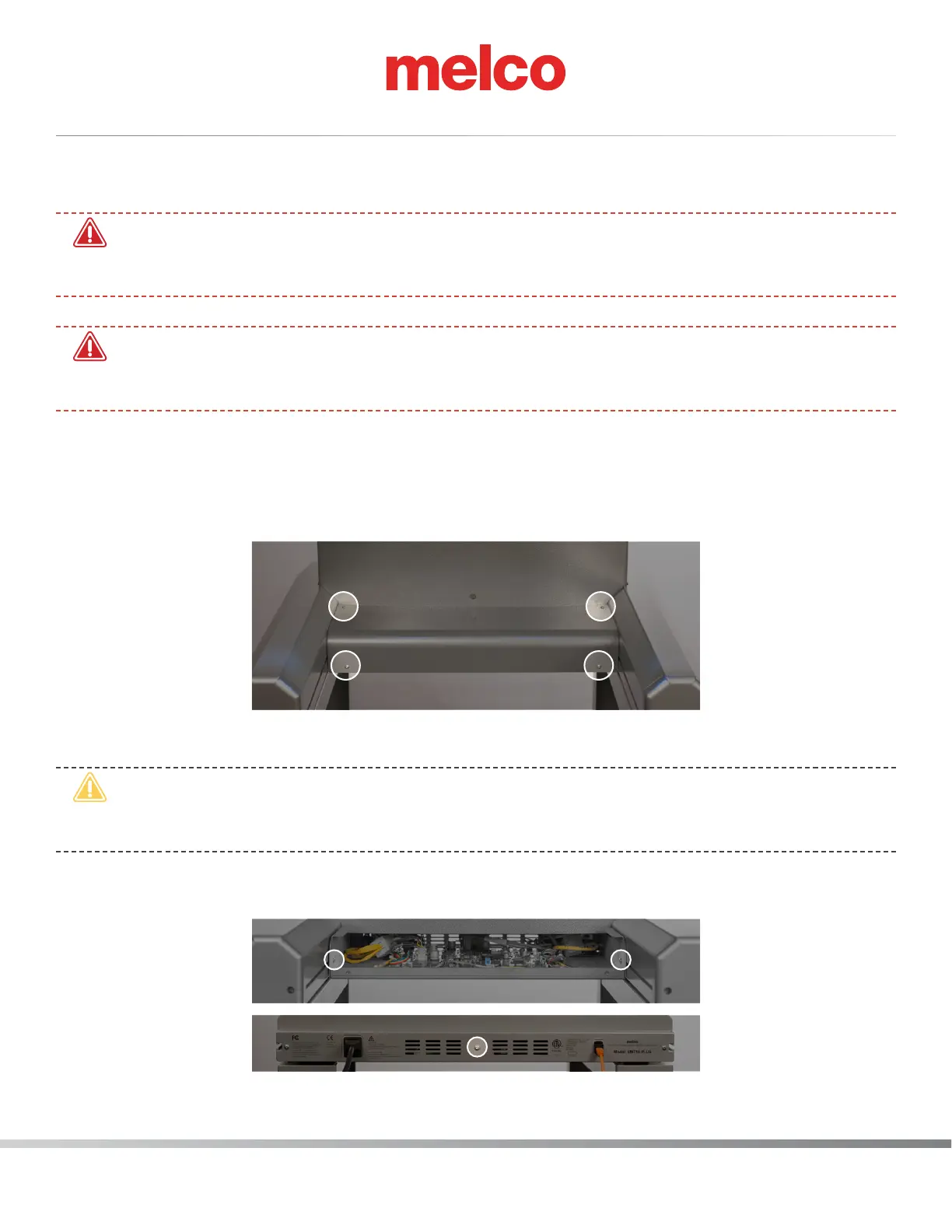
2. Remove cover for the main PCB.
a. Remove the 4 screw(s) that hold the main PCB cover in place.
b. Remove the PCB cover.
•
CAUTION!! Be careful not to drop metallic hardware or tools onto the Main PCB while it is
exposed. Doing so can result in severe damage to the electronics that might be expensive to
repair.
c. Once the main PCB cover is removed loosen but do not remove the 2 PCB securing tray screws
in the front and fully remove the securing plate screw in the rear.
3. Gently slide the main PCB mounting tray forward to gain full access to the main PCB.



 To Next Page